
 Home
Home- Support (Account Opening / Deposit / KYC / Withdrawal)
- Titan FX KYC Guide|SMS-Verified Users (ID Only)
Titan FX KYC Guide|SMS-Verified Users (ID Only)
After completing your Titan FX account registration, your account functions will remain limited until you finish the KYC (Identity Verification) process. For example:
- ▸ A deposit and trading limit of USD 10,000 (or equivalent)
- ▸ Withdrawals will not be available
To ensure full access to all trading features, we recommend completing your KYC verification as soon as possible.
This guide explains how users in countries/regions where SMS verification works (e.g., Taiwan, Hong Kong, Macau, Japan, Singapore, Malaysia, etc.) can upload their identification document to complete KYC.
Below is an overview of the required documents and submission guidelines:
| Accepted Identification (choose one) | KYC Document Guidelines |
|---|---|
| ▸ Passport ▸ National ID ▸ Driver’s License | ▸ Document must be valid (not expired) ▸ Image must be clear, without glare or obstruction ▸ Information (name, date of birth, etc.) must be readable ▸ Information must match your registration details |
How to Complete KYC Verification in the Titan FX Client
The following steps will guide you through uploading your KYC documents in the Titan FX client.
Step 1: Log in to the Titan FX Client and Access the Upload Page
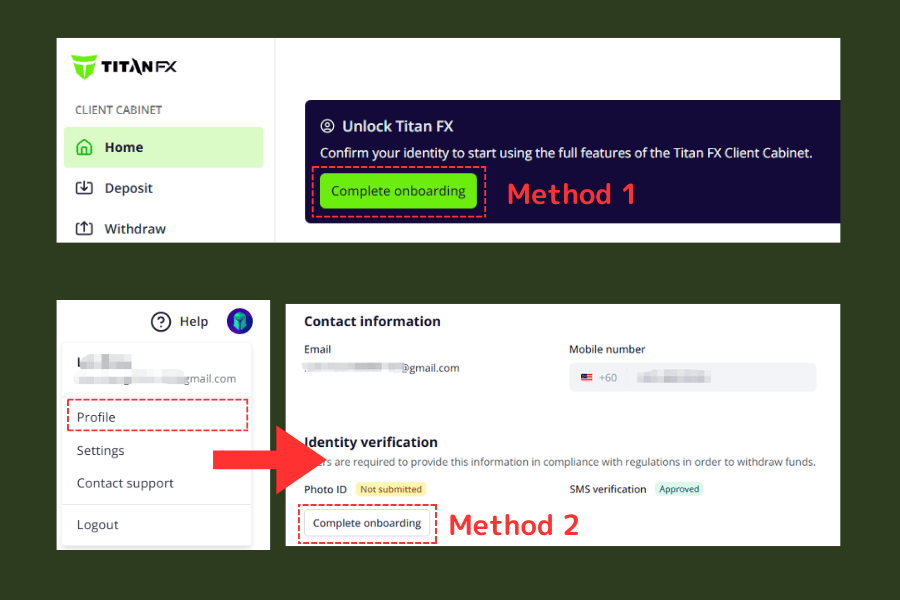
After logging in, you can access the KYC upload page in one of the following ways:
- Method 1: On the home screen, click “Complete Registration” to go directly to the upload page.
- Method 2: Click your profile icon in the top-right corner → select “Profile” → then click “Complete Registration”.
Step 2: Upload Your Identification Document
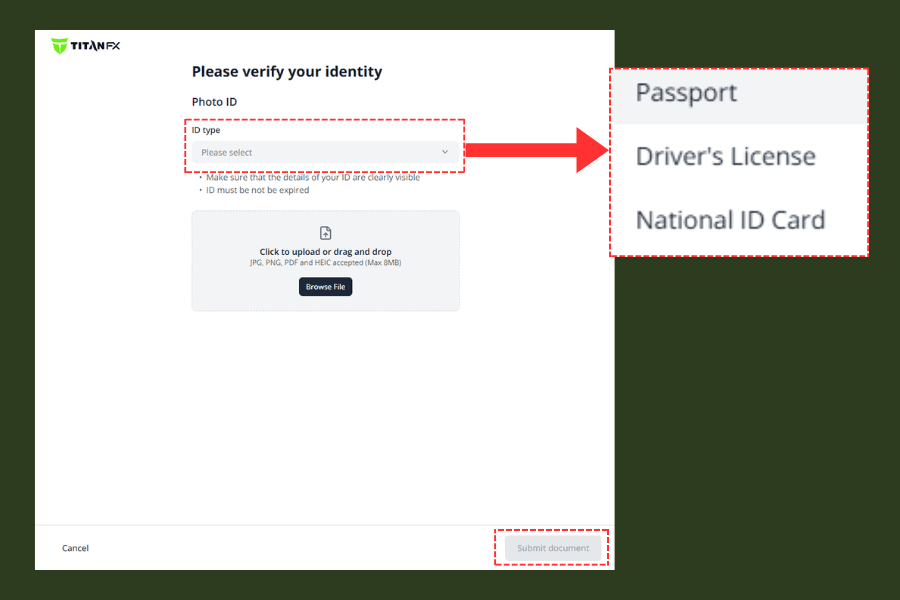
On the upload page, select the type of identification you wish to submit (passport, driver’s license, or national ID Card), and upload a clear and complete image of the document.
Ensure the image is free of glare, obstruction, and that all information is clearly visible. Once confirmed, click “Submit document” in the bottom-right corner to send your document for review.
Step 3: Wait for Review (Full Account Features Will Be Enabled Once Approved)
After submitting your identification document, the system will display a confirmation page indicating that your file has been uploaded.
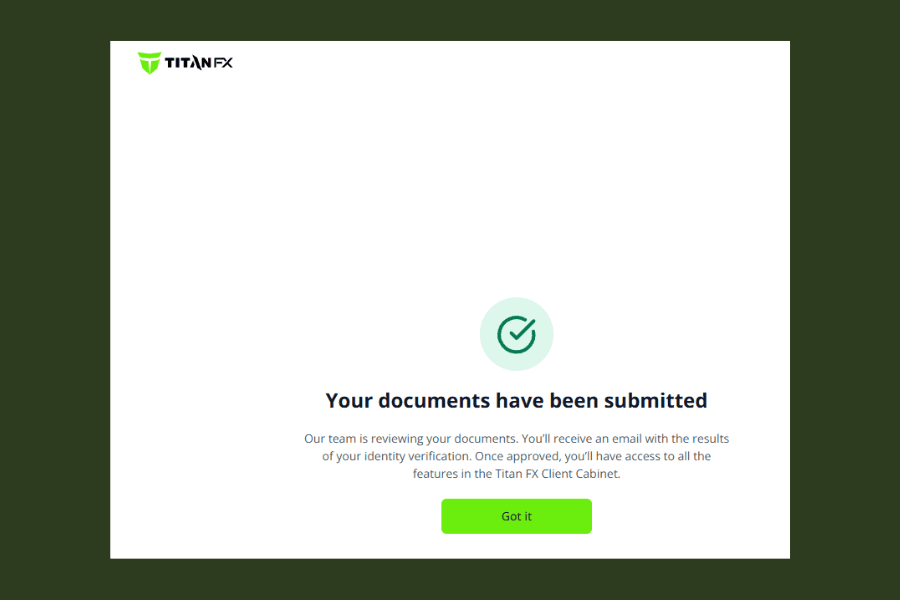
The review process typically takes from a few minutes up to one business day.
Once your verification is approved, you will receive a confirmation email, and your profile page will display the status “Approved.”
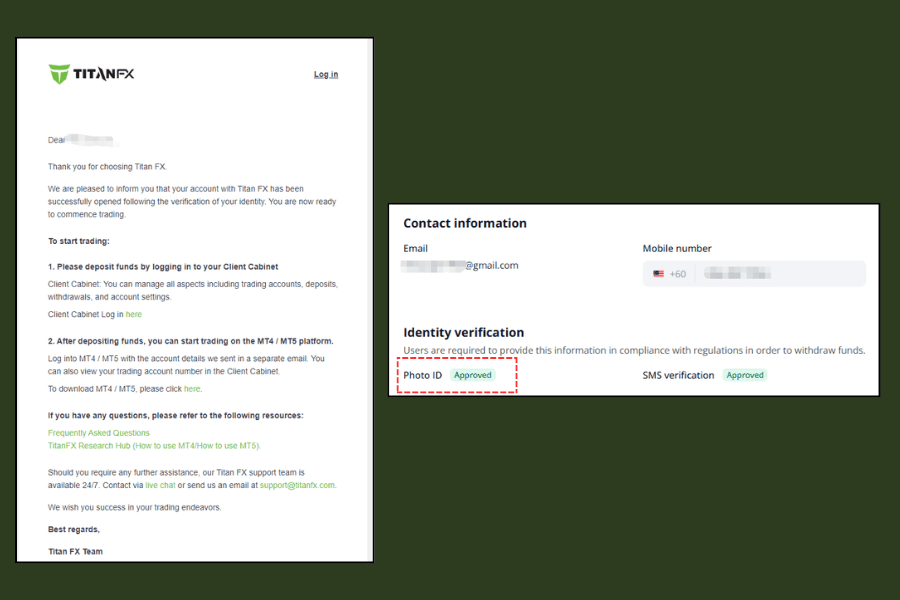
Once KYC is completed, your account will have the following features:
- ▸ Removal of the USD 10,000 deposit and trading limit
- ▸ Withdrawal functions enabled (including both principal and trading profits)
- ▸ Access to certain local bank funding methods in supported regions (e.g., Japan domestic bank transfers in JPY)