

How to use MT5/MT4
Installation and Login for MT4 (Windows)
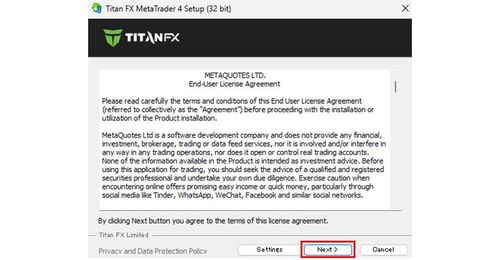
Installation and login method for MT4 (Windows)
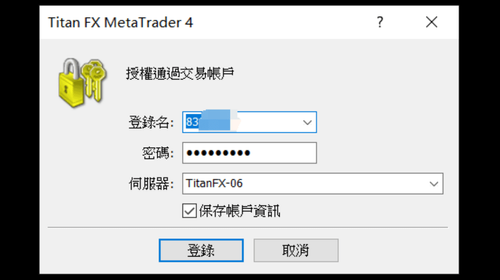
This guide explains how to download the MT4 (Windows) installation file, install the platform, and log in with your Titan FX account credentials.
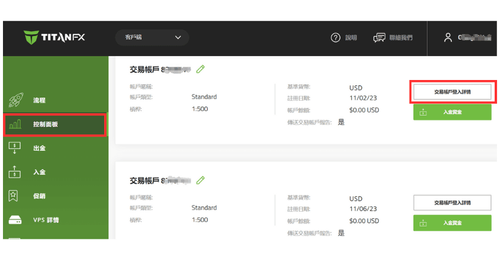
How to Change the MT4 Login Password (Windows)
This article explains how to change your MT4 login password from the TitanFX Client Portal or directly on the MT4 platform.
How to order for MT4 (Windows)
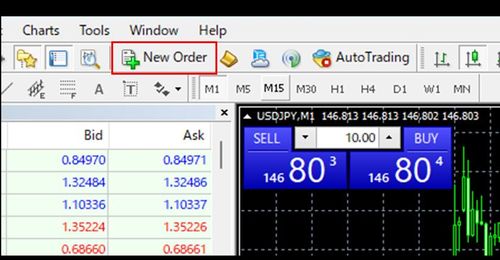
Displaying the Order Placement Window and Placing Orders in MT4 (Windows)
This guide covers four ways to display the order placement window in MT4 (Windows) and how to place market, limit, and stop orders from it.
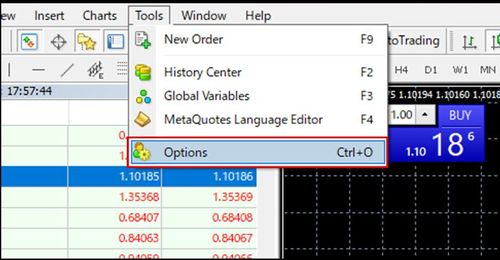
Modifying Open Positions in MT4 (Windows)
This guide explains two ways to add or modify stop-loss and take-profit orders on open positions in MT4 (Windows): from the order window and directly on the chart.
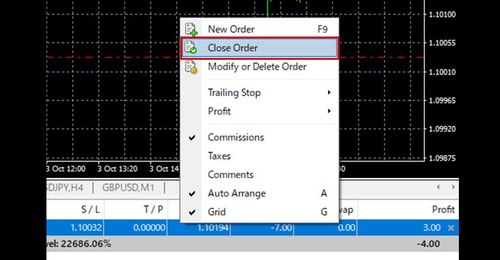
Closing Open Positions in MT4 (Windows)
This guide explains how to close open positions in MT4 (Windows) at market, with and without one-click trading enabled, including partial closes.
How to Trade Gold CFDs on MT4 (Windows)
This article explains how to trade gold CFDs (Contracts for Difference) on the Titan FX MT4 (MetaTrader 4) platform, from adding symbols to displaying charts and placing orders.
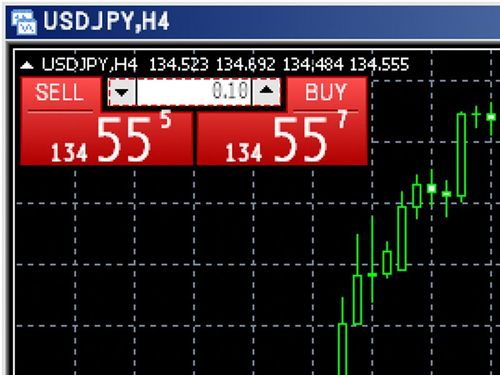
One-Click Trading in MT4 (Windows)
This guide explains how to enable one-click trading in MT4 (Windows) and how to place orders with a single click.
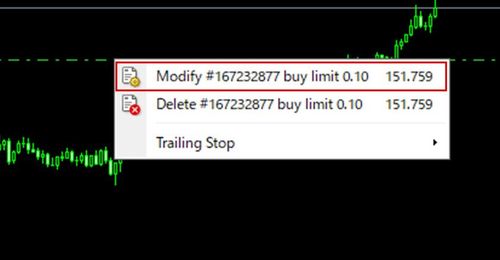
Methods to modify and cancel limit and stop orders in MT4 (Windows)
This guide explains two ways to modify or cancel pending limit and stop orders in MT4 (Windows): from the order window and directly on the chart.
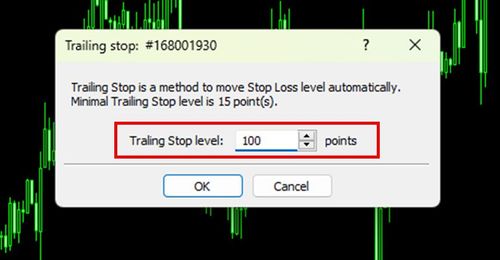
How to Set a Trailing Stop in MT4 (Windows)
This guide explains how to set a trailing stop on open positions in MT4 (Windows), how to disable it, and important notes on using it.
EA setting for MT4 (Windows)
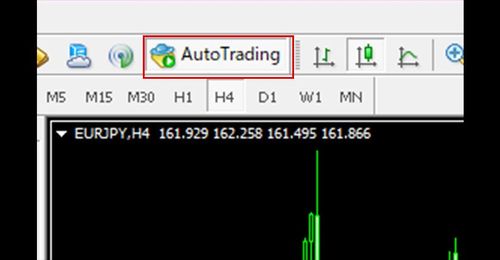
Setting Up an EA in MT4 (Windows)
This guide explains how to set up automated trading in MT4 (Windows): installing an Expert Advisor (EA), launching and stopping it, and key operational notes.
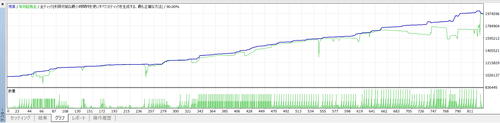
Method of Backtesting on MT4 (Windows)
This guide explains how to set up an EA backtest in MT4 (Windows), check the results, and receive the price data needed for testing.
Basic Operations of MT4 Charts (Windows)
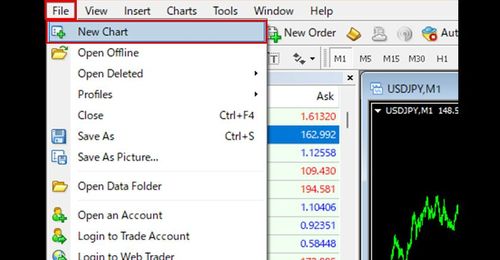
How to display and reopen a new chart in MT4 (Windows)
This guide explains how to open a new chart in MT4 (Windows), close a chart, and reopen a chart you have closed.
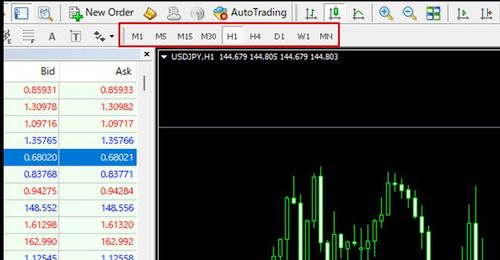
How to Change the Time Frame of a Chart in MT4 (Windows)
This guide explains how to change the time frame of a chart in MT4 (Windows) and what to do if time frames are not shown on the toolbar.
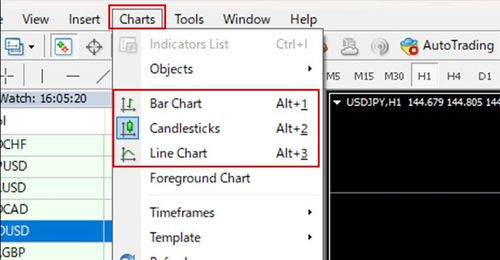
Changing the Type of Chart in MT4 (Windows)
This guide explains how to switch MT4 (Windows) charts between the three available types: candlestick, bar, and line charts.
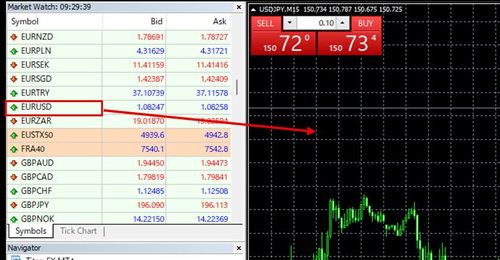
How to Change the Instrument on an MT4 Chart (Windows)
This guide explains how to change the instrument displayed on a chart in MT4 (Windows).
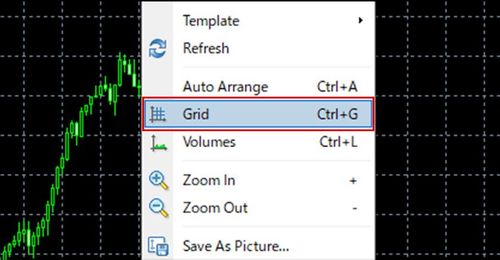
How to Toggle the Grid Lines Display in MT4 (Windows)
This guide explains how to toggle the grid lines on MT4 (Windows) charts on and off.
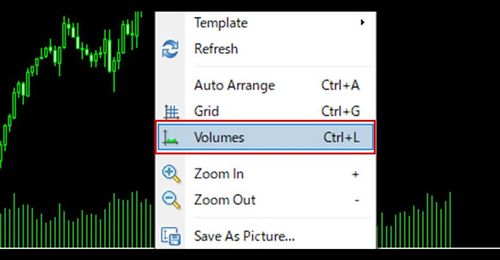
How to Toggle the Tick Volume Display in MT4 (Windows)
This guide explains how to toggle the tick volume display on MT4 (Windows) charts on and off.
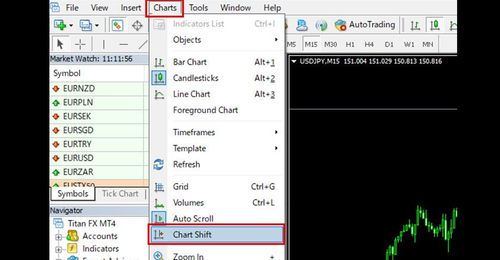
How to Toggle the Chart Shift in MT4 (Windows)
This guide explains how to use the chart shift function in MT4 (Windows) to create space on the right side of the chart.
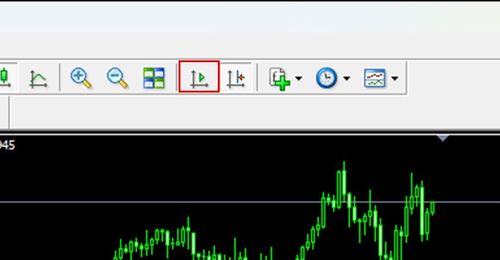
How to toggle the auto-scroll feature in MT4 (Windows)
This guide explains how to toggle the auto-scroll feature in MT4 (Windows), which keeps the chart following the latest price, on and off.
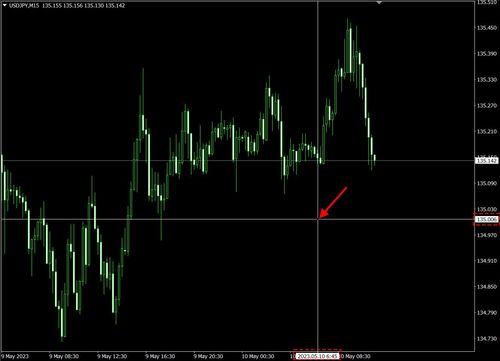
How to Use the Crosshair in MT4 (Windows)
This guide explains how to switch to crosshair mode in MT4 (Windows) to read the time and price at the cursor and measure bars and points on the chart.
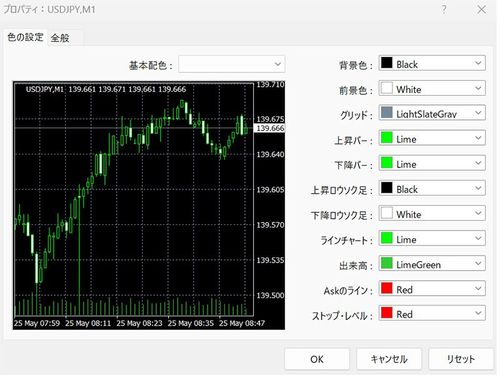
Chart Color Settings on MT4 (Windows)
This guide explains how to customize the colors of MT4 (Windows) charts, including the background and candlesticks, from the Properties window.
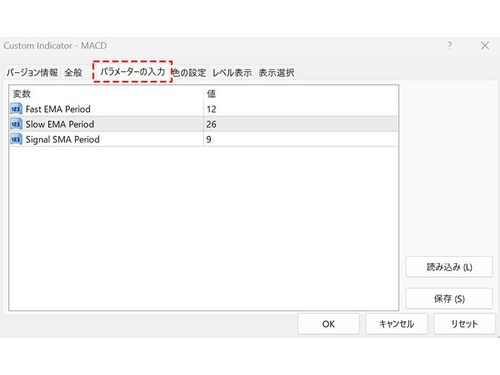
How to Set Up Indicators on MT4 (Windows)
This guide explains how to launch indicators in MT4 (Windows), adjust their parameters, and manage the indicators displayed on a chart.
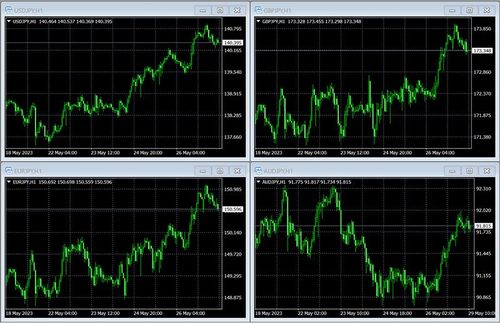
How to Align Charts on MT4 (Windows)
This guide explains how to neatly align multiple charts in MT4 (Windows).
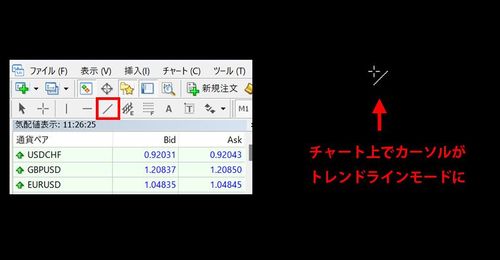
How to Draw Trendlines on MT4 (Windows)
This guide explains how to draw trendlines in MT4 (Windows), adjust their position on the chart, and customize them from the Properties window.
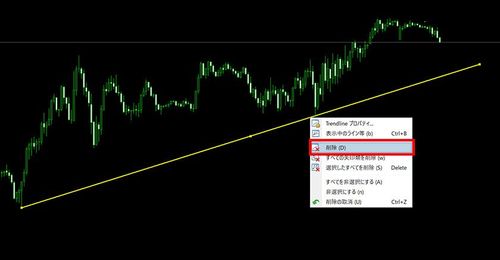
How to Delete Trendlines on MT4 (Windows)
This guide explains the basic methods for deleting unwanted trendlines in MT4 (Windows).
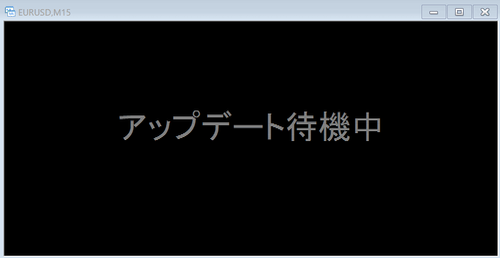
How to Resolve "Waiting for Update" on MT4 (Windows) Charts
This guide explains why an MT4 (Windows) chart may show "Waiting for Update" with no chart data, and how to resolve the issue.
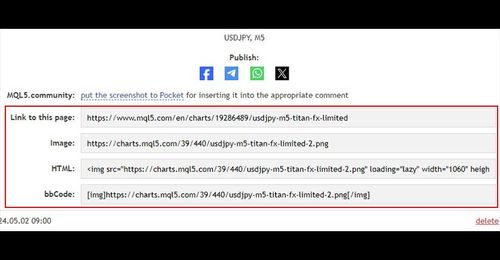
How to Save Chart Images on MT4 (Windows)
This guide explains how to save chart images in MT4 (Windows).
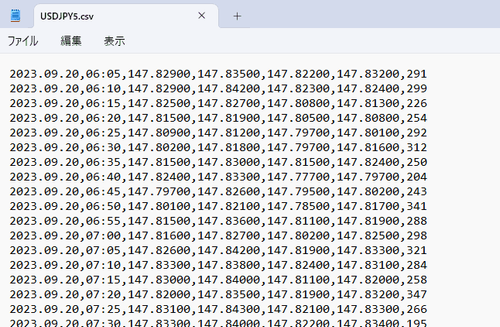
How to Download Chart Price Data as a CSV on MT4 (Windows)
This guide explains how to download chart price data as a CSV file in MT4 (Windows).
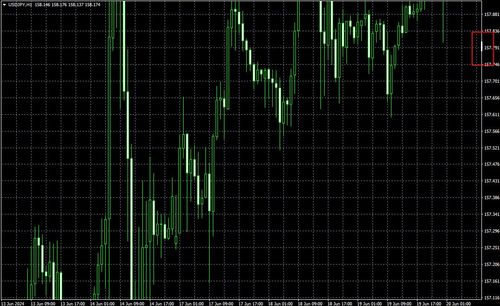
How to Fix the Scale in MT4 (Windows)
This guide explains how to fix the price scale on MT4 (Windows) charts to a specified price or a 1:1 ratio, and how to adjust the display position when the scale is fixed.
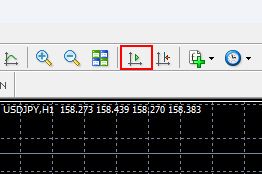
How to Scroll MT4 Charts Step by Step (Windows)
This guide explains how to prepare for and use the step-by-step feature in MT4 (Windows) to scroll charts one bar at a time, which is useful for simulating past price action.
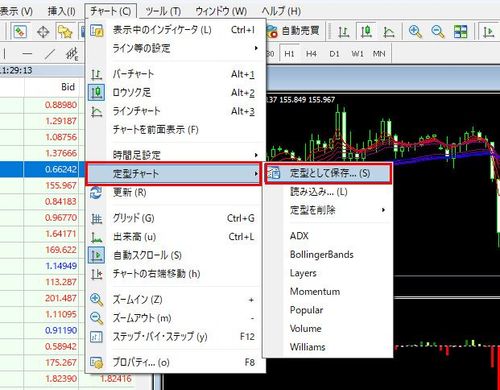
How to Use Chart Templates in MT4 (Windows)
This guide explains how to save chart colors, indicators, and other settings as a template in MT4 (Windows), and how to apply, delete, and load templates.
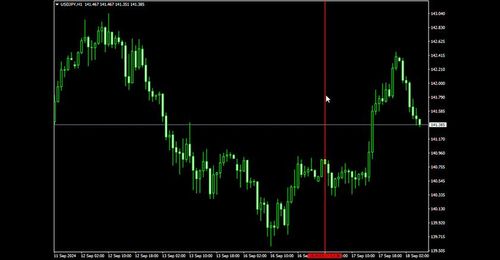
How to Draw Vertical Lines in MT4 (Windows)
This guide explains two ways to switch to vertical line mode in MT4 (Windows), how to draw vertical lines, and the detailed settings in the line properties window.
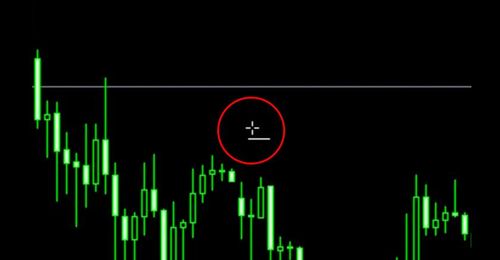
How to Draw Horizontal Lines in MT4 (Windows)
This guide explains how to draw horizontal lines in MT4 (Windows), the detailed settings in the line properties window, and how to delete lines.
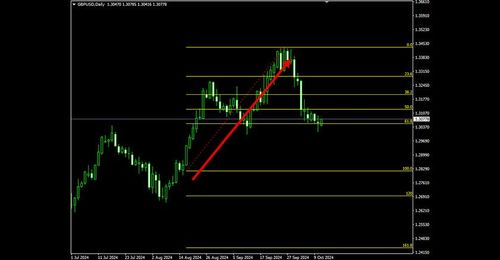
How to Draw Fibonacci Retracements in MT4 (Windows)
This guide explains how to draw Fibonacci retracements in MT4 (Windows), modify and move them, and adjust the detailed settings in the properties window.
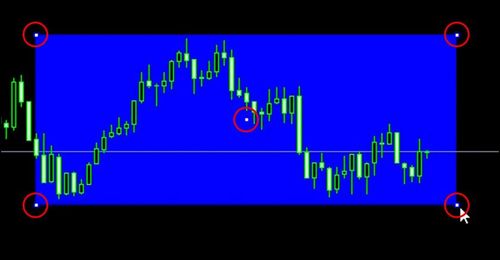
How to Draw Shapes on MT4 (Windows)
This guide explains how to draw rectangles, triangles, and ellipses on MT4 (Windows) charts.
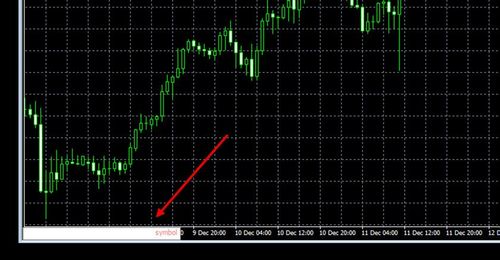
How to Use the Fast Navigation Box in MT4 (Windows)
This guide explains how to display and use the Fast Navigation Box in MT4 (Windows) to quickly jump to a specific date and time or change the symbol and time frame.
Other Operations for MT4 (Windows)
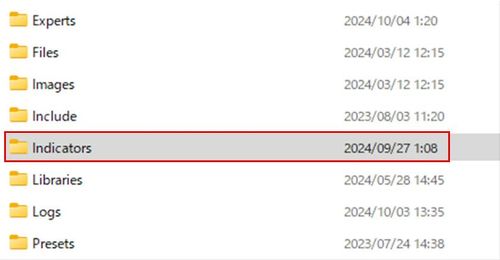
Installing Custom Indicators in MT4 (Windows)
This guide explains how to install custom indicators built with MQL4 into MT4 (Windows) and launch them on a chart.
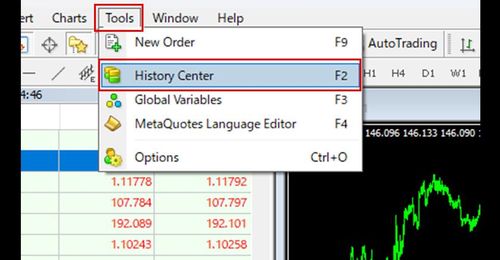
How to Import Historical Data into MT4 (Windows)
This guide explains how to prepare for and import historical price data into MT4 (Windows) for purposes such as backtesting.
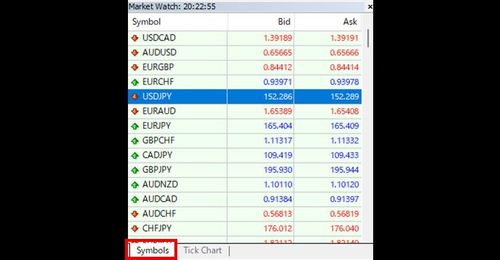
Setting Up the Market Watch in MT4 (Windows)
This guide explains the two tabs of the MT4 (Windows) Market Watch and how to add or remove symbols, adjust display items, and change the sort order.
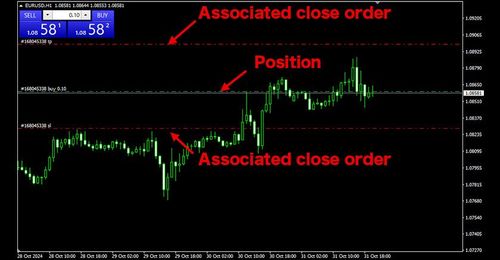
Switching the Display of Positions and Order Levels in MT4 (Windows)
This guide explains how to display open positions and pending limit and stop order levels on MT4 (Windows) charts, and how to toggle the display.
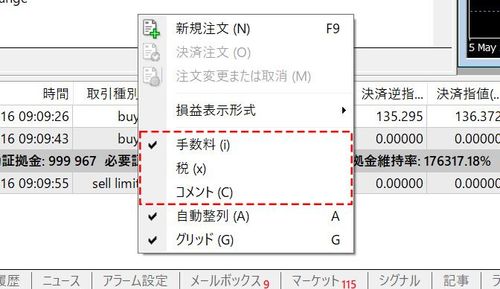
Check Positions, Orders, and Assets in MT4 (Windows)
This guide explains how to check open positions, pending orders, and account information in the Trade tab of the MT4 (Windows) terminal, and how to configure the displayed items.
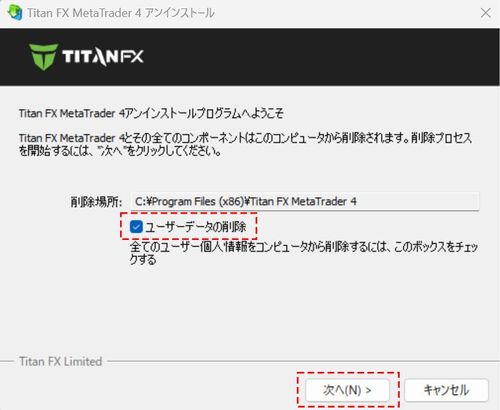
How to Uninstall MT4 (Windows)
This guide explains how to uninstall MT4 (Windows) using the Windows Control Panel.
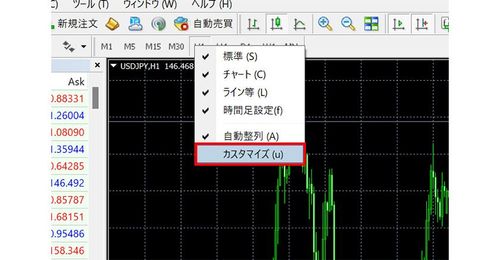
How to Customize Timeframes on MT4 Toolbar (Windows)
This guide explains how to customize the timeframe settings shown on the MT4 (Windows) toolbar and how to toggle the timeframe display on and off.
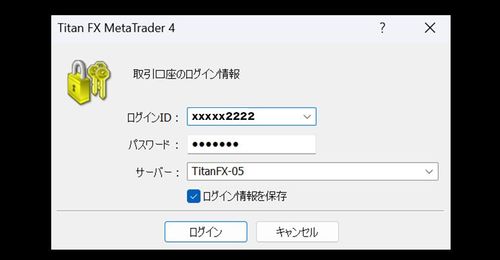
How to Switch Accounts on MT4 (Windows)
This guide explains how to switch between multiple accounts within MT4 (Windows).
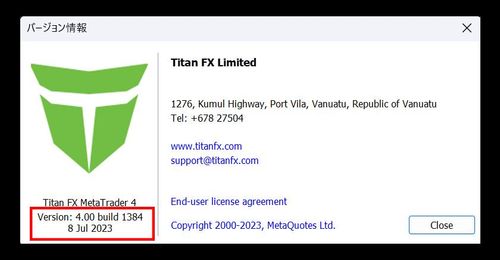
How to Check the Version of MT4 (Windows)
This guide explains how to check which version of MT4 (Windows) you are using, which can help when troubleshooting problems.
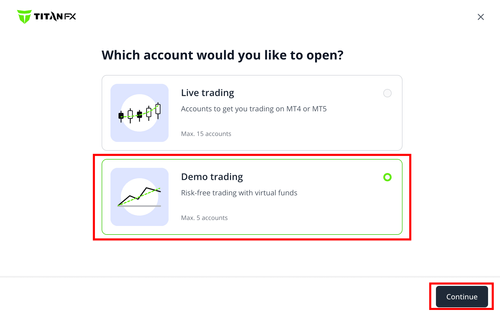
How to Create a Demo Account on MT4 (Windows)
This guide explains how to create a demo account in MT4 (Windows) and the demo account expiration period.
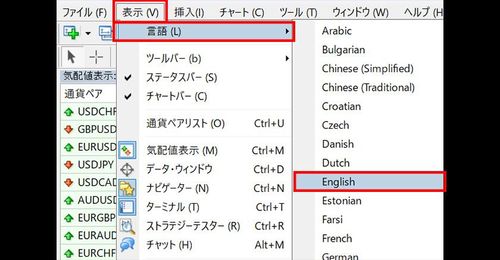
How to Change the Language in MT4 (Windows)
This guide explains how to change the display language settings in MT4 (Windows).
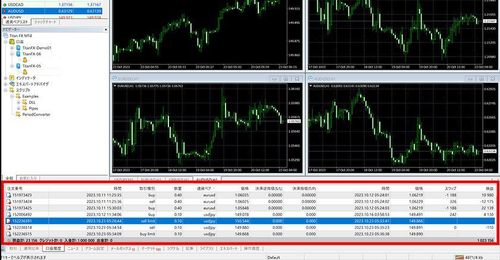
How to Check Account History in MT4 (Windows)
This guide explains how to check your account history in MT4 (Windows), including closed trades, deposits and withdrawals, and canceled orders.
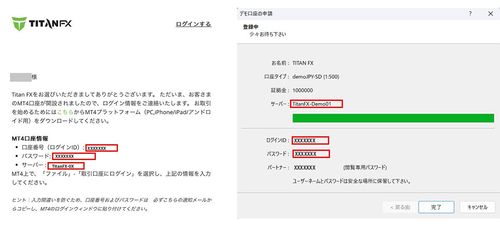
How to Troubleshoot MT4 Login Issues
This guide explains how to troubleshoot MT4 login issues by checking four points: login credentials, account validity, the MT4 type, and your network connection.
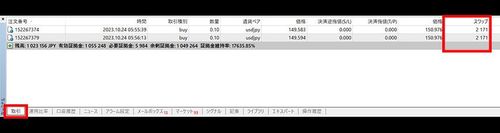
How to Check Swap Points on MT4 (Windows)
This guide explains how to check the swap points accrued on open positions and closed positions in MT4 (Windows).
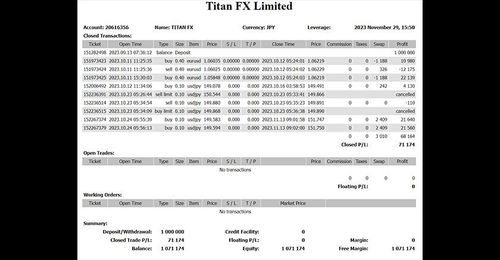
How to Create a Profit and Loss Report on MT4 (Windows)
This guide explains how to generate a profit and loss report summarizing your trading history in HTML format in MT4 (Windows).
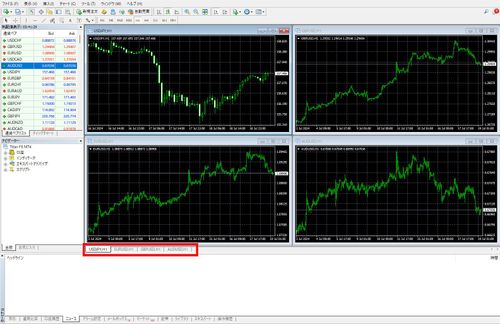
How to Toggle Chart Bars On/Off in MT4 (Windows)
This guide explains how to toggle the chart bar at the bottom of the MT4 (Windows) chart area on and off, and how to switch charts when it is hidden.
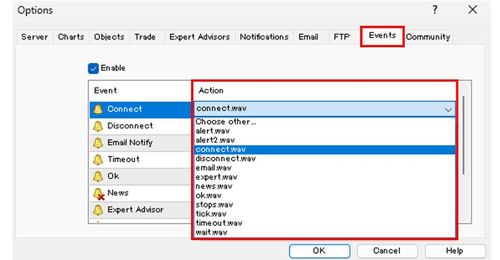
How to Set Sound in MT4 (Windows)
This guide explains how to change or disable the sounds played when logging in or trading in MT4 (Windows).
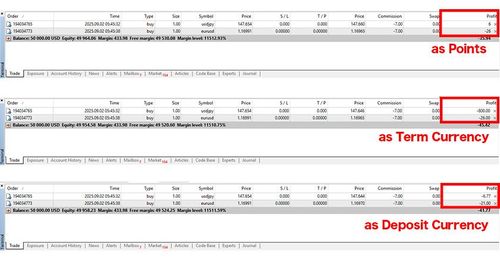
How to Switch the Profit and Loss Display in MT4 (Windows)
This guide explains how to switch the profit and loss display in the Trade tab of the MT4 (Windows) terminal between points, instrument currency, and account currency.
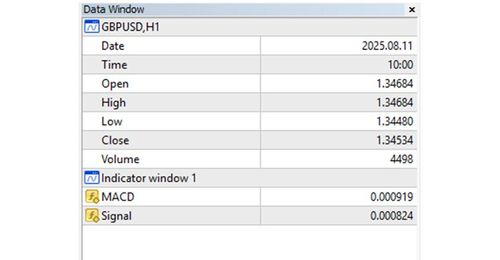
How to Display the Data Window on MT4 (Windows)
This guide explains what the Data Window in MT4 (Windows) is and how to display it to see prices and other information at the cursor position.
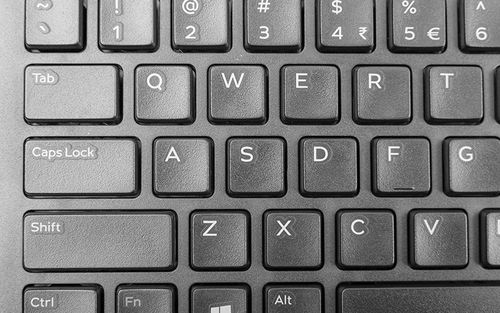
List of Shortcut Keys for MT4 (Windows)
A categorized list of the main shortcut keys in MT4 (Windows) to help you operate the platform more efficiently.
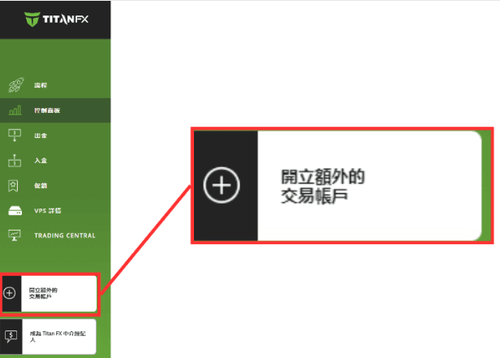
How to Add a New MT4 Trading Account (Windows)
This article explains how to add a new MT4 trading account from the TitanFX Client Portal, including selecting the account type, leverage, and base currency.
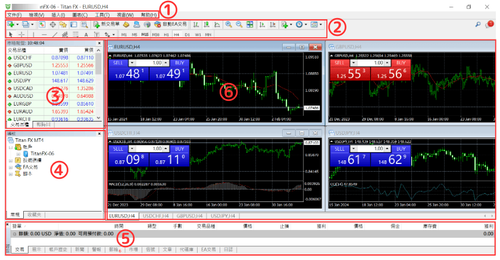
MT4 (Windows) Platform Overview
This article introduces the basic structure of MT4 (MetaTrader 4) for Windows, giving you an overview of what you can do in each part of the platform.

Common Forex Trading Scams and Sales Tactics: How to Quickly Spot MT4/MT5 Platform Fraud
MT4 and MT5 are widely used in the forex market, but bad actors exploit their reputation to commit fraud. This article takes an in-depth look at the common scams and sales tactics in forex margin trading, helping investors recognize how fake MT4/MT5 platforms are used for fraud and how to spot them. We also point you to legitimate sources for downloading and installing MT4/MT5 so you can trade safely.

What Is MT4 (MetaTrader 4)? A Complete Guide to Features, Pros & Cons, and MT5 Differences
MT4 (MetaTrader 4) is one of the most widely used forex trading platforms, offering simple operation, a stable system, and automated trading (EA) support. This article fully introduces what MT4 is, its main features and pros and cons, how to actually use it, and how it differs from MT5, helping beginners quickly understand and choose the right platform.