How to Change the MT4 Login Password (Windows)
Method 1: Change from the Client Portal
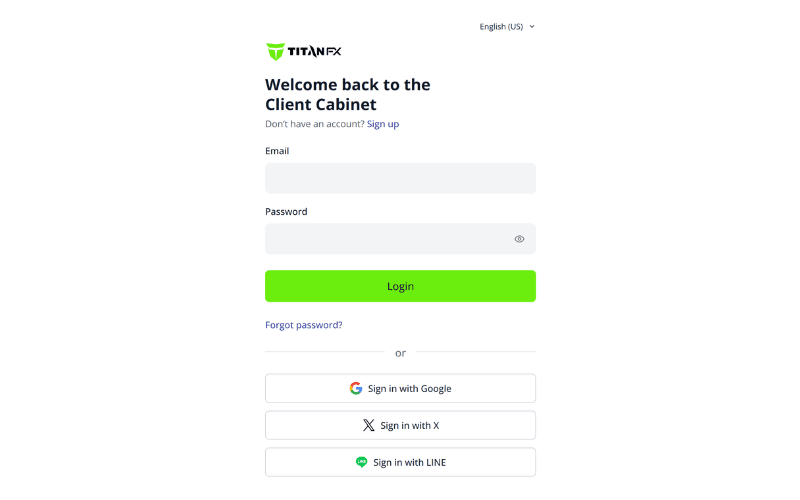
① Enter your email address and password to log in to the TitanFX Client Portal.
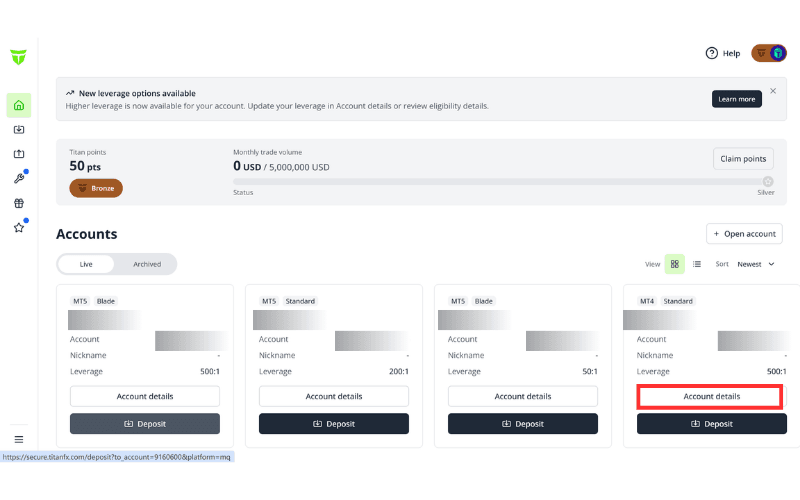
② On the "Accounts" page, select the account whose password you want to change, then click that account's "Account details".
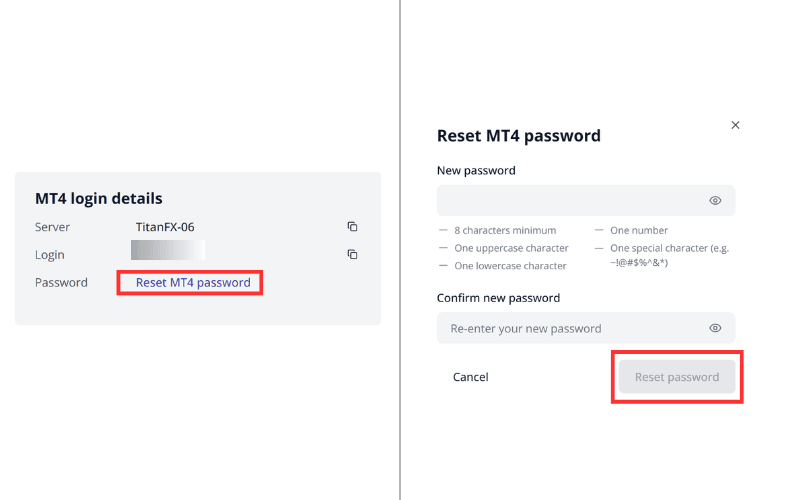
③ In "MT4 login details", click "Reset MT4 password". In the dialog, enter your new password under "New password", re-enter it under "Confirm new password", and click "Reset password" to complete the change.
※ The password must be at least 8 characters and include at least one uppercase letter, one lowercase letter, one number, and one special character.
Method 2: Change from the MT4 Platform
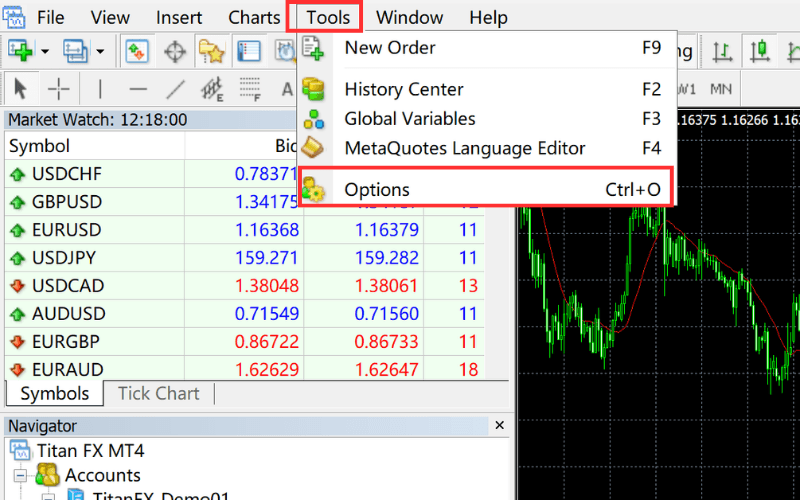
① Log in to MT4 and select "Tools" - "Options" at the top, or use the shortcut key "Ctrl+O".
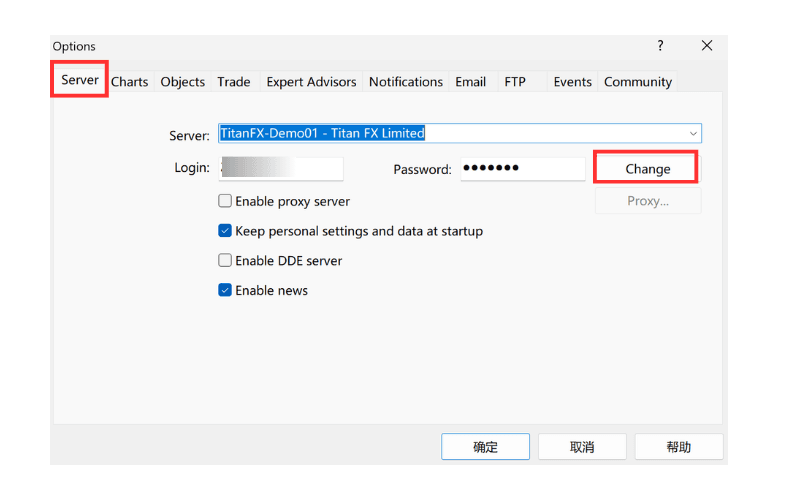
② On the "Server" tab, click "Change".
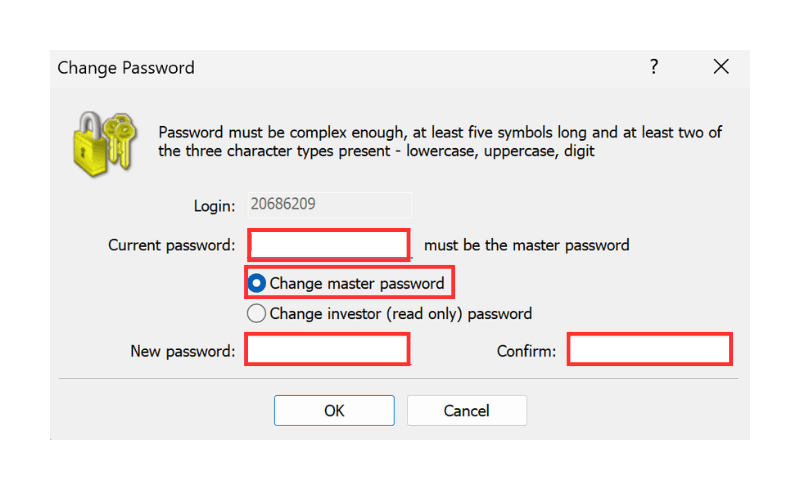
③ Select "Change master password" and enter your master password (your current MT4 password) in the "Current password" field.
Next, enter the login password you want to set in "New password", enter the same password again in "Confirm", and finally click "OK" to complete the change.
※ The password must be at least 8 characters and include at least one uppercase letter, one lowercase letter, one number, and one special character.