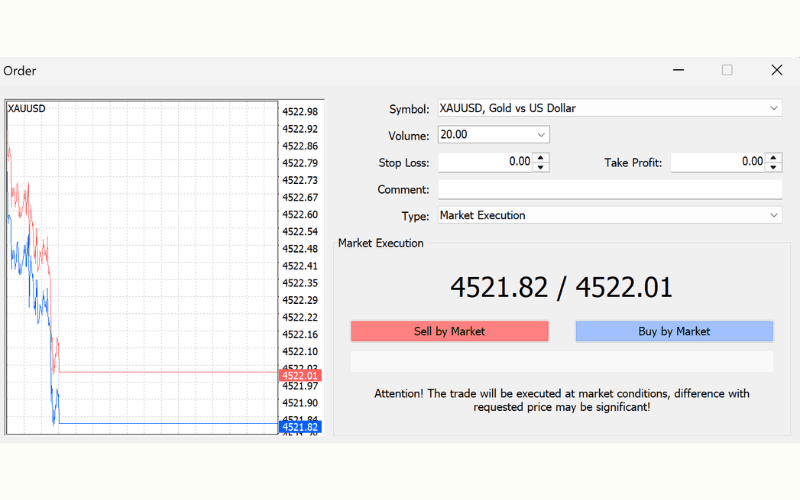

How to Trade Gold CFDs on MT4 (Windows)
This article explains in detail how to trade gold CFDs (Contracts for Difference) on the Titan FX MT4 (MetaTrader 4) platform.
What Is Gold CFD Trading? Benefits, Risks, and Costs ExplainedHow to Trade Gold CFDs on MT4
Before you start trading gold CFDs on the Titan FX MT4 platform, make sure you have registered a Titan FX MT4 account, installed the Titan FX MT4 platform, and have funds in your account. If you haven't done so yet, refer to the guides below.
1: Open an account from the TitanFX Client Portal
2: How to download, install, and log in to the Titan FX MT4 platform
Once you have completed the above, you can start trading gold CFDs on the Titan FX MT4 platform.
Step 1: Log in to MT4
On the login window, enter your MT4 login ID and password, select the server, and log in to the MT4 platform.
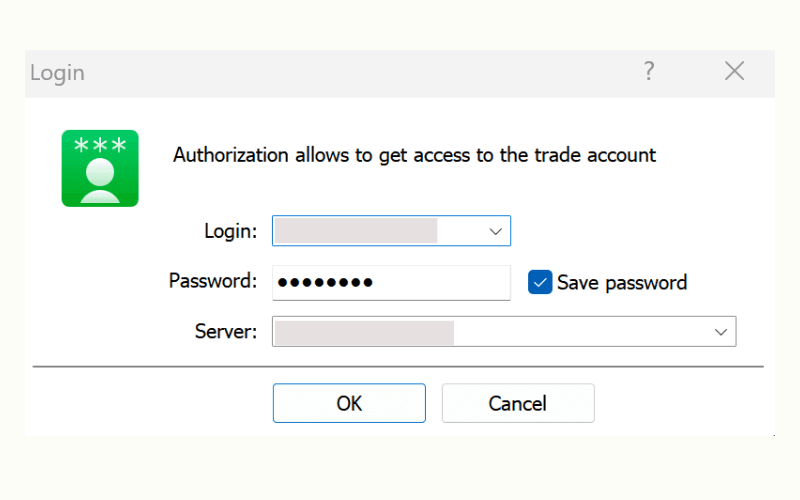
※ You can find your MT4 login details in the email you received when opening your account.
Step 2: Add and Display Gold CFD Symbols
After logging in, click "View" - "Symbols" at the top or use the shortcut key "Ctrl+U" to open the show/hide symbols window.
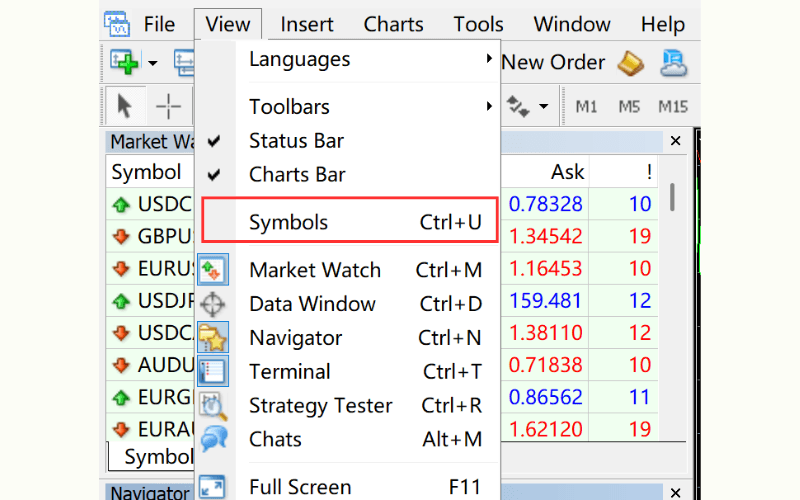
Select the gold CFD symbols under "Gold". Double-click the $ icon to toggle between hidden and shown.
Titan FX offers a range of gold CFD symbols, including:
Gold/AUD (XAU/AUD), Gold/CHF (XAU/CHF), Gold/EUR (XAU/EUR), Gold/GBP (XAU/GBP), Gold/JPY (XAU/JPY), and Gold/USD (XAU/USD).
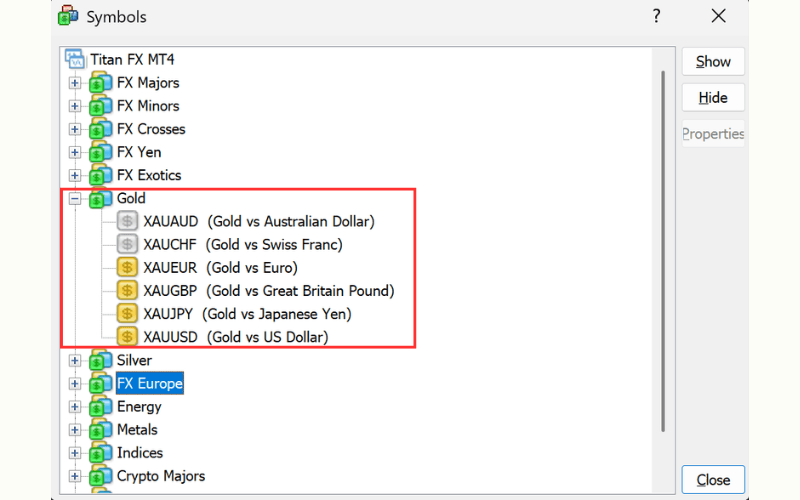
Once added, you can start trading gold CFDs.
Note: the trading hours for all gold (XAU) symbols are as follows:
| Trading Hours | Winter (GMT+2) | Summer (GMT+3) |
|---|---|---|
| MT4/5 time | 01:00 - 23:59 (Friday close at 23:55) | 01:00 - 23:59 (Friday close at 23:55) |
Step 3: Open the Chart of the Gold CFD You Want to Trade
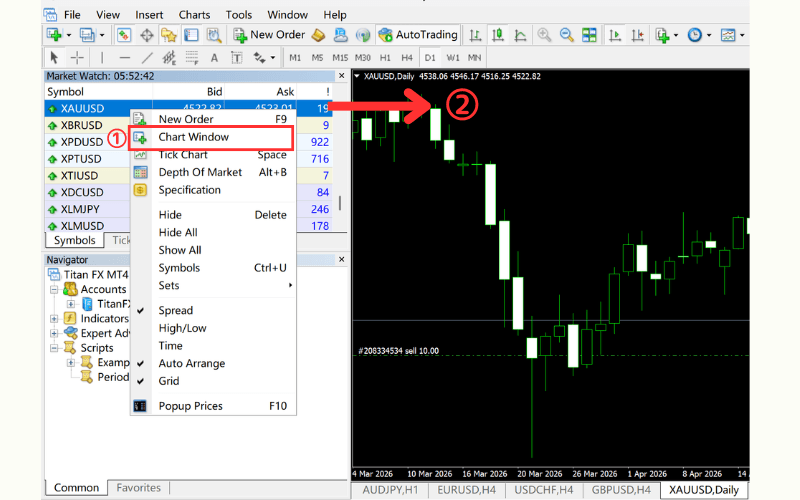
Move the cursor to the gold CFD symbol you want to trade, right-click, and select "Chart Window", or drag and drop it onto the chart area to display the chart.
Step 4: Place an Order
The order method is the same as for other CFDs (Contracts for Difference). Right-click on the gold CFD symbol in the Market Watch and select "New Order", or click "New Order" on the toolbar at the top.
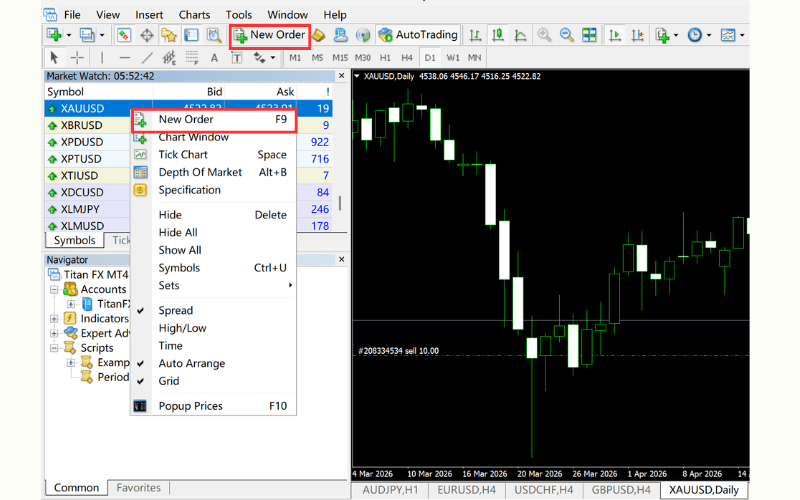
Then, in the order window that appears, set the order type (market order / pending order), buy/sell, and other settings.