How to Modify SL/TP and Close Open Positions on MT4 (iOS)
In MT4 (MetaTrader 4), you can set or change the stop loss (SL) and take profit (TP) prices on open positions, and also close positions directly. This article explains how to modify SL/TP prices and close positions on MT4 for iOS (iPhone/iPad).
Modifying SL/TP Prices
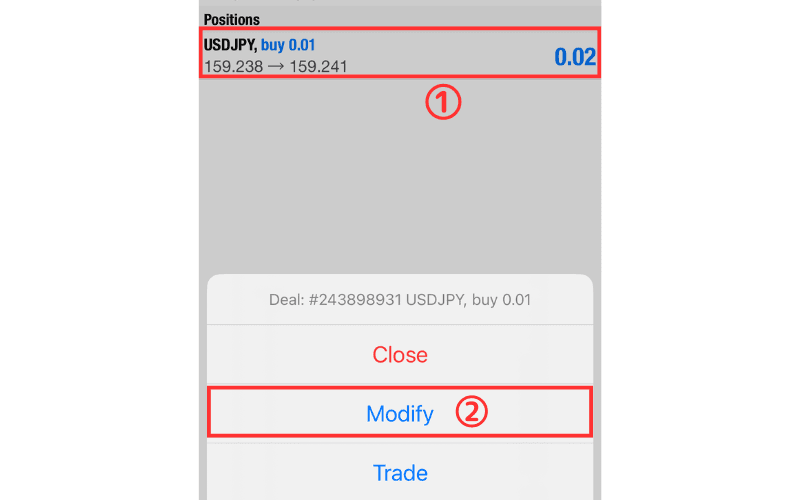
① On the Trade screen, press and hold the position whose stop loss/take profit price you want to modify.
② Select "Modify" from the menu.
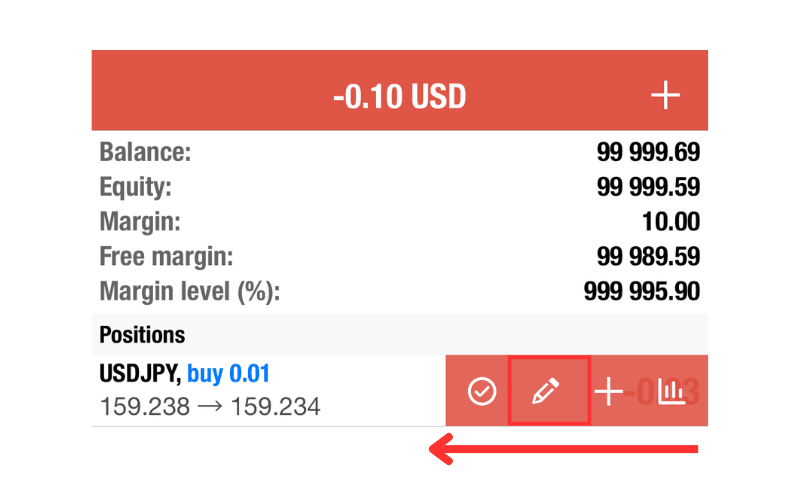
Alternatively, swipe left and tap the second icon.
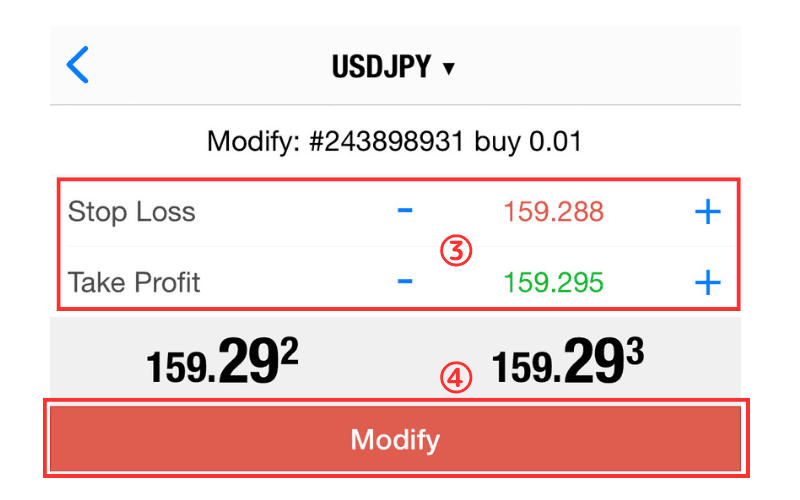
③ Enter the stop loss price in "SL" and the take profit price in "TP".
④ Tap the "Modify" button to complete setting the stop loss and take profit prices.
Closing a Position
① On the Trade screen, press and hold the position you want to close.
② Select "Close" from the menu.
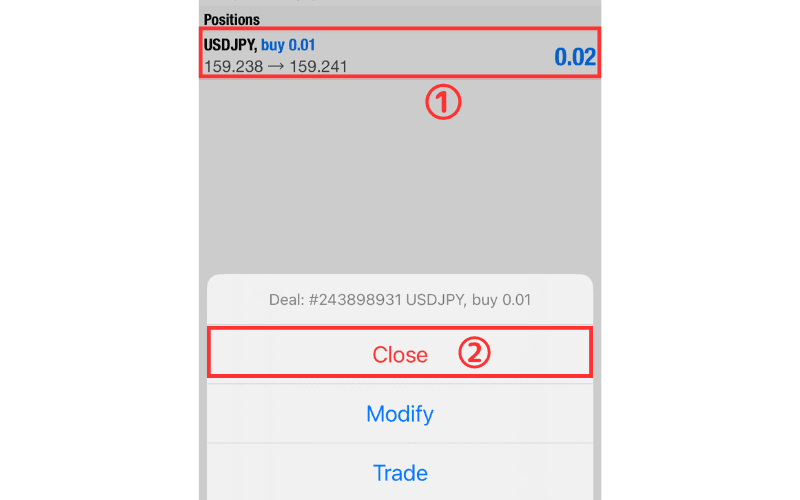
Alternatively, swipe left and tap the first icon.
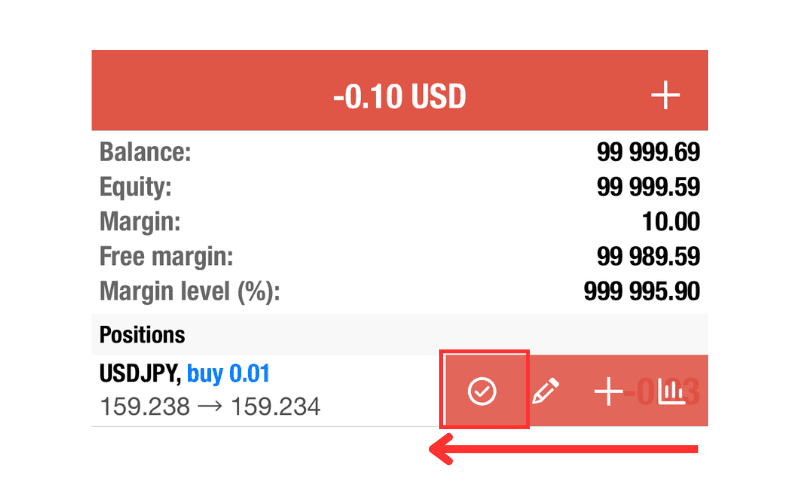
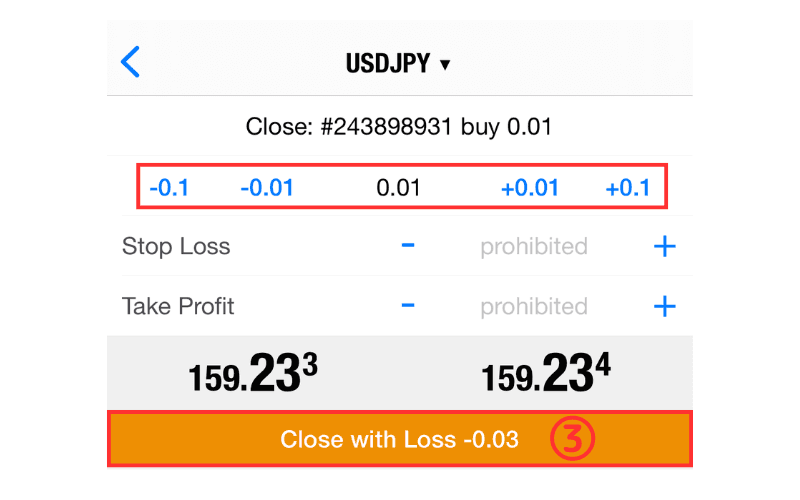
③ Tap the "Close with Loss ○○" button to complete the close.
You can also set the number of lots you want to close at the top to perform a partial close.