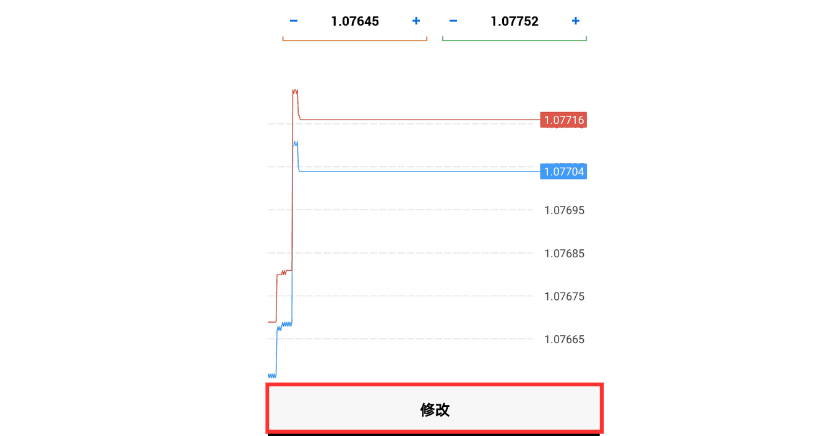

How to Modify Stop Loss and Take Profit on MT5 (Android)
On MT5 (MetaTrader 5), you can set a stop loss and take profit price for an open position, or change the stop loss and take profit prices you set previously.
This article explains in detail how to set and change the stop loss and take profit price of a market order on MT5 for Android.
There are two main methods:
Method 1: Change from the "Trade" screen
Method 2: Change from the "Chart" screen
Method 1: Change from the "Trade" Screen
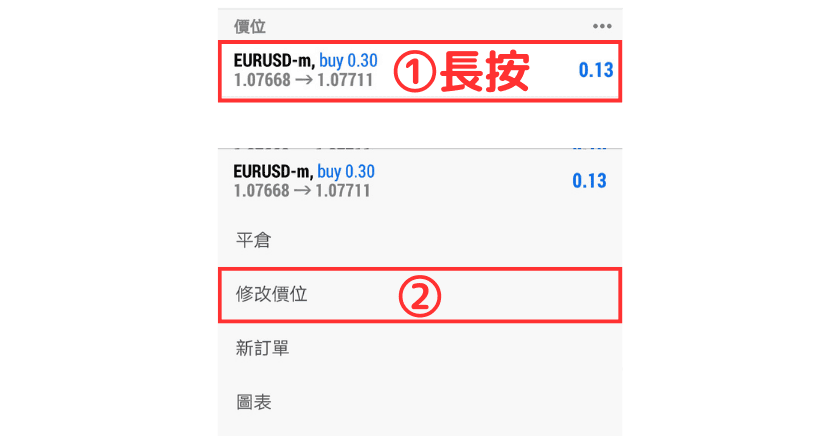
① On the "Trade" screen, press and hold the position whose stop loss and take profit price you want to modify.
② Select "Modify price" from the menu.
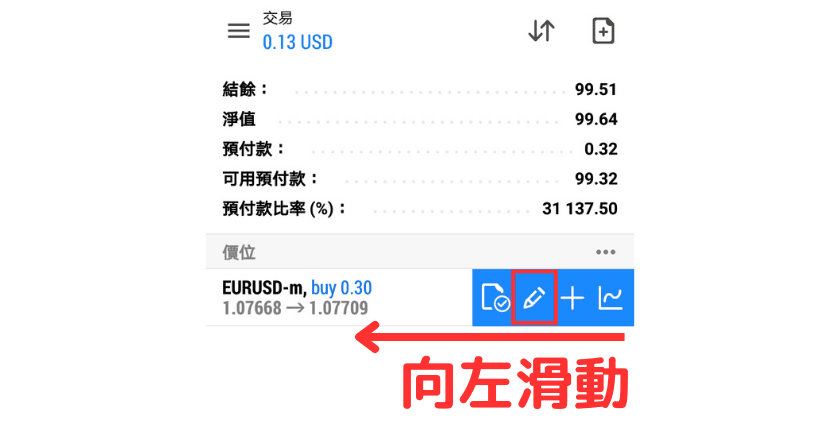
Alternatively, swipe left and tap the second icon.
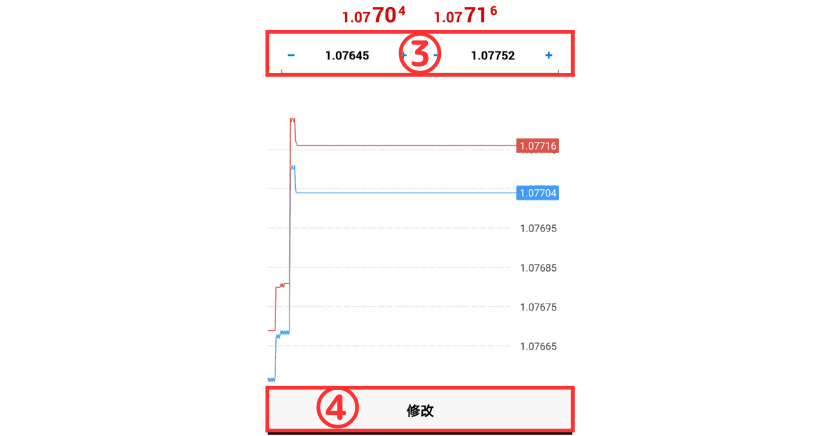
③ Enter the stop loss price in "SL" and the take profit price in "TP".
④ Tap the "Modify" button to complete the stop loss and take profit settings.
Method 2: Change from the "Chart" Screen
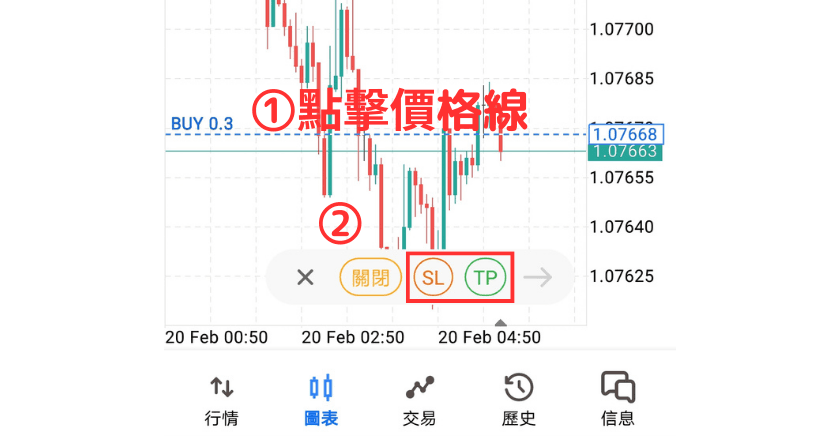
① Tap the price line on the chart.
② Tap "SL" or "TP".
③ Drag the SL (stop loss) and TP (take profit) lines that appear.
④ Tap the arrow button on the right.
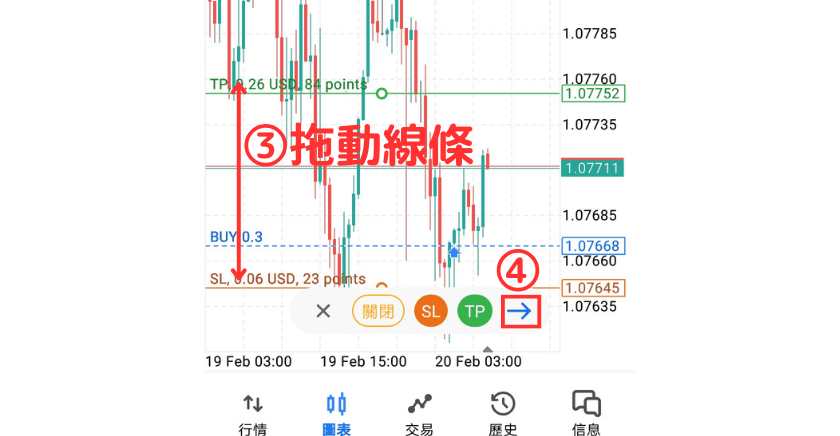
You will be taken to the order modification screen again. Change or confirm the stop loss and take profit price here, and once confirmed, tap the "Modify" button to complete the settings.