

Trend Fatigue Level Indicator (Titan_FatigueLevel)
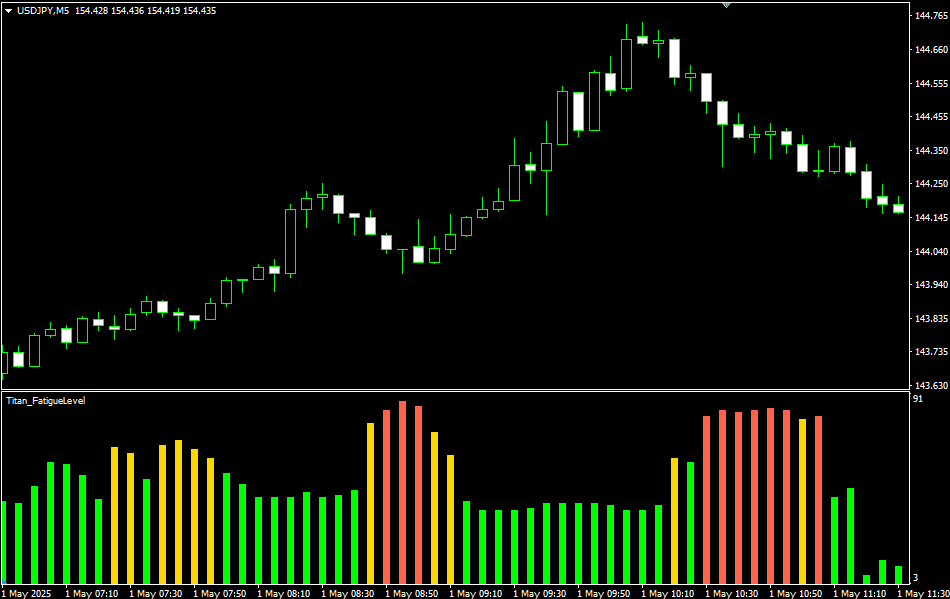
Indicator Overview
As the name suggests, the Trend Fatigue Level Indicator is designed to assess the “fatigue level” of a trend.
Market prices do not move in one direction forever.
As a trend progresses, its momentum gradually weakens, resulting in slower price movements, temporary pullbacks, or even a complete trend reversal.
This indicator quantifies such weakening momentum (i.e., fatigue) by combining multiple factors. Specifically, it considers:
- How long the trend has been continuing
- Whether the price momentum is weakening compared to before
- Whether wicks on candlesticks are increasing, indicating more frequent rejections
Based on these factors, the indicator calculates a fatigue level on a scale from 0 to 100.
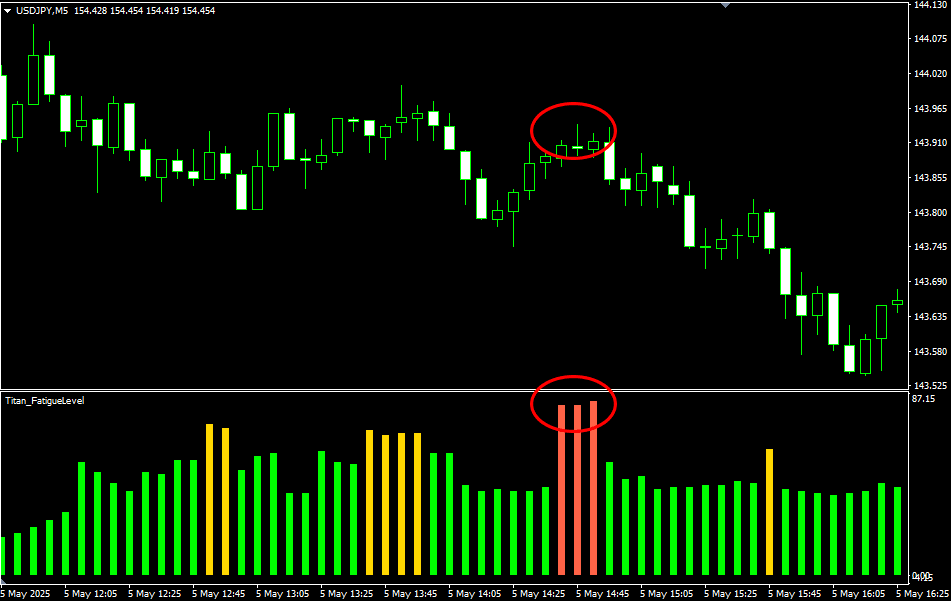
It also uses this score to display the fatigue level in three color-coded stages, helping users visually and intuitively understand whether the current trend is:
- How long has the trend continued?
- Beginning to show signs of fatigue
- In a state that requires caution or alertness
This is a useful indicator for those who want to visually capture signs of a trend’s possible end.
【Example Display of the Trend Fatigue Level Indicator】
※This indicator works only on the Windows versions of MT5 and MT4 provided by TitanFX.
Indicator Terms of Use
Only those who agree to all the following items may use the indicators distributed on this website (https://research.titanfx.com):
1.The indicators and related descriptions are based on various data believed to be reliable, but their accuracy and completeness are not guaranteed.
2.The data displayed by the indicators do not guarantee your investment results. Also, the displayed content may vary due to market conditions and communication environments.
3.Please make investment decisions using indicators at your own risk. We are not responsible for any disadvantages or damages arising from the use of indicators.
4.Specifications of the indicators are subject to change without notice. Changes will be announced on the indicator description pages, etc.
5.Indicators should only be used by customers who have downloaded them. Transferring or selling the indicators to third parties is prohibited.
Indicator Settings
Input Tab (for MT5) / Parameter Input Tab (for MT4)
| Variable Name | Description | Default |
|---|---|---|
| Detection Speed | Specifies how quickly fatigue is detected. You can choose from Normal, Fast, or Slow. | Normal |
| Sensitivity Level | Sets the sensitivity threshold for detecting fatigue. Choosing "High" lowers the threshold, increasing detection frequency. Choosing "Low" raises the threshold, reducing detection frequency. | Normal |
Color Tab (for MT5) / Color Settings Tab (for MT4)
| Variable Name | Description | Default |
|---|---|---|
| 0 | Sets the graph color, thickness, etc., when fatigue is low. | Lime |
| 1 | Sets the graph color, thickness, etc., when fatigue is moderate. | Gold |
| 2 | Sets the graph color, thickness, etc., when fatigue is high. | Tomato |