

Indicator for Detecting Harami(Inside bar) and Engulfing Patterns (Titan_InsideAndEngulfingPattern)
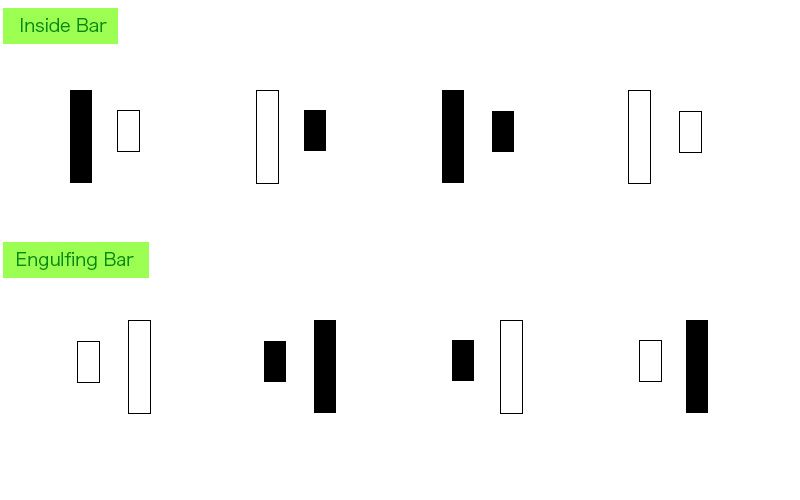
Harami(Inside bar) and Engulfing Candlestick Patterns
A Harami pattern occurs when, comparing the two most recent candlesticks, the body of the last candlestick is entirely contained within the body of the previous one. This suggests a temporary pause in market movement and often signals a potential major move ahead.
An Engulfing pattern is the opposite — the body of the last candlestick completely engulfs the body of the previous one. This is seen as a strong sign of a potential market reversal.
These patterns are useful for identifying trend changes and pinpointing entry opportunities.
【Inside bar and Engulfing Candlestick Image】
Notification of Harami and Engulfing Pattern Occurrence
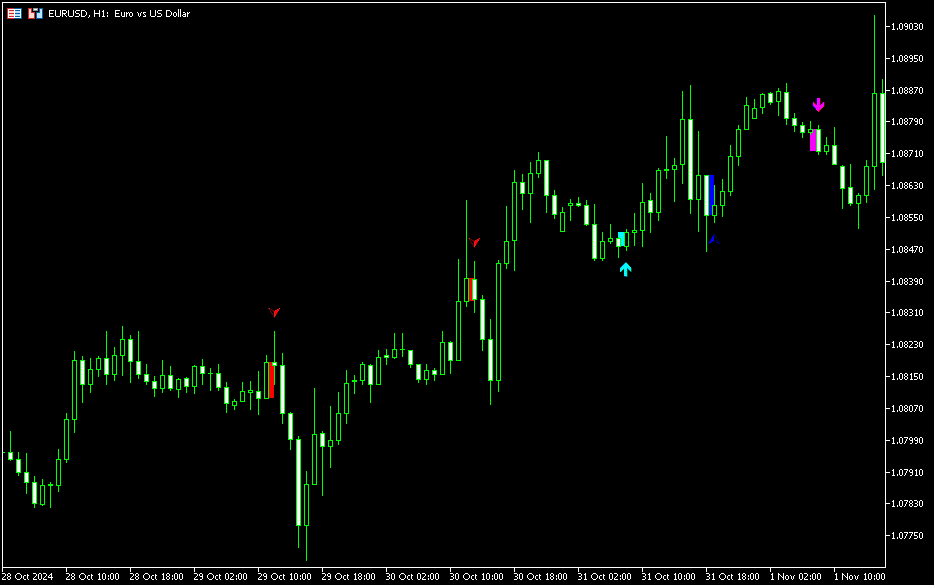
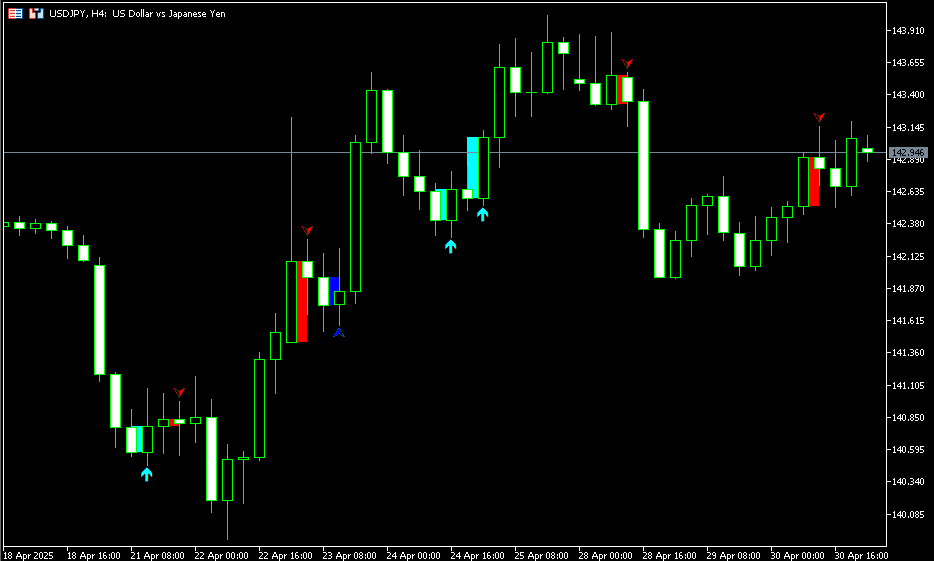
This indicator displays arrows on the chart when a Harami or Engulfing pattern is detected, making the occurrence easy to recognize.
The arrows appear exactly where the pattern occurs, helping traders accurately identify the candlesticks to focus on.
You can choose between two detection methods:
- Include wicks: Determines the pattern using both highs and lows.
- Exclude wicks: Determines the pattern using only the candlestick body.
This flexibility allows you to tailor the settings to your individual strategy and perspective, enabling optimized market analysis.
Use this indicator to develop a new style of chart analysis!
【Indicator Display Example】
Note: This indicator is only compatible with the Windows versions of MT5 and MT4 provided by TitanFX.
Indicator Terms of Use
Only those who agree to all the following items may use the indicators distributed on this website (https://research.titanfx.com):
1.The indicators and related descriptions are based on various data believed to be reliable, but their accuracy and completeness are not guaranteed.
2.The data displayed by the indicators do not guarantee your investment results. Also, the displayed content may vary due to market conditions and communication environments.
3.Please make investment decisions using indicators at your own risk. We are not responsible for any disadvantages or damages arising from the use of indicators.
4.Specifications of the indicators are subject to change without notice. Changes will be announced on the indicator description pages, etc.
5.Indicators should only be used by customers who have downloaded them. Transferring or selling the indicators to third parties is prohibited.
Indicator Settings
Input tab (for MT5) / Parameter Input tab (for MT4) Settings
| Variable Name | Description | Default |
|---|---|---|
| Judgment | Specify whether to include wicks (shadows) when identifying patterns. | Exclude wicks |
| Display | Choose whether to display inside bar and/or Engulfing patterns. | true |
| Up Color | Arrow color indicating a potential upward movement. | Blue, Aqua |
| Down Color | Arrow color indicating a potential downward movement. | Red, Magenta |
| Display Range (Number of Bars) | Number of bars over which the indicator is displayed. | 1000 |
Color tab (for MT5) / Color Settings tab (for MT4)
Not used by this indicator.