

Indicator That Displays 20 Moving Averages (Titan_20MA)
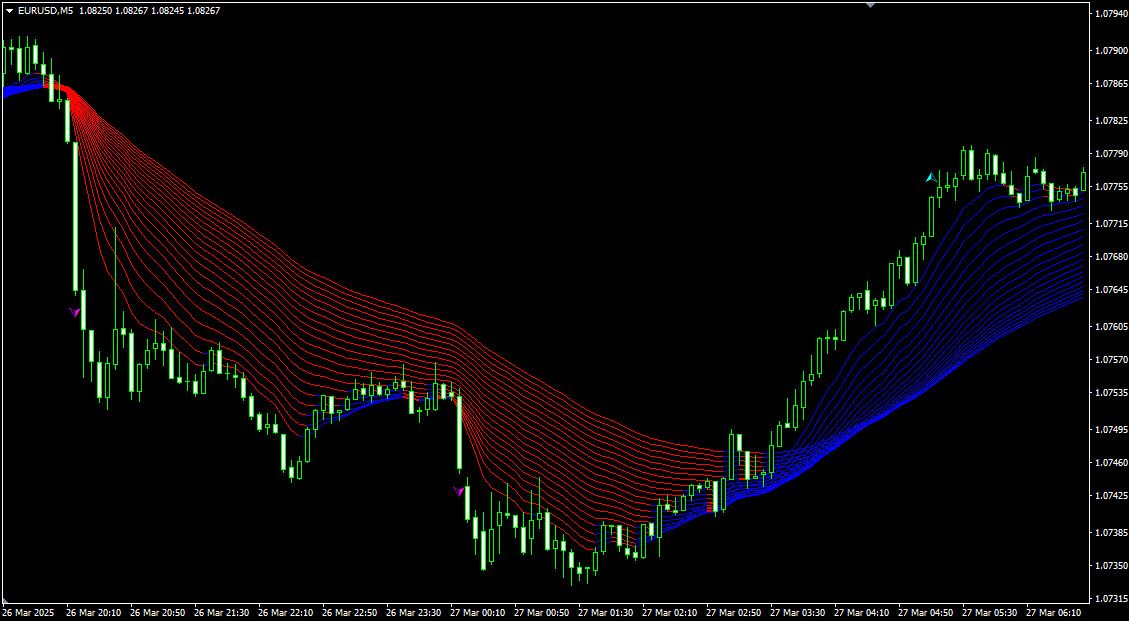
It's up to you! Display up to 20 Moving Averages at Once
This indicator allows you to display up to 20 moving averages simultaneously.
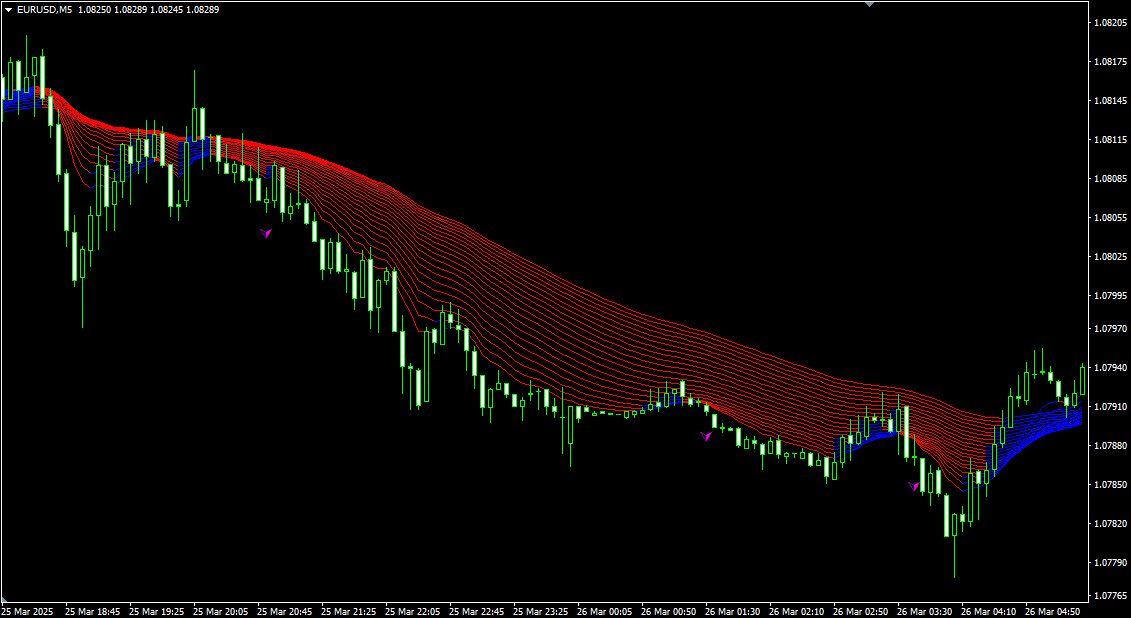
The lines are color-coded based on whether their values are rising or falling, allowing you to instantly identify which moving average periods have changed their slope.
It enables you to quickly grasp trends from short to long term, making it useful for traders with various trading styles.
Additionally, when the moving averages are aligned in ascending or descending order by period, an arrow is displayed, helping you quickly detect the potential start of a strong trend.
[Example of a Trend]
*This indicator is only compatible with the Windows versions of TitanFX MT5 and MT4.
Indicator Terms of Use
Only those who agree to all the following items may use the indicators distributed on this website (https://research.titanfx.com):
1.The indicators and related descriptions are based on various data believed to be reliable, but their accuracy and completeness are not guaranteed.
2.The data displayed by the indicators do not guarantee your investment results. Also, the displayed content may vary due to market conditions and communication environments.
3.Please make investment decisions using indicators at your own risk. We are not responsible for any disadvantages or damages arising from the use of indicators.
4.Specifications of the indicators are subject to change without notice. Changes will be announced on the indicator description pages, etc.
5.Indicators should only be used by customers who have downloaded them. Transferring or selling the indicators to third parties is prohibited.
Indicator Settings
Settings in the "Inputs" tab (for MT5) or "Parameters" tab (for MT4)
| Variable Name | Description | Default |
|---|---|---|
| Period01-20 | Specify the period for each of the 20 moving averages. | 9,12,15,18,21,24,27,30,33,36,39,42,45,48,51,54,57,60,63,66 |
| MA Type | Select the type of moving average. | Exponential |
| Applied Price | Choose the price used to calculate the moving average. | Close price |
| Width | Set the line thickness. | 1 |
| Line Color (Uptrend) | Set the line color when the moving average is rising. | Blue |
| Line Color (Flat) | Set the line color when the moving average is unchanged. | Gray |
| Line Color (Downtrend) | Set the line color when the moving average is falling. | Red |
| Arrow Color (Up) | Set the arrow color when the moving averages are aligned from short to long term in ascending order. | Aqua |
| Arrow Color (Down) | Set the arrow color when the moving averages are aligned from short to long term in descending order. | Magenta |
| Alert | Choose whether to enable alerts when the moving averages align. Set to "true" for alerts, "false" for no alerts. | true |
Settings in the "Colors" tab (MT5) or "Color Settings" tab (MT4)
This indicator does not use these settings.