

An Indicator for Displaying Notes on the Chart (Titan_Memo)
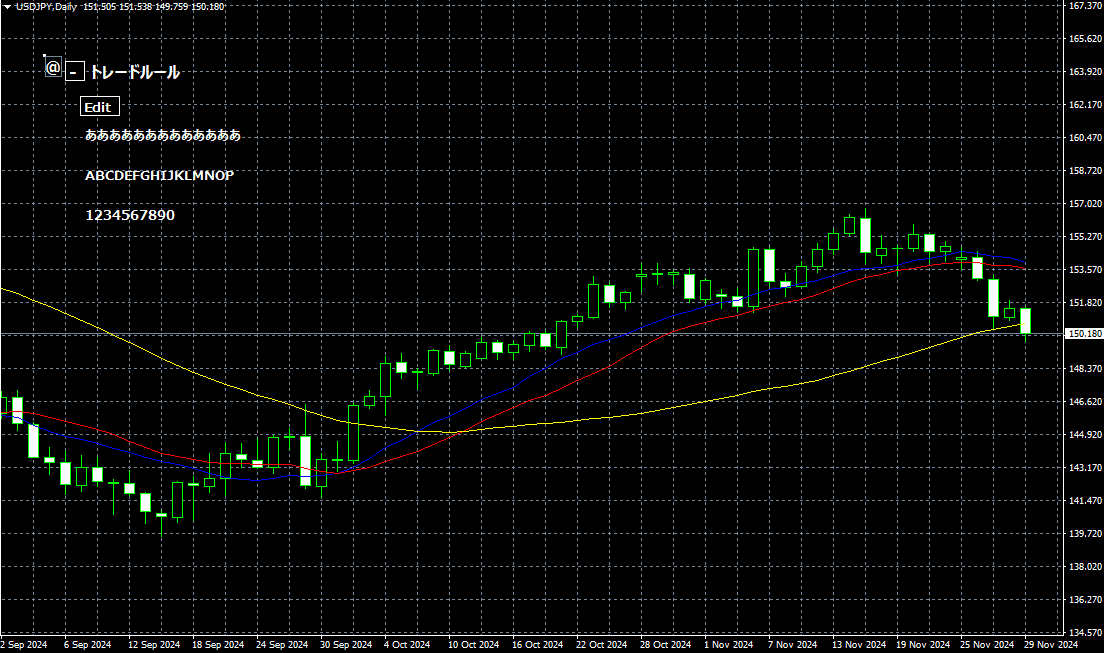
An Indicator for Freely Displaying Notes on the Chart
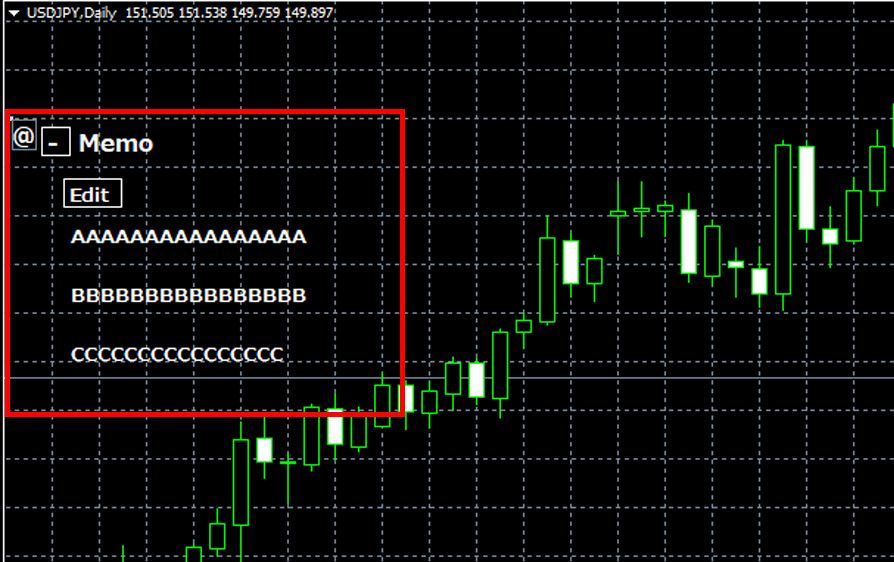
This indicator is a tool that allows you to display any text on the chart. It can be used for various purposes, such as displaying trade rules or reminders, or as a helpful tool when creating a trading journal.
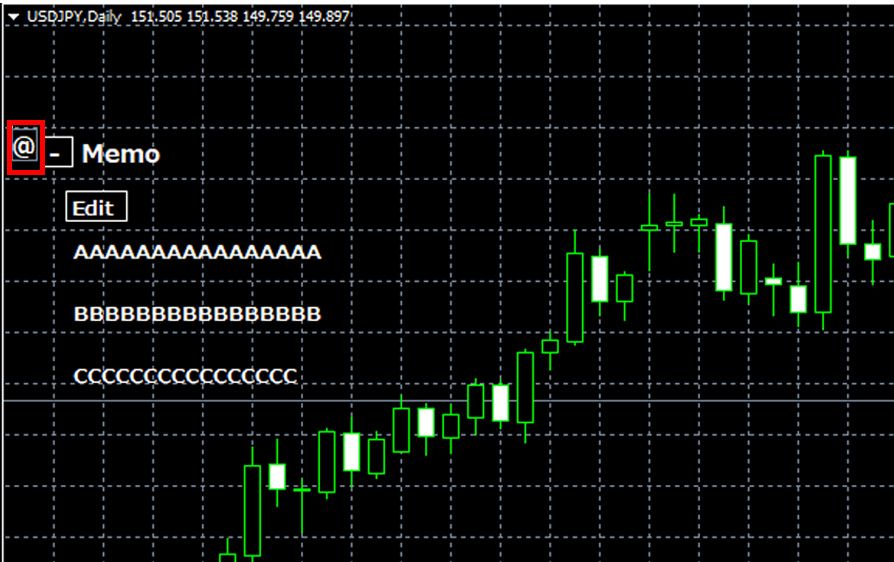
[Example of Note Display]
Note: This indicator is only compatible with TitanFX's Windows versions of MT5 and MT4.
Indicator Terms of Use
Only those who agree to all the following items may use the indicators distributed on this website (https://research.titanfx.com):
1.The indicators and related descriptions are based on various data believed to be reliable, but their accuracy and completeness are not guaranteed.
2.The data displayed by the indicators do not guarantee your investment results. Also, the displayed content may vary due to market conditions and communication environments.
3.Please make investment decisions using indicators at your own risk. We are not responsible for any disadvantages or damages arising from the use of indicators.
4.Specifications of the indicators are subject to change without notice. Changes will be announced on the indicator description pages, etc.
5.Indicators should only be used by customers who have downloaded them. Transferring or selling the indicators to third parties is prohibited.
Indicator Settings
Settings in the Input Tab (for MT5) or Parameter Input Tab (for MT4)
| Variable Name | Description | Default |
|---|---|---|
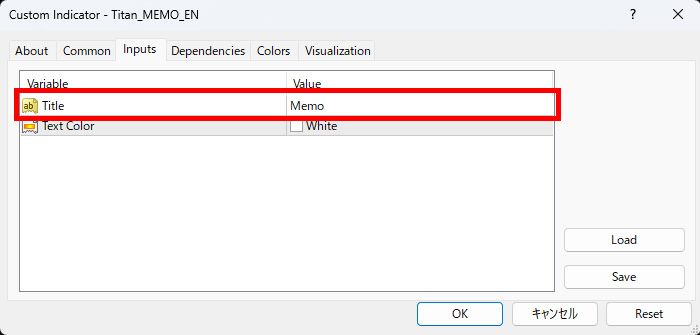
| Title | Sets the title of the note. Using the same name allows it to be reflected on other charts. | SampleTitle |
| Font Color | Specifies the color of the displayed text. | White |
Entering Notes
Set the title in the settings screen.
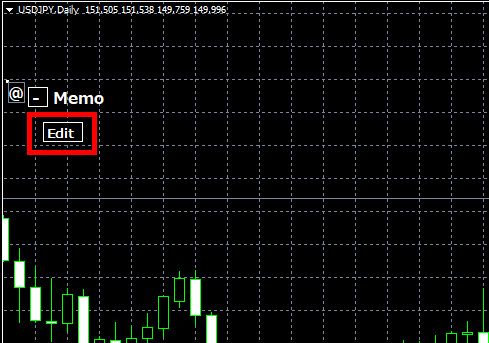
The title name and a "+" button will appear on the chart. Click the "+" button, then click the "Edit" button that appears.
A notepad will open. Enter the content you wish to display.
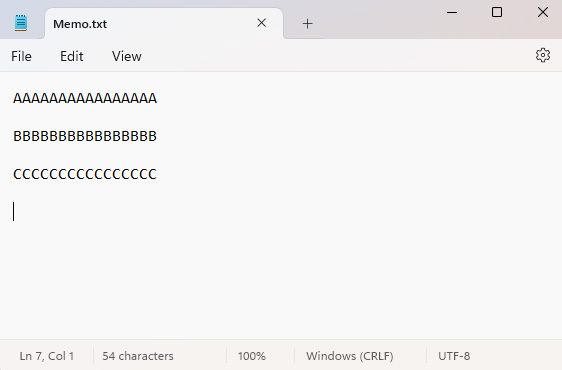
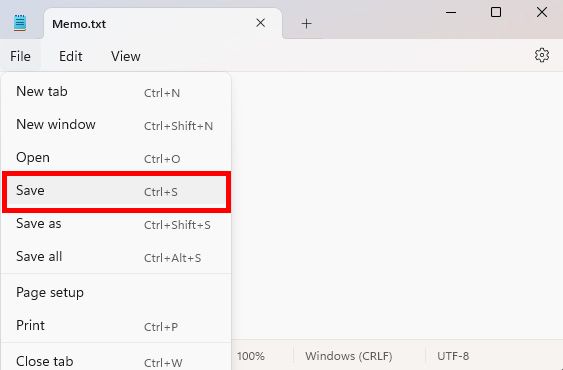
Select "File" → "Save" in the notepad. Once saved, the text will be displayed on the chart.
Adjusting the Display Position
Drag the "@" displayed next to the title to move the position. You can place it anywhere you like and use it as needed.
Settings in the Color Tab (for MT5) or Color Settings Tab (for MT4)
This indicator does not use these settings.