

Indicator to Draw Auxiliary Lines at a Specified Angle to a Trendline (Titan_TrendAngleLines)
Indicator Overview
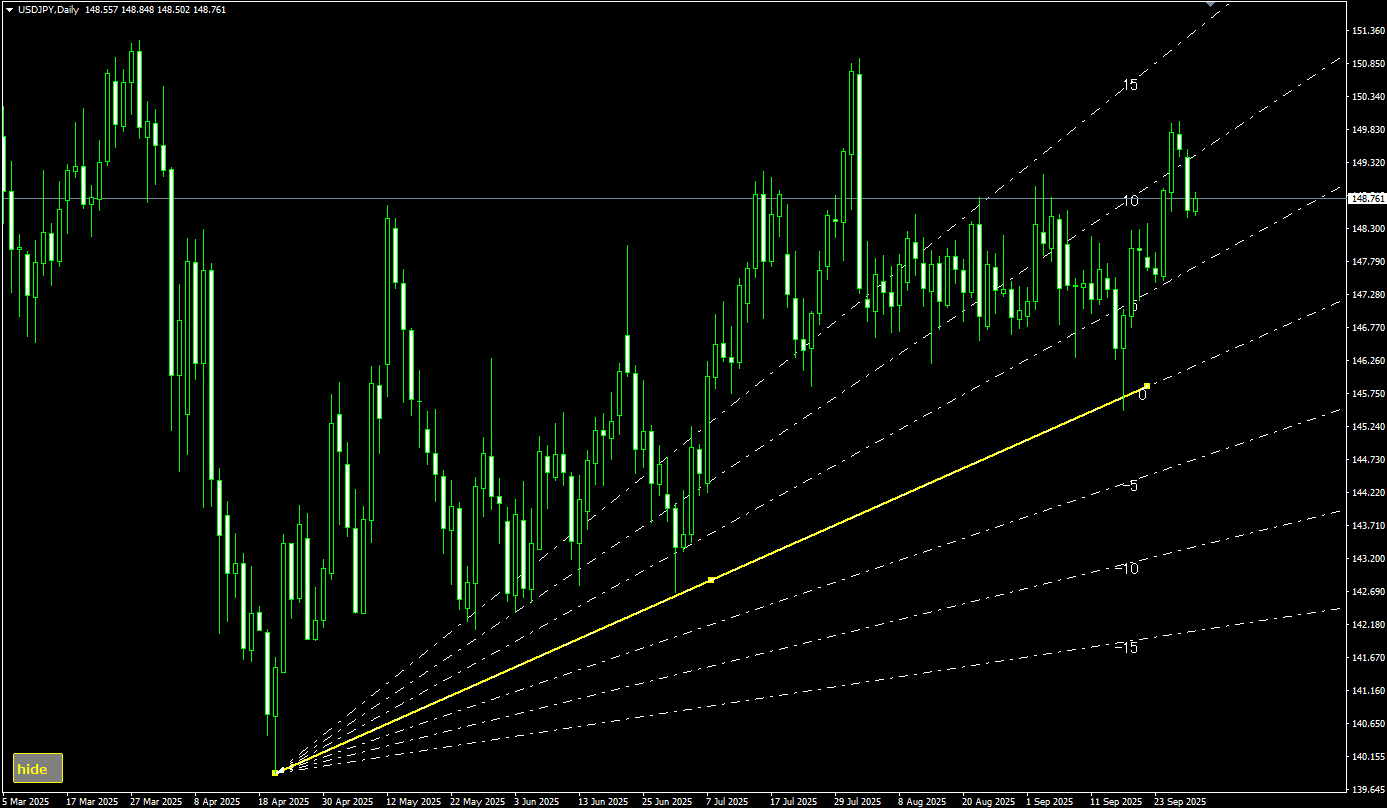
Draw Lines at a Fixed Angle to a Trendline
In chart analysis using trendlines, paying attention to the angle of the lines is extremely important. By focusing on angles, traders can quickly detect signs of trend changes, such as whether an uptrend or downtrend is gaining or losing strength.
This indicator supports such analysis by automatically drawing auxiliary lines (angle lines) at specified angles relative to the trendline. This helps users visually grasp trend strength, enabling more intuitive and efficient market analysis.
How to Use the Indicator
When the indicator is launched, one trendline and its corresponding auxiliary lines are automatically drawn on the chart.
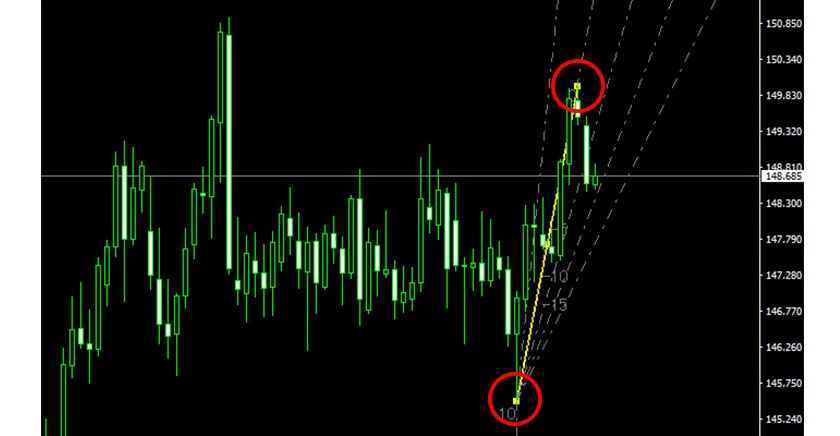
The trendline's start and end points can be freely adjusted by simply dragging and dropping, allowing for flexible configuration according to your analysis.
【Example of Start and End Points of Displayed Lines】
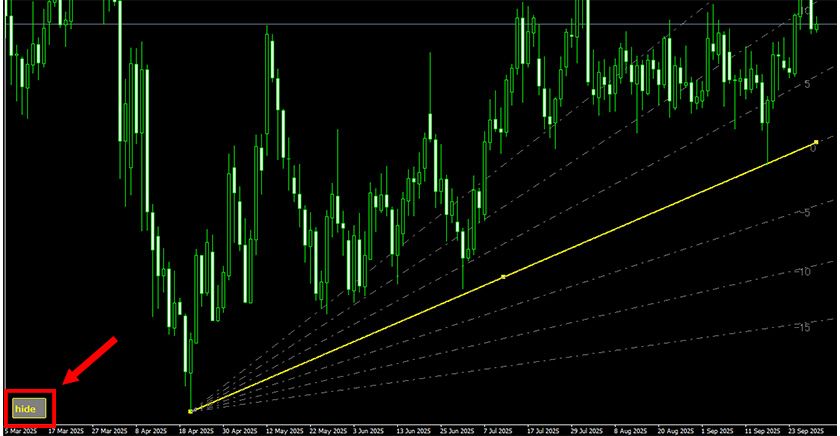
In addition, the visibility of the lines can be easily toggled using the control panel displayed at the bottom left of the chart.
The Button shows either "hide" (lines visible) or "show" (lines hidden), and clicking it instantly switches the display status.
【Control Button Display】
This indicator works only with the Windows versions of MT5 and MT4 provided by TitanFX.
Indicator Terms of Use
Only those who agree to all the following items may use the indicators distributed on this website (https://research.titanfx.com):
1.The indicators and related descriptions are based on various data believed to be reliable, but their accuracy and completeness are not guaranteed.
2.The data displayed by the indicators do not guarantee your investment results. Also, the displayed content may vary due to market conditions and communication environments.
3.Please make investment decisions using indicators at your own risk. We are not responsible for any disadvantages or damages arising from the use of indicators.
4.Specifications of the indicators are subject to change without notice. Changes will be announced on the indicator description pages, etc.
5.Indicators should only be used by customers who have downloaded them. Transferring or selling the indicators to third parties is prohibited.
Indicator Settings
Input Tab (for MT5) / Parameters Tab (for MT4)
| Variable Name | Description | Default |
|---|---|---|
| Serial No | Enter different serial numbers to draw multiple trendlines. | 0 |
| Color (Trendline) | Specifies the color of the trendline to be drawn. | Yellow |
| Style (Trendline) | Specifies the style of the trendline to be drawn. | Solid |
| Width (Trendline) | Specifies the width of the trendline to be drawn. | 2 |
| Angle (Angle Lines) | Specifies the angles (in degrees) at which lines are drawn relative to the trendline. Use commas to separate multiple values. Entering 0 draws an extension of the trendline; entering 5 draws a line at +5° to the trendline. | -15,-10,-5,0,5,10,15 |
| Color (Angle Lines) | Specifies the color of the auxiliary lines (angle lines) to be drawn. | White |
| Style (Angle Lines) | Specifies the style of the auxiliary lines to be drawn. | Dash-dot |
| Width (Angle Lines) | Specifies the width of the auxiliary lines to be drawn. | 1 |
| Button Color | Specifies the color of the toggle panel for showing/hiding lines. | Gray |
| Button Text Color | Specifies the text color of the toggle panel. | Yellow |
Color Tab (for MT5) / Color Settings Tab (for MT4)
Not used in this indicator.