

Indicator to Determine Volatility Conditions (Titan_Volatility_Meter_ATR_Light)
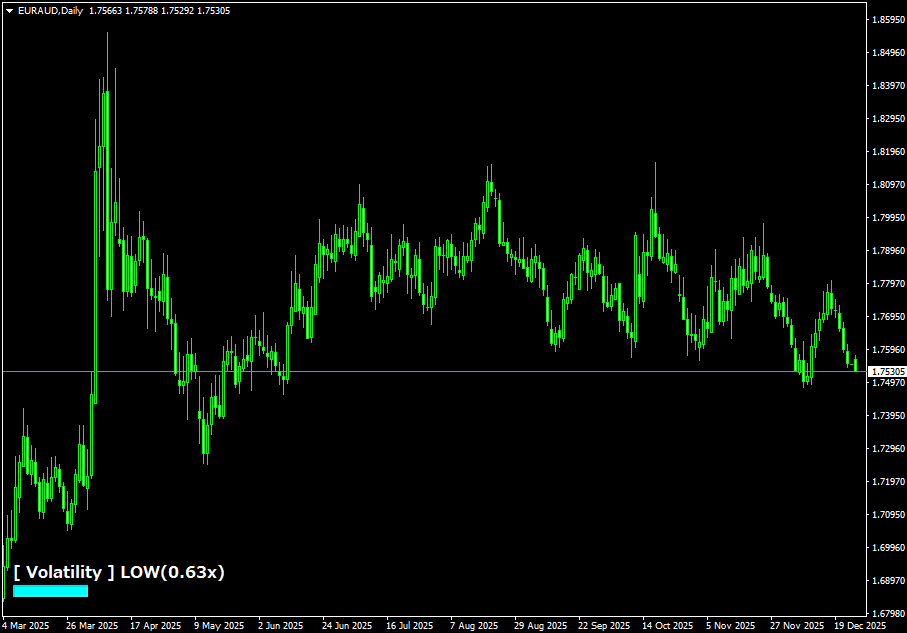
Indicator Overview
Indicator to Determine the Current Volatility Condition
This indicator displays how volatile the current market is in three levels.
Based on past ATR data, it determines whether the current value is categorized as "LOW (Low Volatility)", "NORMAL (Normal)", or "HIGH (High Volatility)".
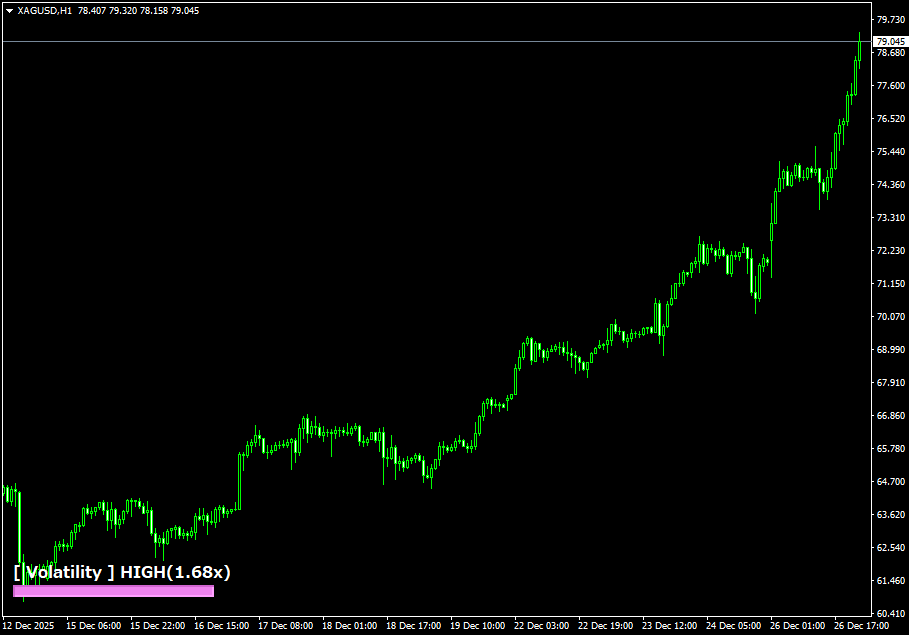
For example, if it shows "HIGH (1.8x)", it means "the current volatility is approximately 1.8 times the recent average." The indicator uses only colors and simple text for an intuitive display, allowing even beginners to easily grasp whether the market is currently active.
【Example of Display When Volatility is High】
How to Use This Indicator
This indicator is recommended for checking market conditions before entering a trade.
For instance, when it shows "HIGH", the market is highly volatile, so it's advisable to set wider stop-loss and take-profit levels and consider smaller lot sizes to manage risk.
Conversely, when it shows "LOW", price movements are limited, and it may be better to refrain from trading and "wait and see" instead.
You can also observe how the display changes around the London and New York sessions to intuitively learn the market rhythm and identify more active trading hours.
※This indicator works only on the Windows versions of MT5 and MT4 provided by TitanFX.
Indicator Terms of Use
Only those who agree to all the following items may use the indicators distributed on this website (https://research.titanfx.com):
1.The indicators and related descriptions are based on various data believed to be reliable, but their accuracy and completeness are not guaranteed.
2.The data displayed by the indicators do not guarantee your investment results. Also, the displayed content may vary due to market conditions and communication environments.
3.Please make investment decisions using indicators at your own risk. We are not responsible for any disadvantages or damages arising from the use of indicators.
4.Specifications of the indicators are subject to change without notice. Changes will be announced on the indicator description pages, etc.
5.Indicators should only be used by customers who have downloaded them. Transferring or selling the indicators to third parties is prohibited.
Indicator Settings
Input Tab (for MT5) / Parameters Tab (for MT4)
| Variable Name | Description | Default |
|---|---|---|
| ATR Period | Specifies the ATR period used as the baseline. | 14 |
| LookbackBars | Number of bars used for comparison. | 200 |
| Low-Volatility Upper Threshold | Threshold value to determine low volatility. | 0.7 |
| High-Volatility Lower Threshold | Threshold value to determine high volatility. | 1.3 |
| Display Position | Specifies the position where the indicator is displayed. | Bottom Left |
| X Offset | Adjusts the horizontal display position. | 10 |
| Y Offset | Adjusts the vertical display position. | 20 |
| Bar Color (Low Volatility) | Color of the bar when volatility is low. | Aqua |
| Bar Color (Normal) | Color of the bar when volatility is normal. | LightGray |
| Bar Color (High Volatility) | Color of the bar when volatility is high. | Violet |
| Text Color | Specifies the color of the text. | White |
| Font Size | Specifies the size of the text. | 12 |
Color Tab (for MT5) / Color Settings (for MT4)
This indicator does not use this setting.