

How to Create a Demo Account on MT4 (iOS Version)
Titan FX offers demo accounts that allow you to experience FX/CFD trading without any financial risk.
You can easily apply for an MT4 demo account through the Client Cabinet by following the steps below.
How to Open a Demo Account
For Clients Who Already Have a Titan FX Account
① Log in to the Client Cabinet.
② Tap the "+ Open Additional Account" button displayed on the right side of the Client Cabinet.
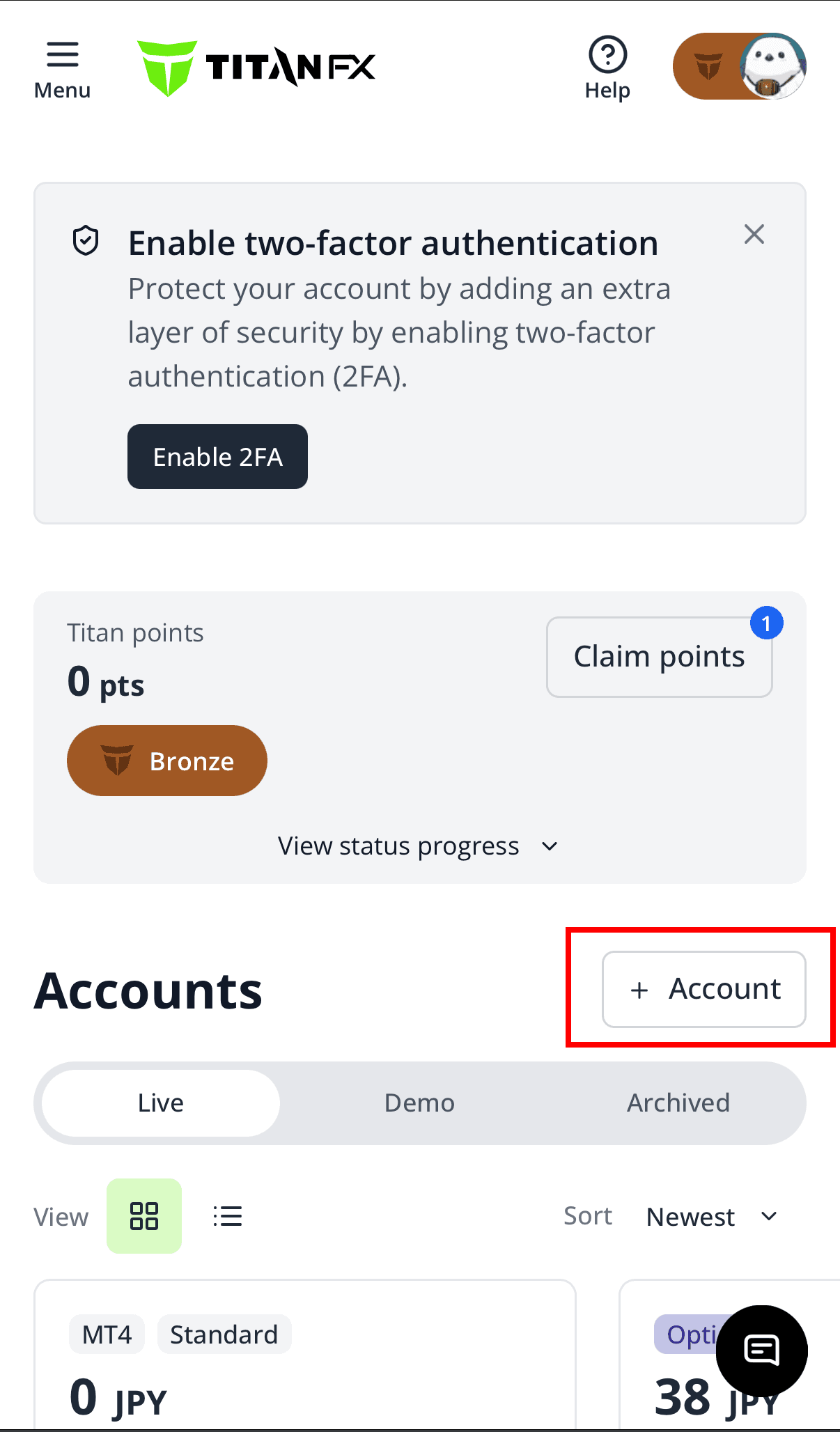
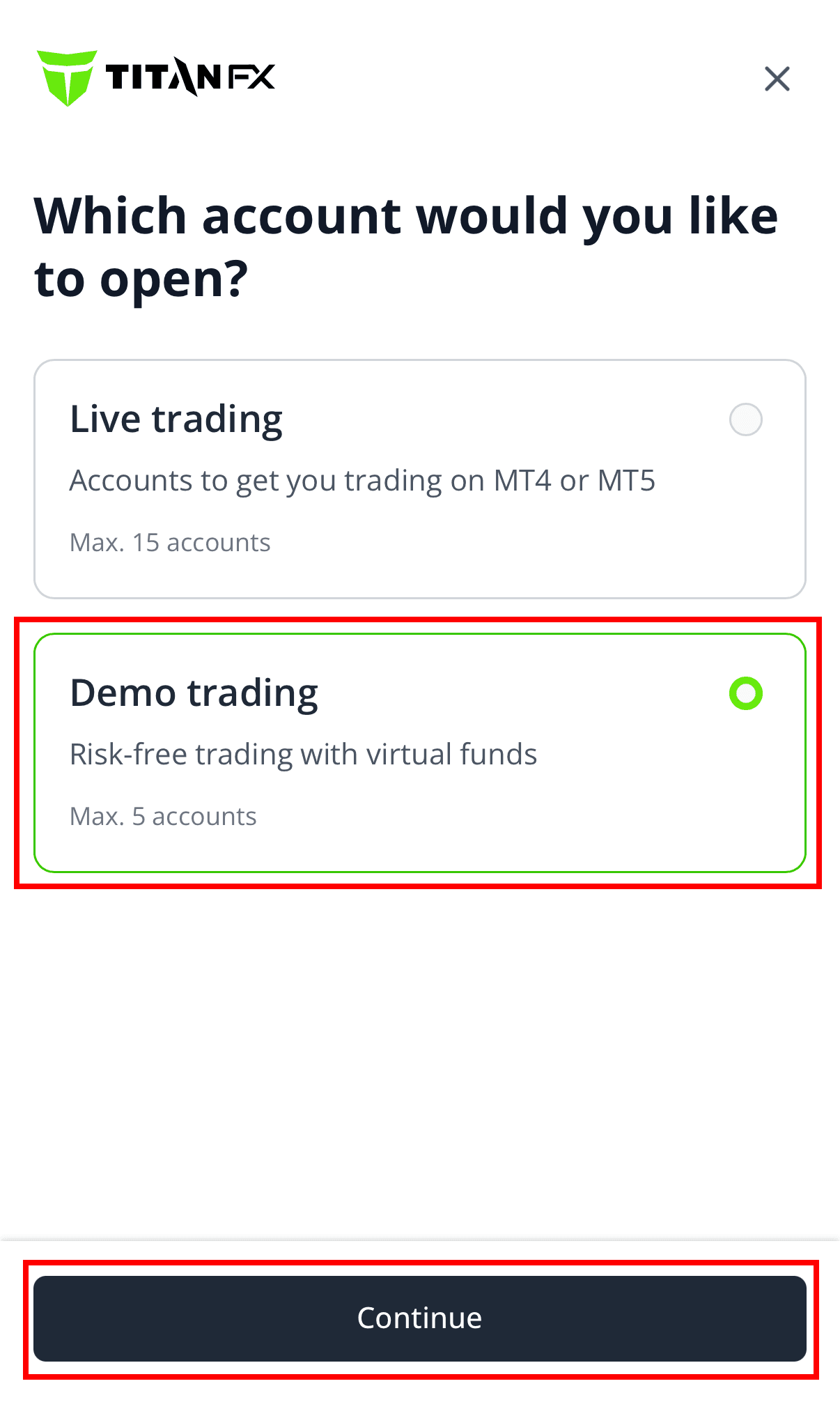
③ Select "Demo Account" on the next screen.
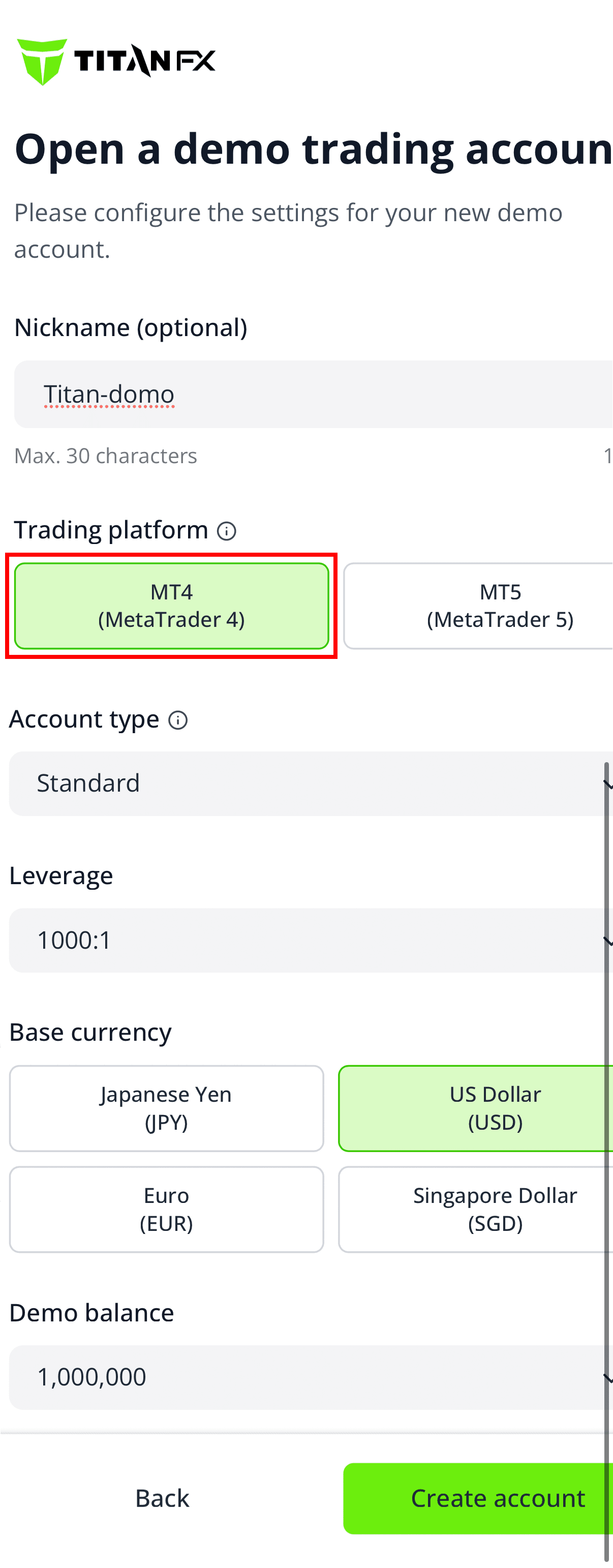
④ Enter the details for your new demo account. In the second field from the top, select "MT4" as the trading platform to create an MT4 demo account. Then, select your account type, leverage, base currency (account currency), and virtual funds (the amount of virtual funds to deposit into your demo account), and tap the "Open Account" button.
⑤ Your demo account will be created, and your login credentials will be sent to you via email. Please check the inbox of your registered email address.
For Clients Who Do Not Have a Titan FX Account
Please complete the process through the Titan FX account registration page.
① Start the registration process using the account registration page below.
② In Step 2, "Select Trading Account," choose "Demo Account."
③ Select your preferred trading platform, account type, and other settings.
④ Follow the on-screen instructions to complete the process.
Go to Account RegistrationDemo Account Expiration
MT4 free demo accounts are generally valid for 30 days from the date of creation. Expired demo accounts cannot be reactivated. Please open a new demo account on MT4.