

Titan FX Bitwallet Deposit Guide
This guide provides a detailed explanation of how traders residing in Japan can deposit Japanese Yen to Titan FX using Bitwallet.
Deposits via Bitwallet are fee-free and processed instantly. In addition to JPY, Bitwallet also supports deposits in USD, EUR, and AUD.
Steps for Depositing via Bitwallet
Step 1: Log In to the Client Portal
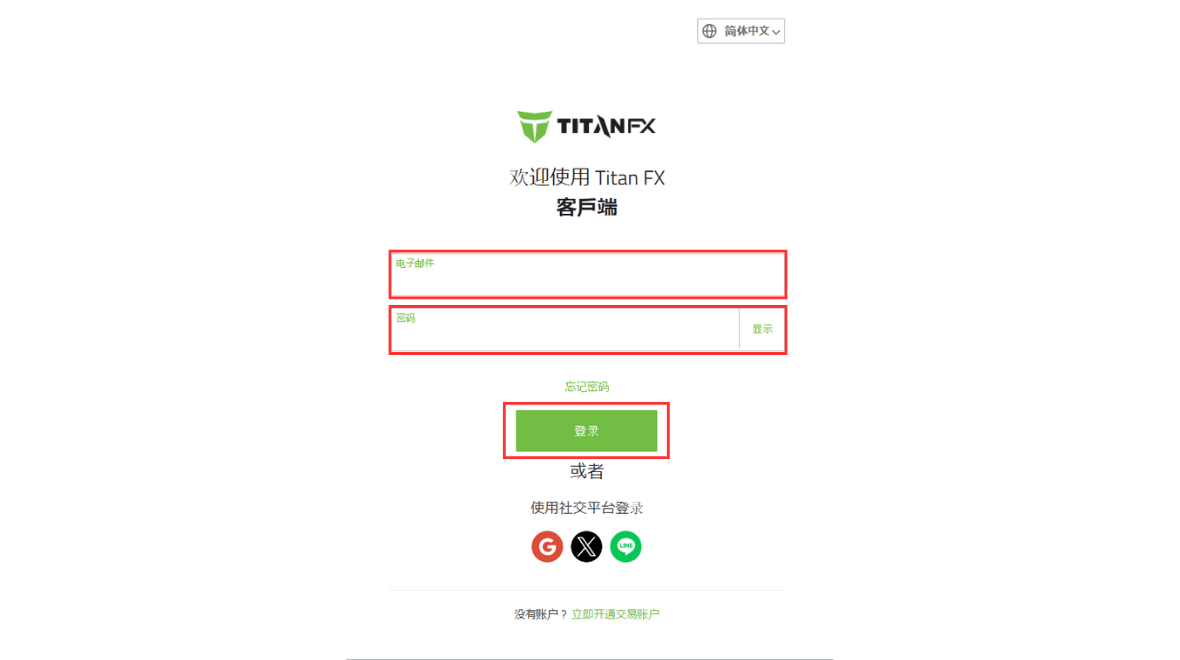
Open your browser and visit the Titan FX official client portal.
Titan FX Client PortalEnter your registered email address and login password.
Step 2: Select "Deposit"
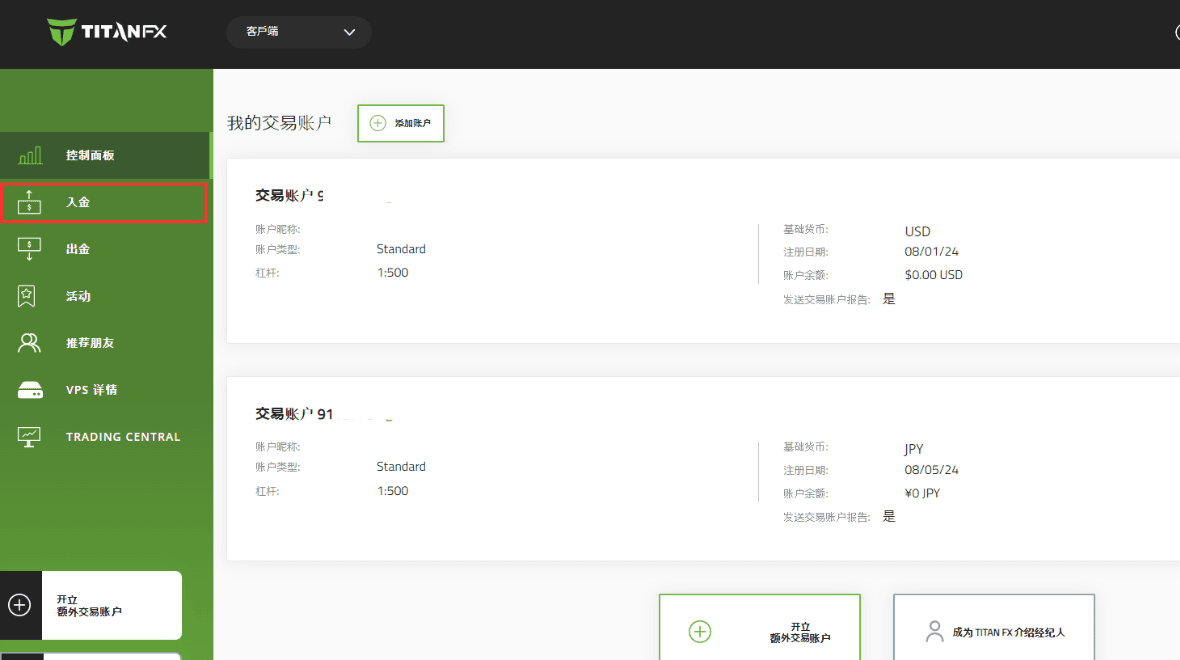
Click on the "Deposit" option in the left-hand menu of the client portal.
Step 3: Choose Deposit Method and Enter Amount
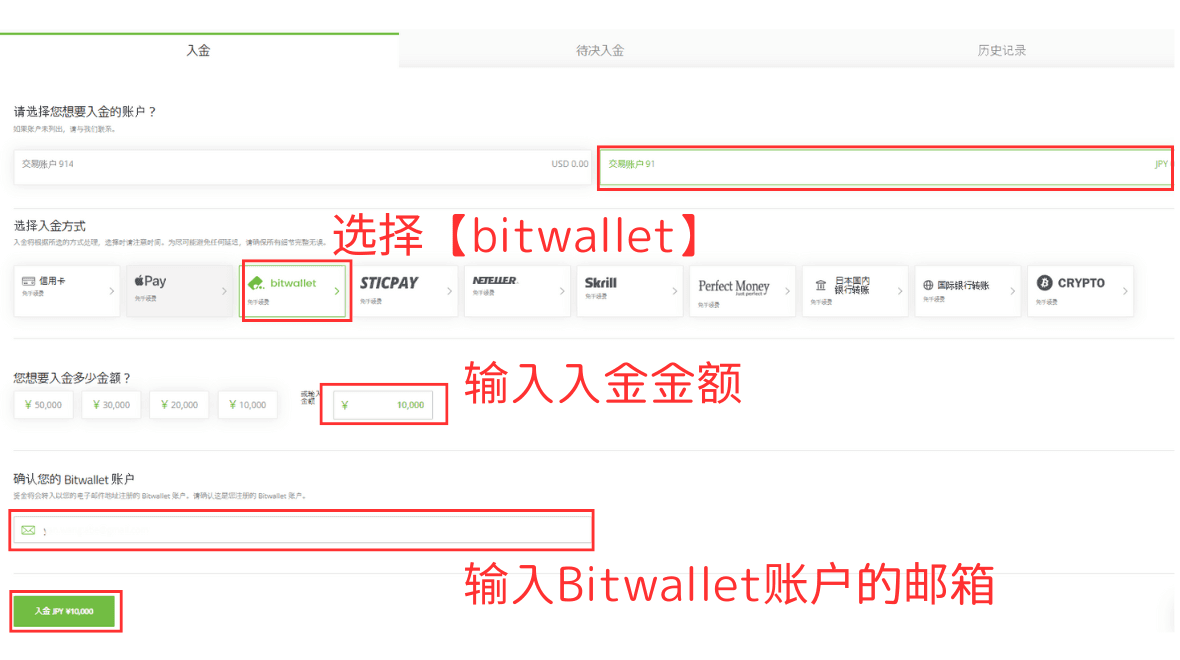
On the deposit page:
- 1.Select the account you wish to deposit into.
- 2.Choose the deposit method "Bitwallet."
- 3.Enter the deposit amount and verify the Bitwallet account email.
- 4.Click "Deposit."
Step 4: Complete Deposit in Bitwallet Account
After clicking "Deposit," you'll be automatically redirected to the Bitwallet login page.
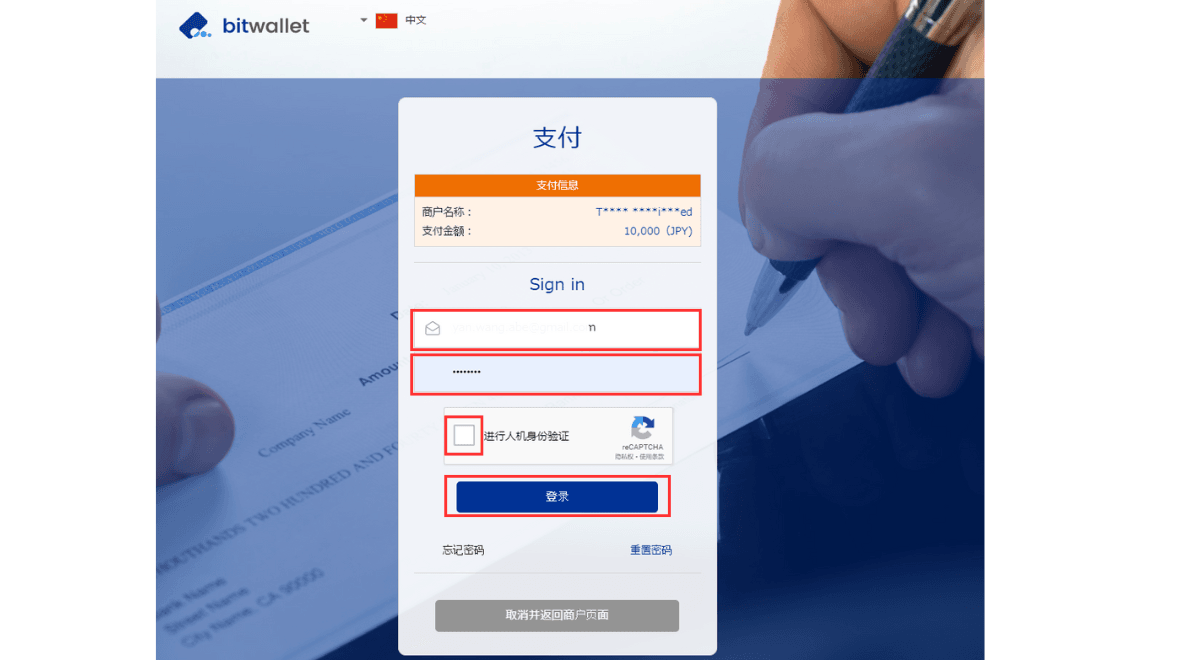
Once logged in, the deposit details will be displayed. Confirm the details and click "Settle."
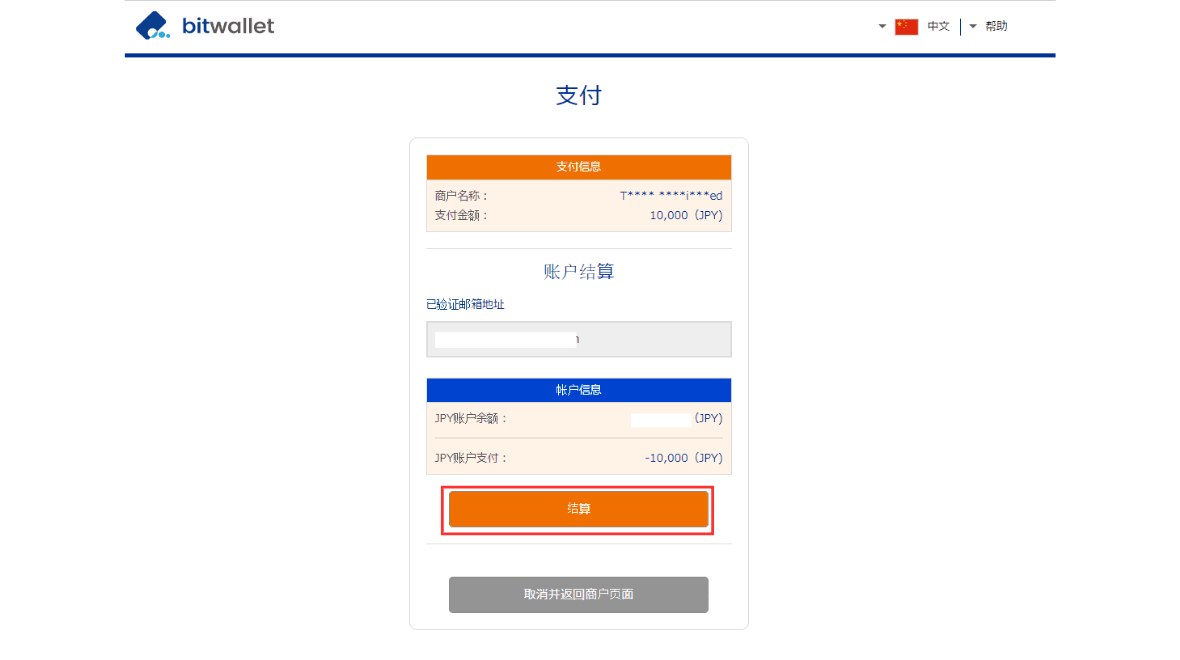
After the transaction is completed, a confirmation page will appear.
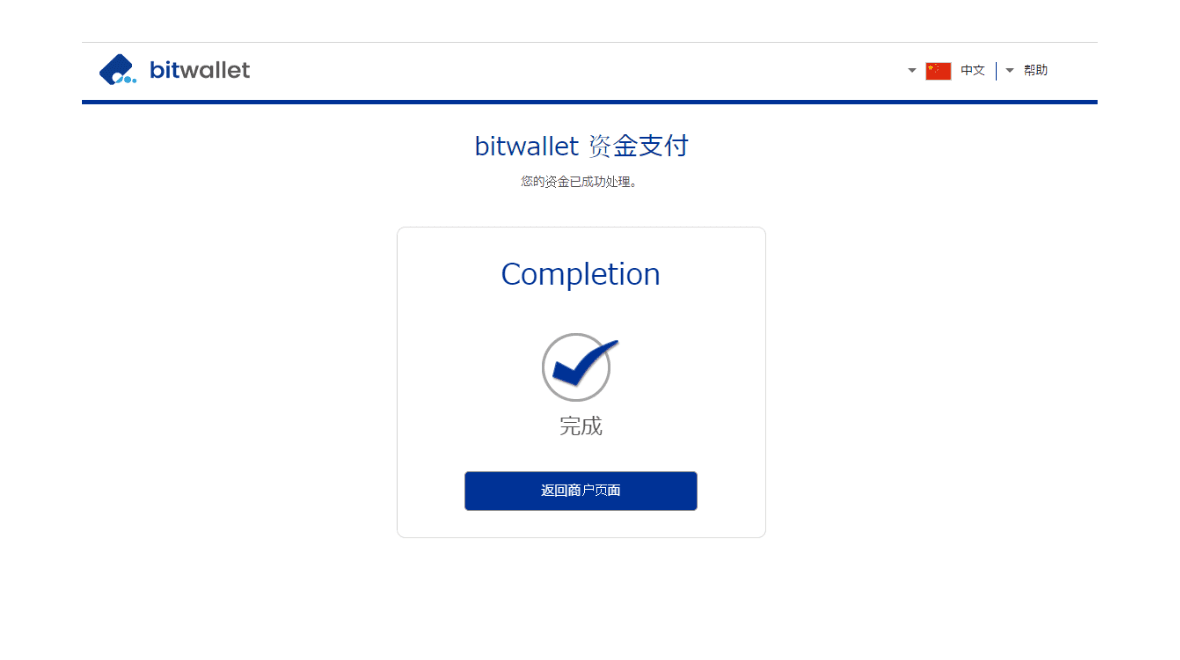
Confirming Your Deposit
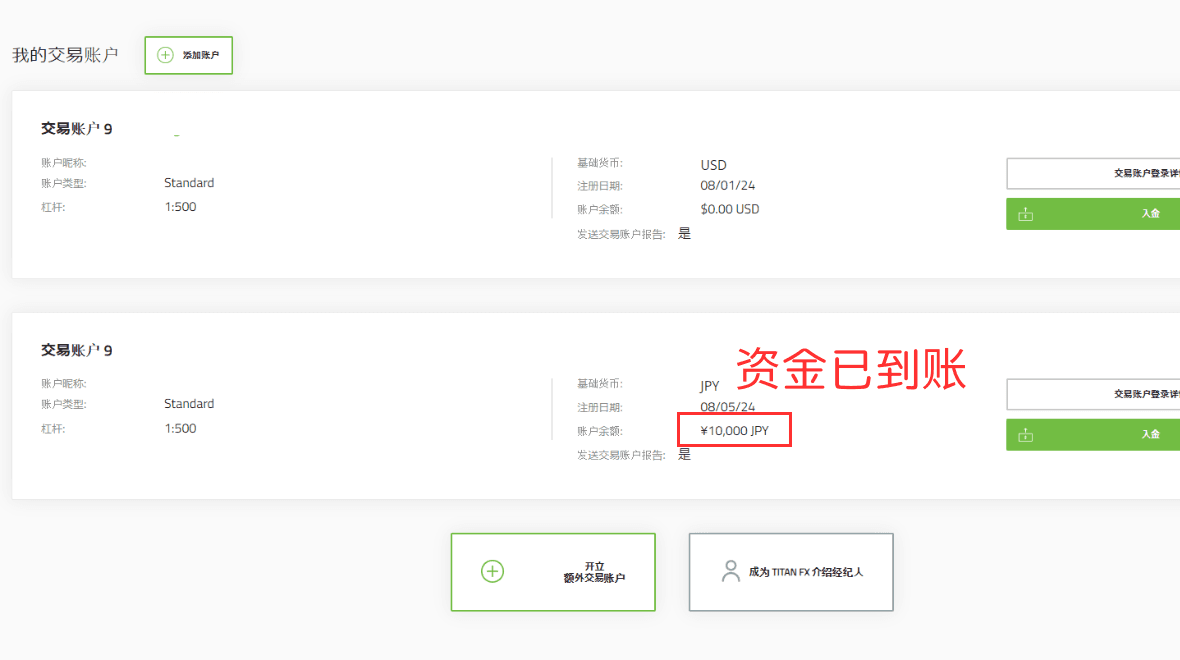
After completing the deposit in Bitwallet, the deposit information will be displayed on the client portal.
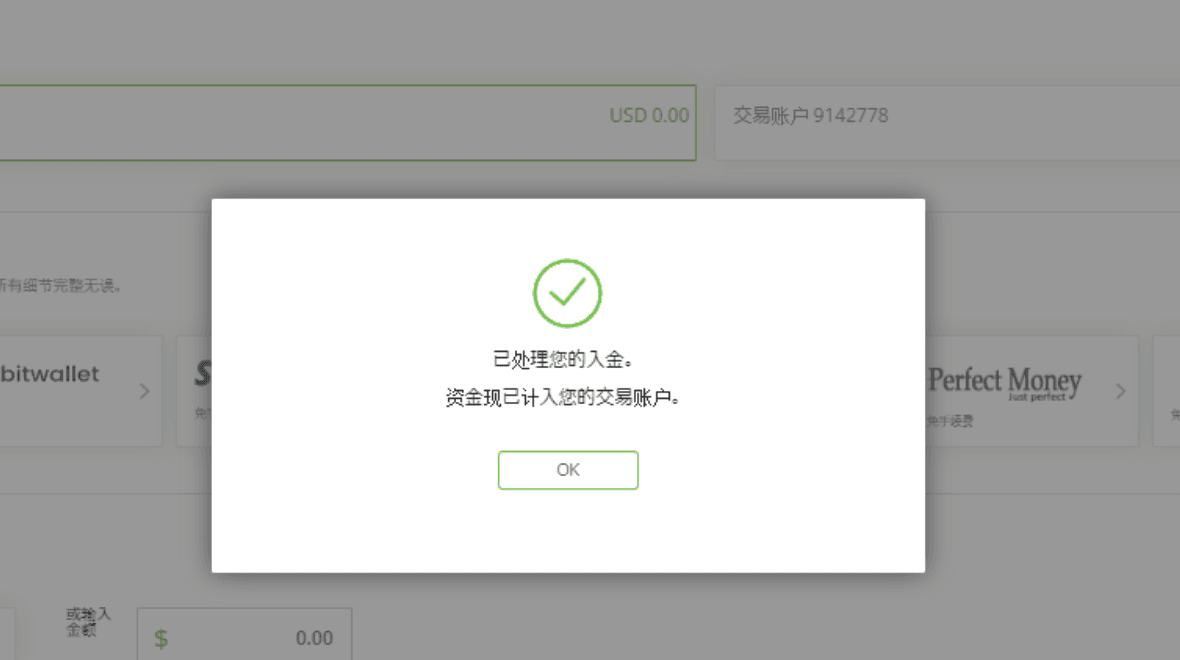
You can also check the deposit status directly in your trading account, where the funds should reflect immediately.
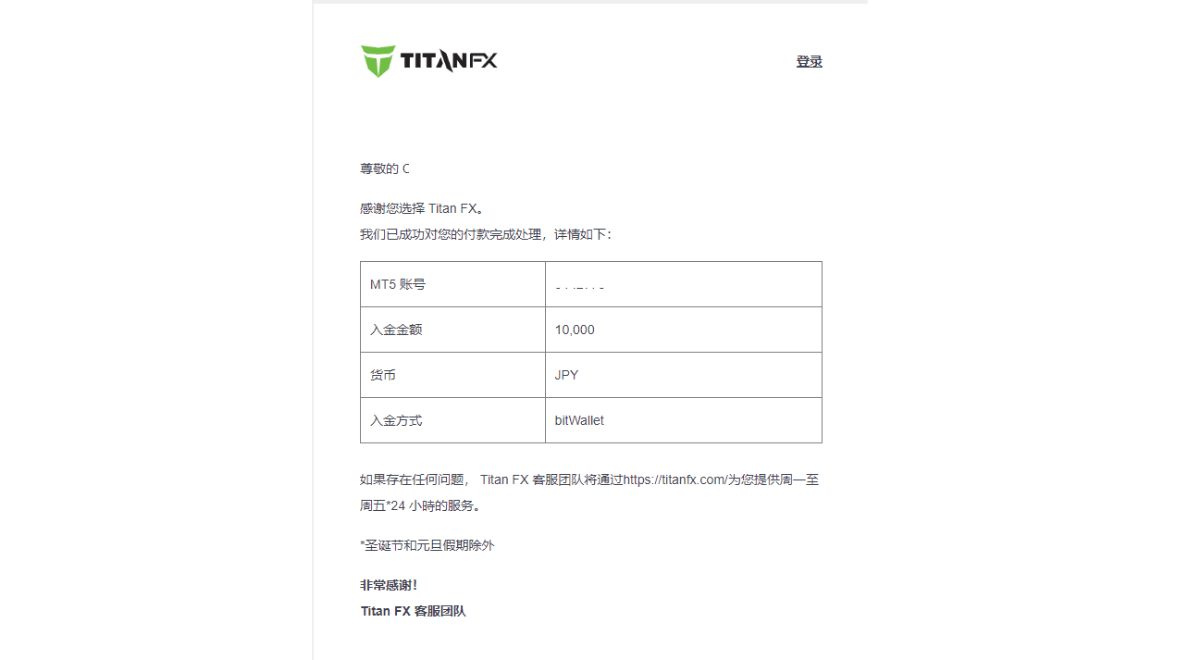
Additionally, you will receive an email from Titan FX confirming the successful deposit.
This concludes the entire process for depositing with Bitwallet.