Home
Home- Support (Account Opening / Deposit / KYC / Withdrawal)
- Titan FX Credit Card Withdrawal Process Guide
Titan FX Credit Card Withdrawal Process Guide
This article will provide a detailed guide on how Titan FX users can withdraw funds using a credit card.
When withdrawing from your Titan FX trading account using a "Credit Card," select "Credit Card" as the withdrawal method in the client, then choose the card used for the deposit and submit the withdrawal request. After confirming the withdrawal request, Titan FX will process it immediately, and funds will typically arrive within 1 to 5 business days.
At Titan FX, if you have used a credit card for deposits, you can withdraw the accumulated deposit amount to the same card. Titan FX does not charge any fees for credit card withdrawals.
Credit Card Withdrawal Process
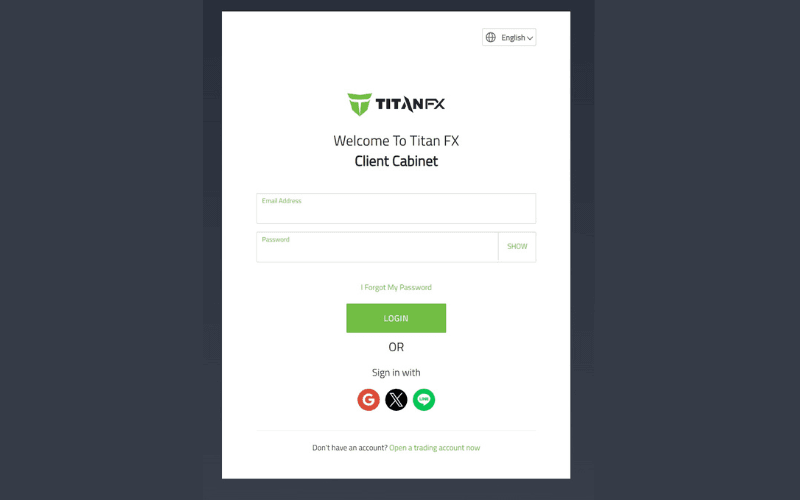
Step 1: Log in to the Client
Open your browser and visit the Titan FX official client page, then enter your registered email address and login password.
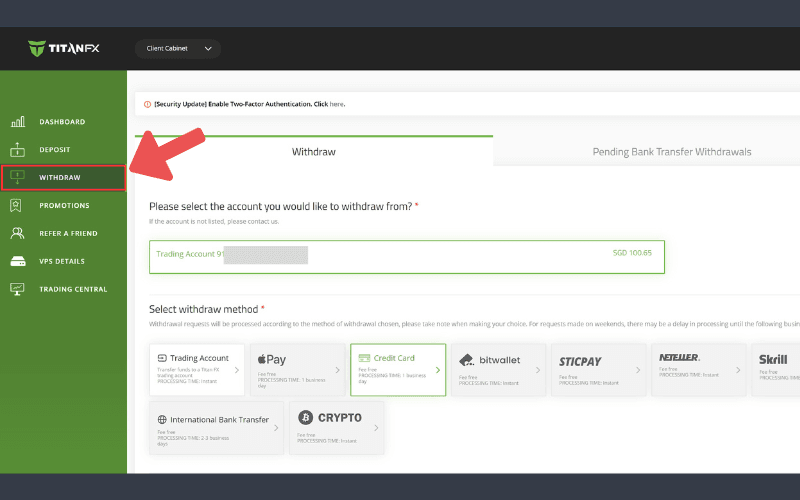
Step 2: Click on Withdraw
In the client’s left menu, click on "Withdraw."
Step 3: Select Withdrawal Method and Enter Amount
On the withdrawal page, first choose the account from which you want to withdraw, then select "Credit Card" as the withdrawal method.
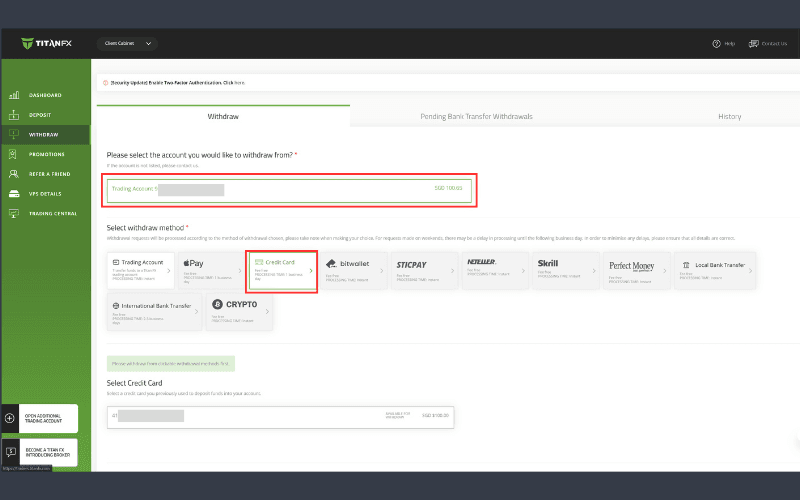
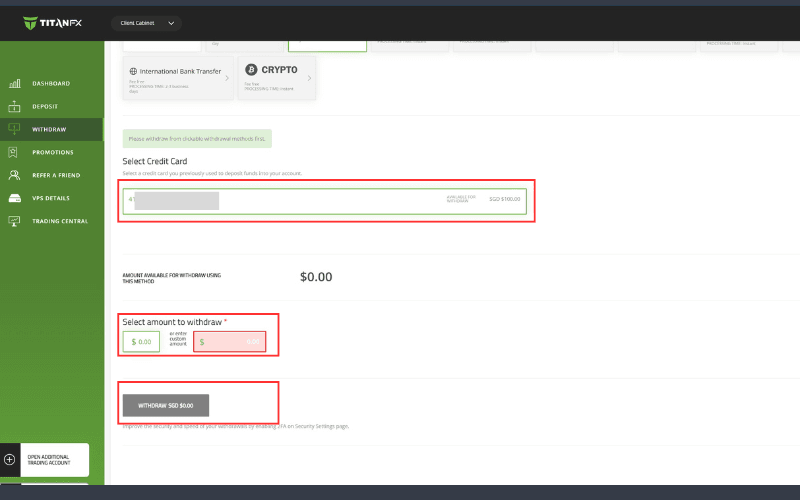
Next, select the credit card to be used for withdrawal, enter the withdrawal amount, and click the withdrawal button.
Note: Credit card withdrawals must use the card used for deposit, and the amount cannot exceed the deposit amount.
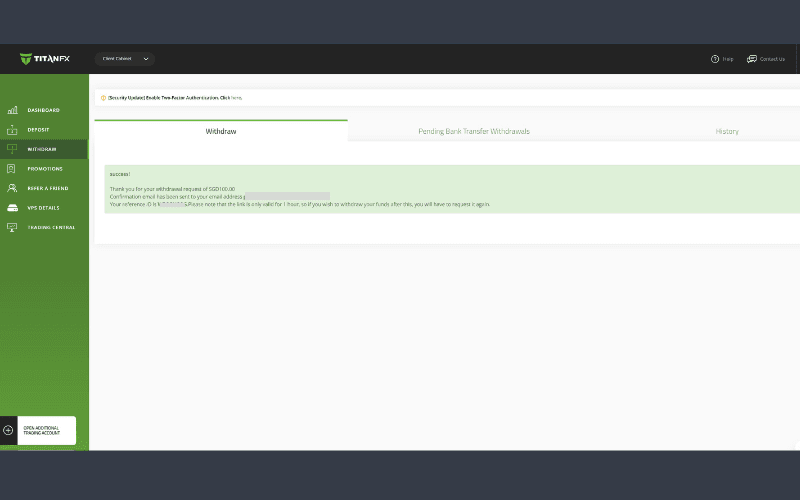
A successful withdrawal submission page will be displayed, and you will need to confirm the withdrawal request via the email address used for registration.
Step 4: Confirm Withdrawal Request via Email
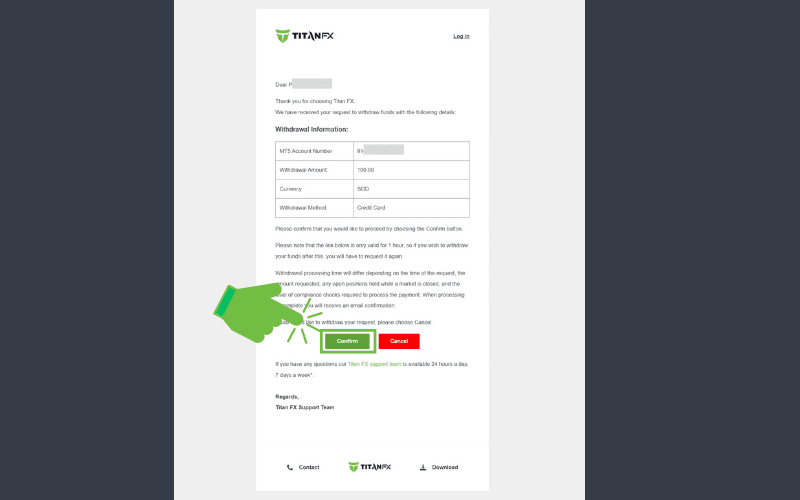
You will receive an email with the subject "Withdrawal Request - Confirmation Required," click the "Confirm" button at the bottom of the email.
Note: The link in the email is only valid for 1 hour, so please click the "Confirm" button as soon as you receive the email.
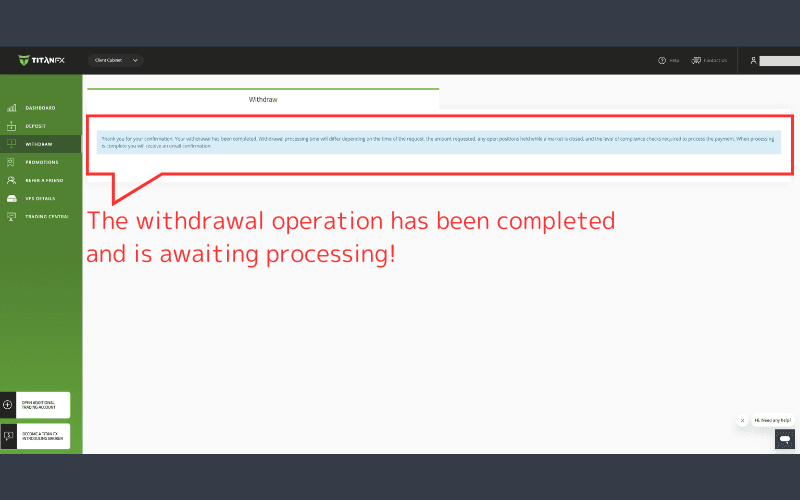
Once confirmed, the client will show a page confirming the successful completion of the withdrawal request.
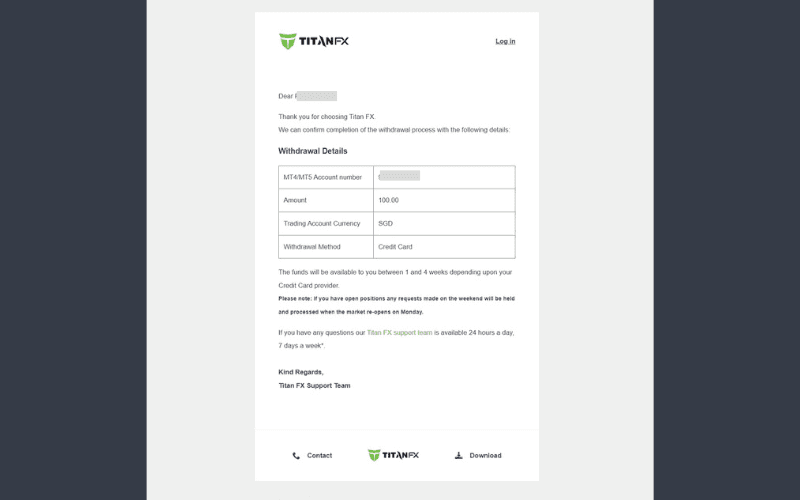
At this point, you will receive an email with the subject "Credit Card Withdraw Completed."
Confirm Funds Arrival
Funds will typically arrive within 1 to 5 business days.
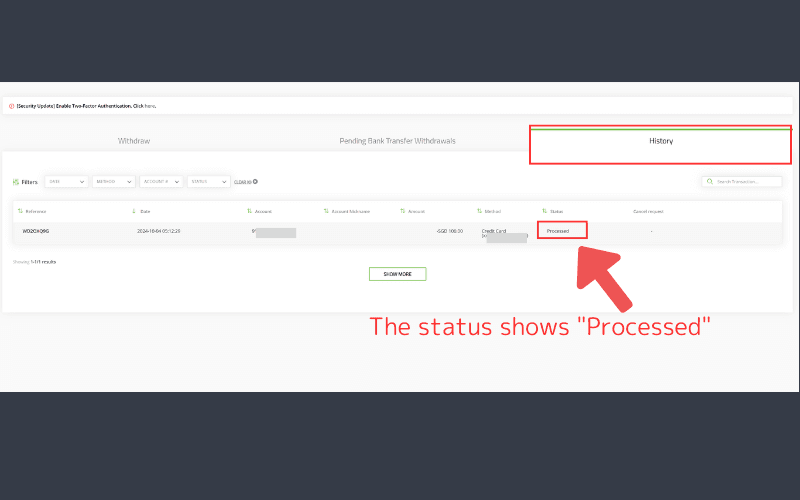
You can also check the withdrawal status in the "Withdraw-History" section of the client, where it will show as "Processed".