

Crypto Deposits
Overview
This guide explains how to deposit funds into your Titan FX account using cryptocurrency. Titan FX allows clients to fund their accounts using supported cryptocurrencies. Deposits are processed through a secure system, and each transaction is assigned a unique deposit address.
Step 1: Log in to the Client Cabinet
Access your Titan FX account via the Client Cabinet.
Login to Client Cabinet1. Go to the Deposit Page
Login to the Client Cabinet and navigate to the Deposit page.
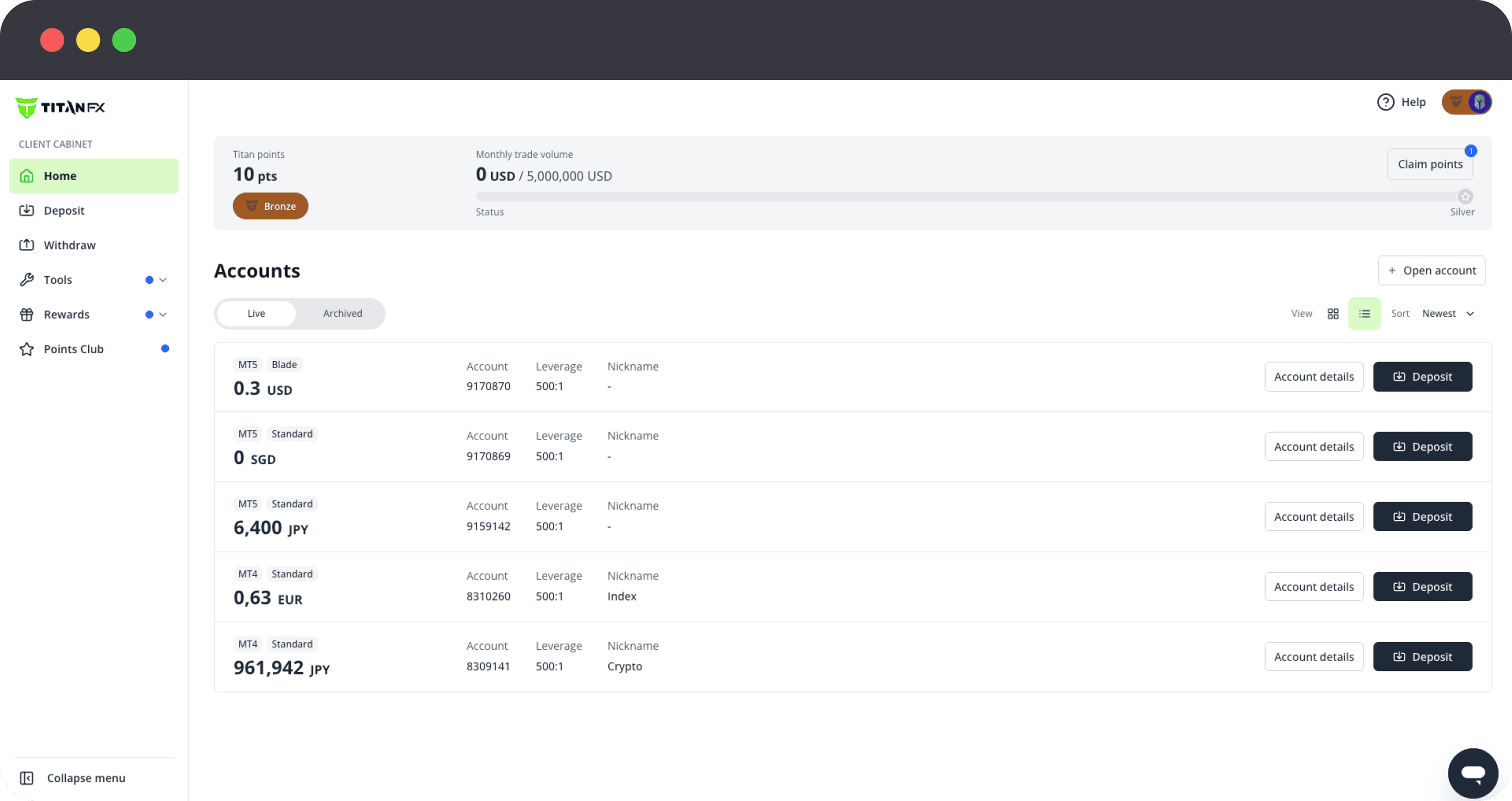
2. Select Trading Account
Choose the trading account you want to fund.
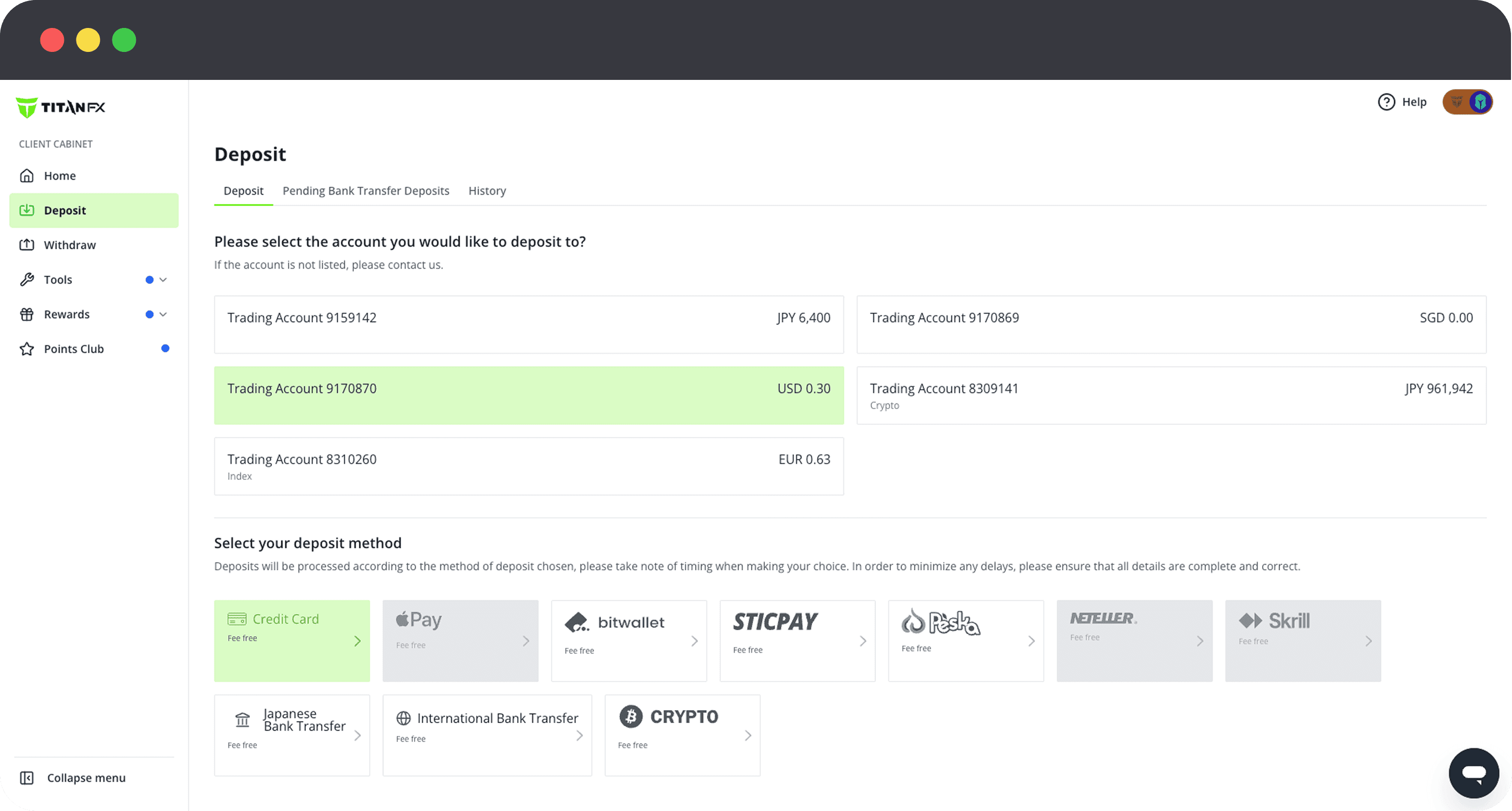
3. Select Cryptocurrency
Select Cryptocurrency as the deposit method.
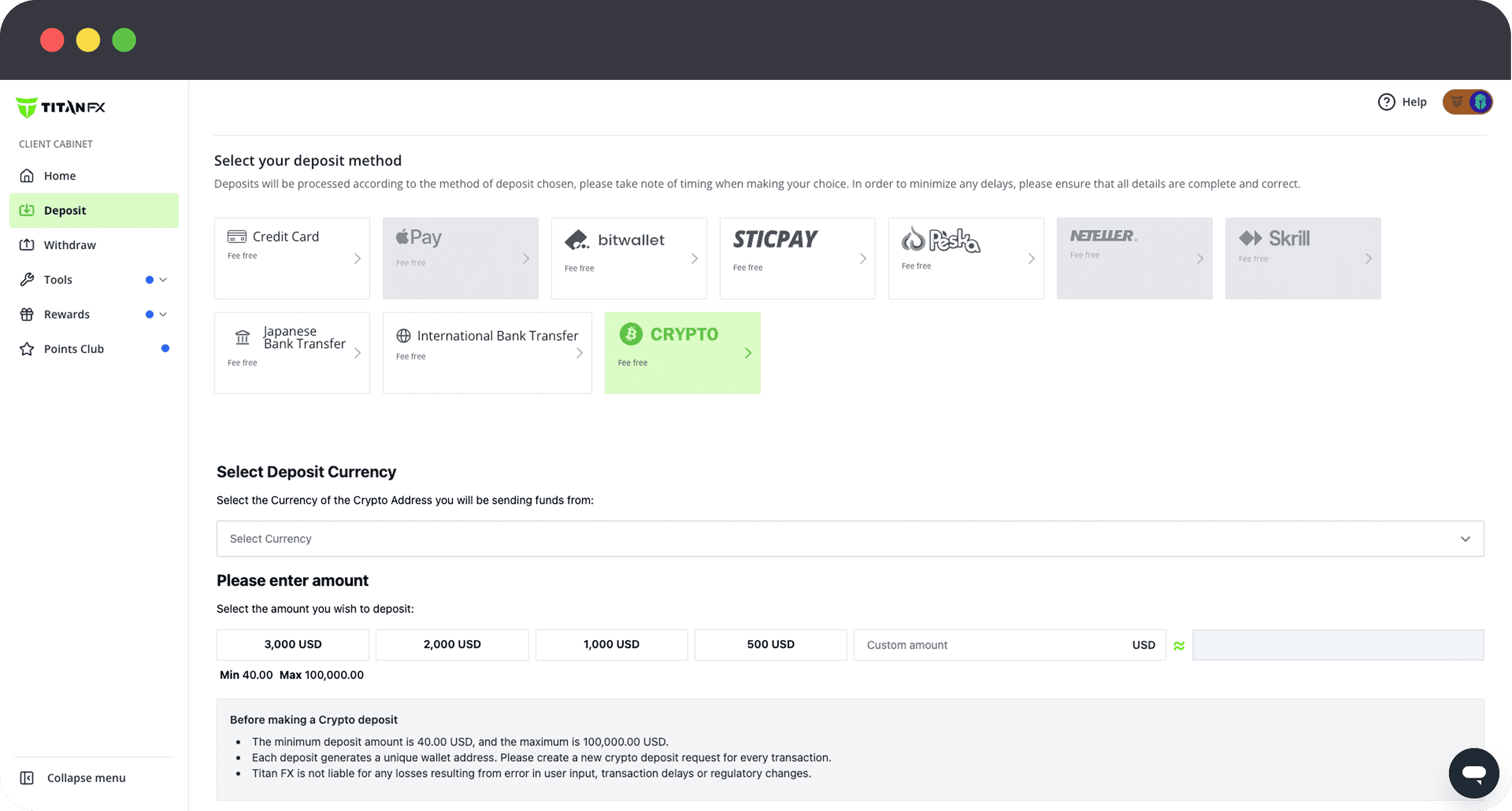
4. Select Cryptocurrency Type
Choose the cryptocurrency you wish to deposit (e.g. BTC, ETH, USDT).
Notes: Some cryptocurrencies support multiple transfer networks. For example, USDT can be sent via different networks depending on your selection. Think of this as choosing different routes to deliver the same asset, the destination is the same, but the speed and cost may vary depending on the network.
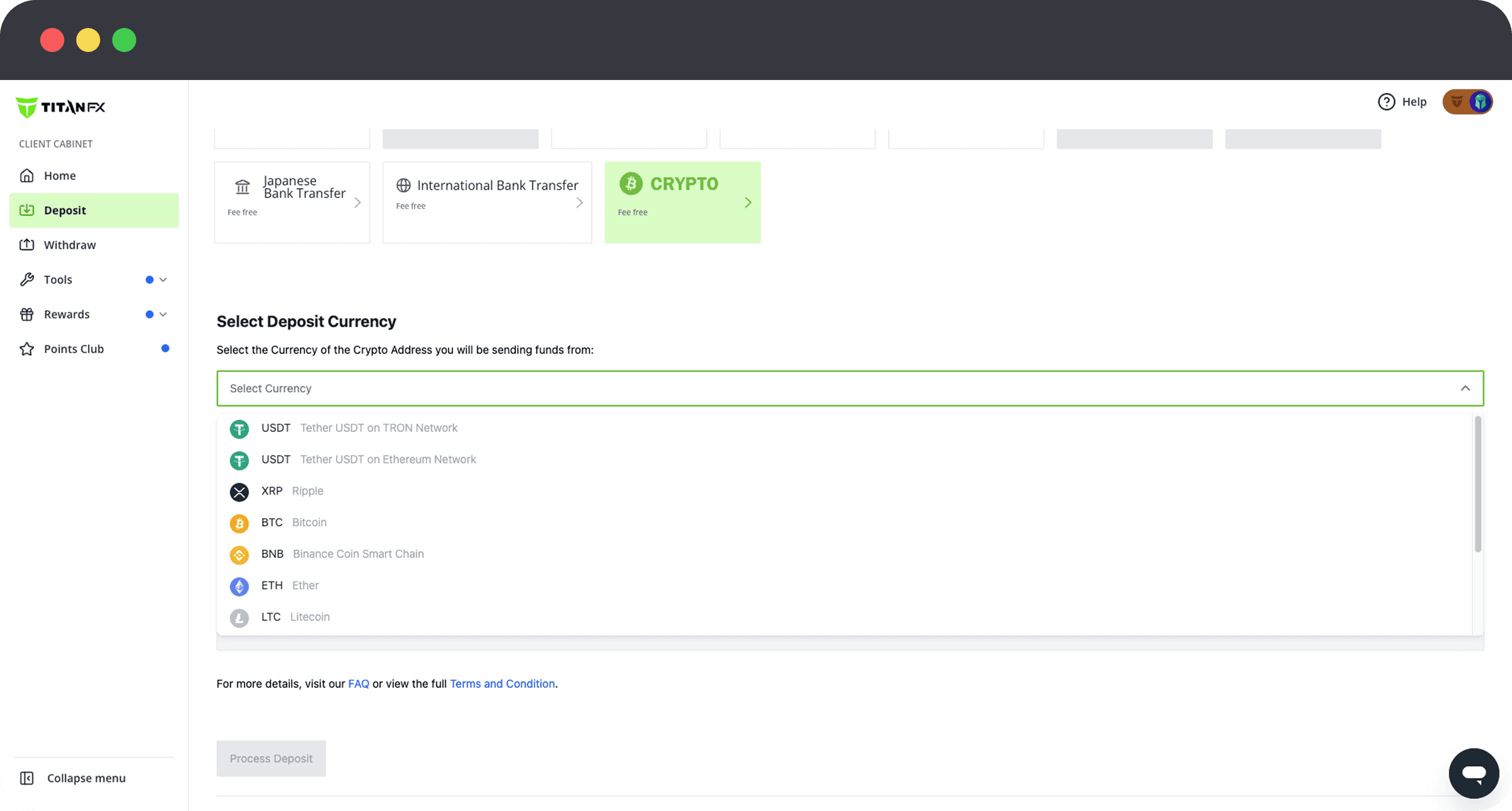
Recommended Option: USDT(TRC20)
USDT (TRC20) is recommended due to its low fees and fast processing speed. While personal wallets may require a small amount of TRX for network fees, it is generally more cost-efficient and faster compared to Bitcoin or other networks.
5. Enter Deposit Amount and Check Real-Time Rate
Enter the amount you wish to deposit in your trading account currency (e.g. USD). Once entered, the required transfer amount in the selected cryptocurrency (e.g. USDT, BTC, ETH) will be automatically displayed based on the real-time exchange rate.
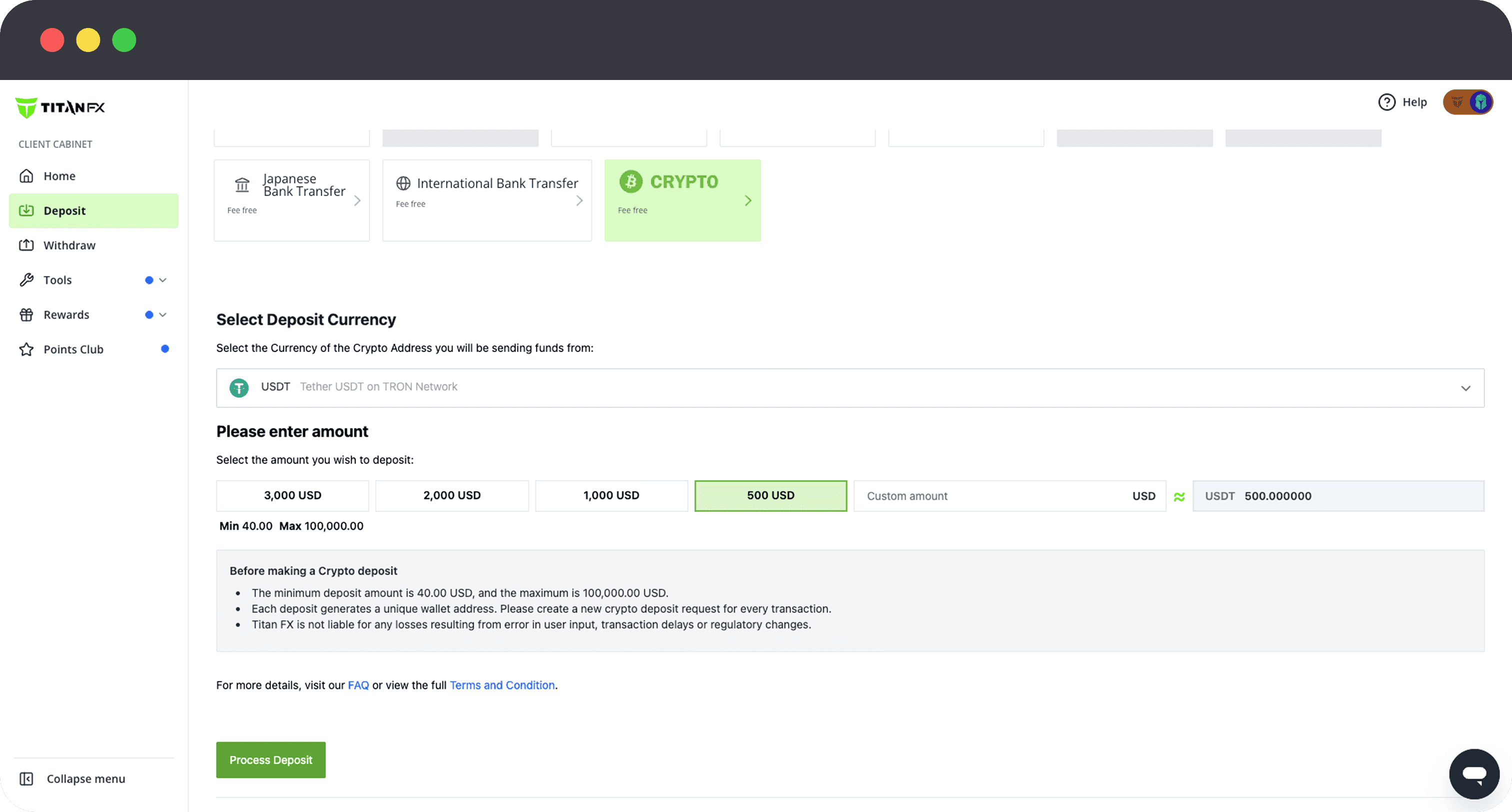
6. .Confirm Deposit Request
Click the Deposit button to proceed. The screen will display the destination wallet address and the converted payment amount (in cryptocurrency). This information will be used in the next step when making the transfer.
A confirmation email with your deposit details (wallet address and amount) will be sent to your registered email address. You can use this information to complete your transfer, even if you close your browser or lose your connection.
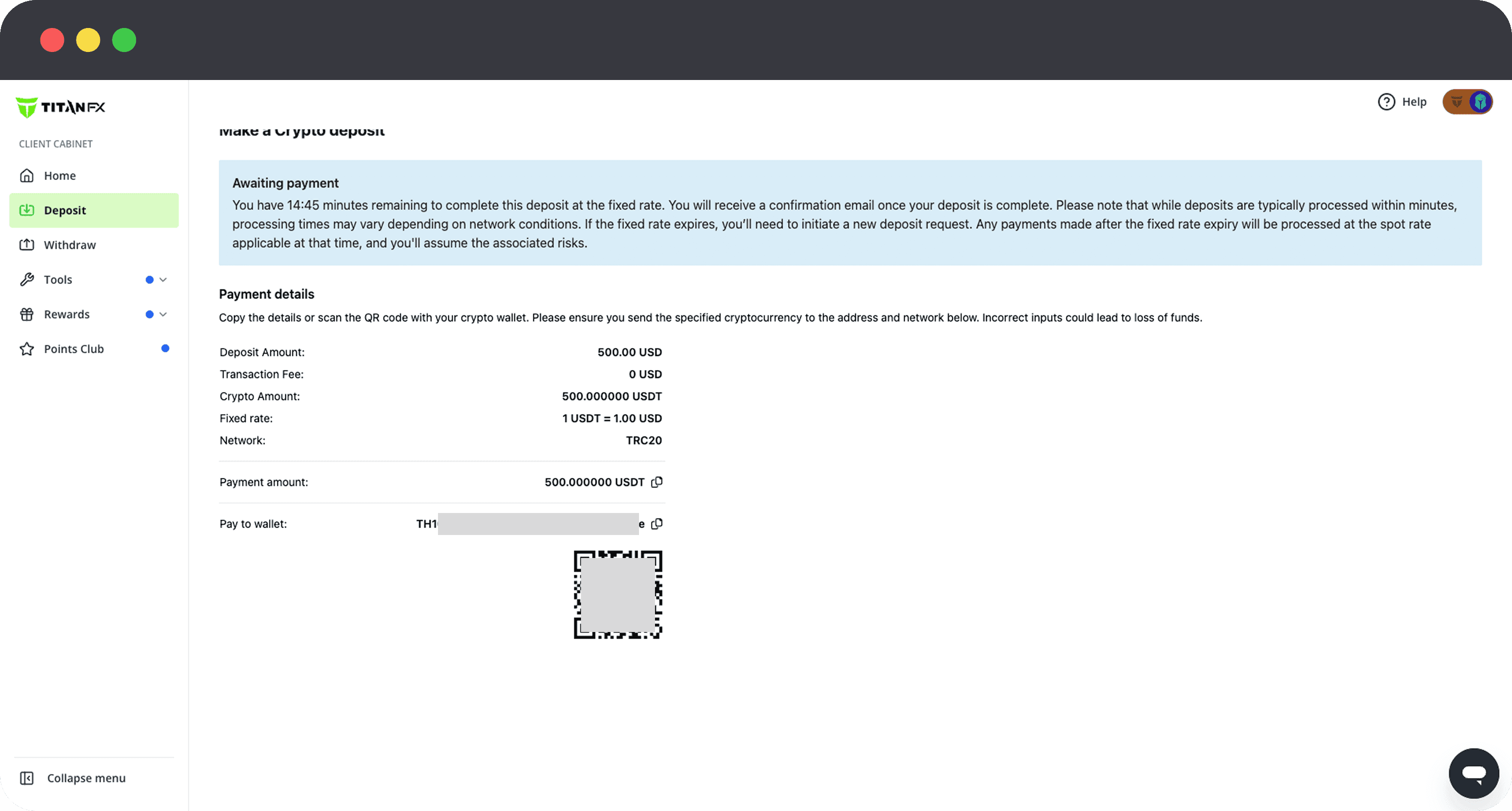
Step 2: Transfer Funds (Your Wallet)
Using the information provided by Titan FX, proceed with the actual transfer of funds. (The following example assumes the use of a personal wallet.)
1. Open Your Crypto Wallet
Network Fees:
When sending crypto from a personal wallet (e.g. USDT on TRC20), you may need the network’s native token (e.g. TRX) to cover transaction fees. When sending from a cryptocurrency exchange, fees are typically deducted automatically from the transfer amount, so no separate preparation is required.
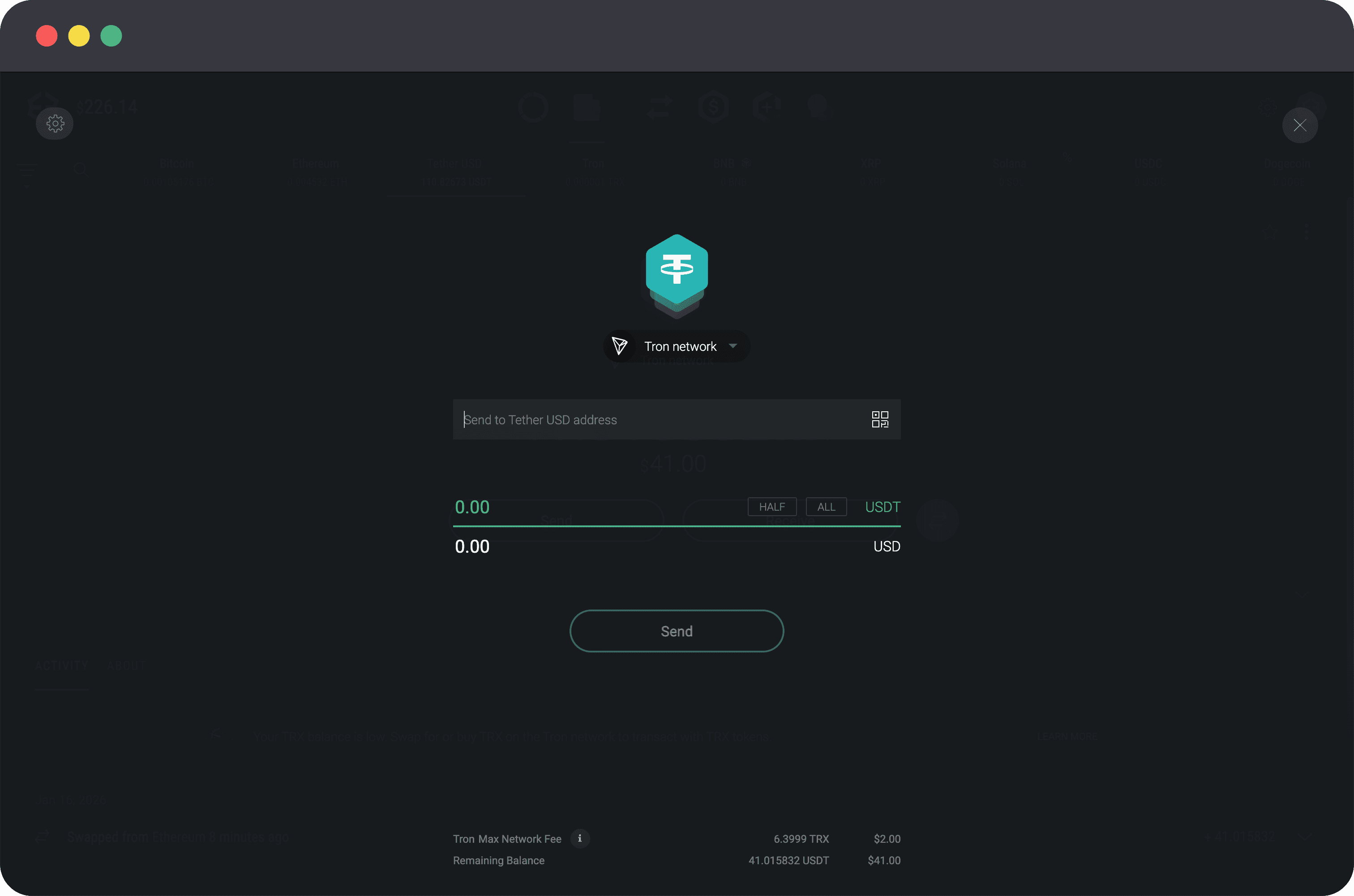
2. Enter Transfer Details
・Copy Wallet Address: Copy the wallet address displayed on the Titan FX screen and paste it into the recipient field of your wallet.
・Copy Destination Tag (if required): For certain cryptocurrencies such as XRP, a destination tag or memo may be required. Be sure to copy and paste it exactly as shown.
・Enter Amount: Copy the specified payment amount (in cryptocurrency) and paste it into your wallet.
・Confirm Network: Make sure the selected network (e.g. ERC20, TRC20) matches exactly with the one specified by Titan FX.
Important: A new wallet address is generated for each deposit request. Previously used addresses cannot be reused.
3. Confirm Transfer
Once all details are correct, proceed by clicking the send/transfer button.
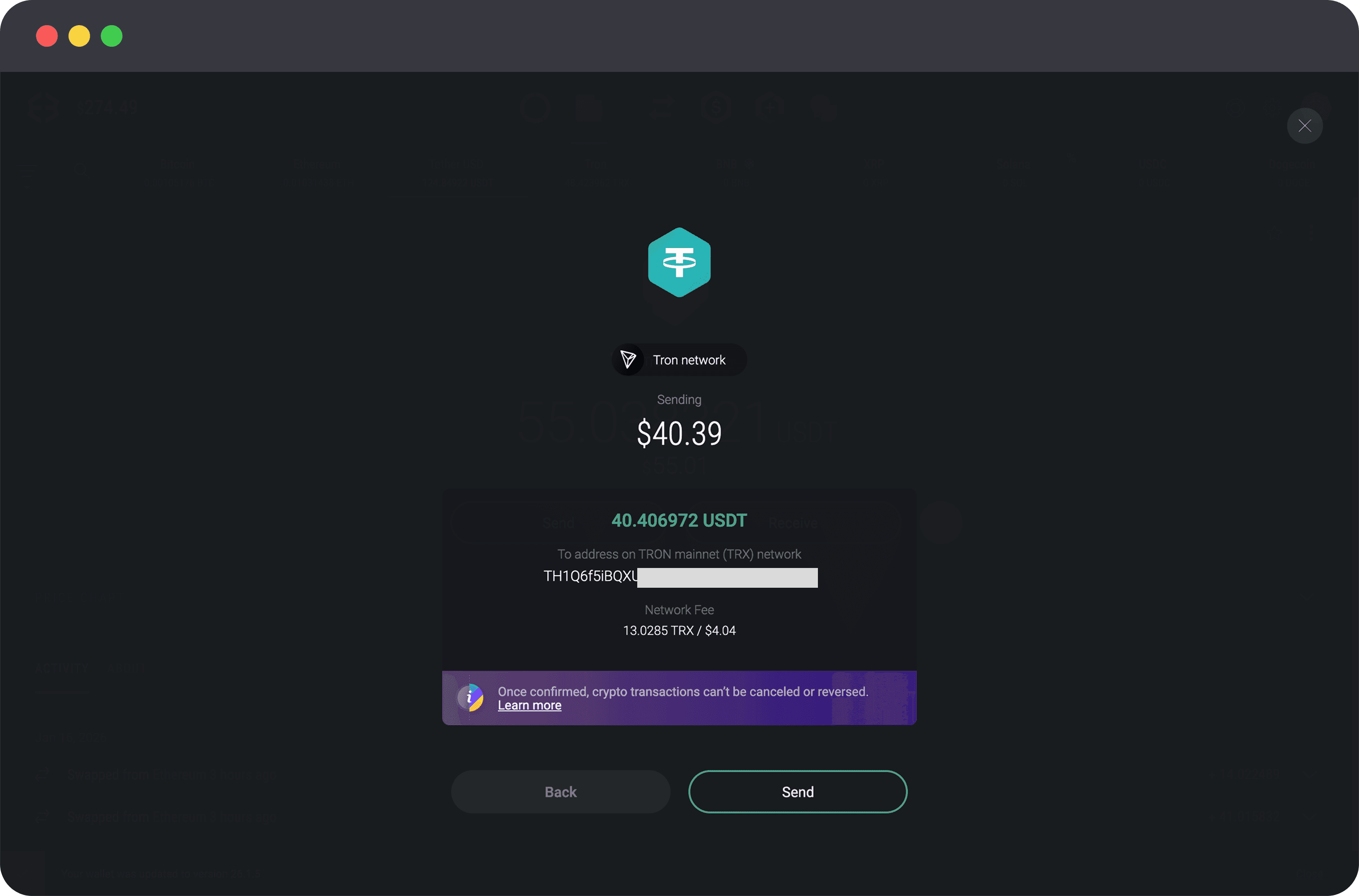
Step 3:Deposit Confirmation and Credit
1. Receive Deposit Confirmation Email
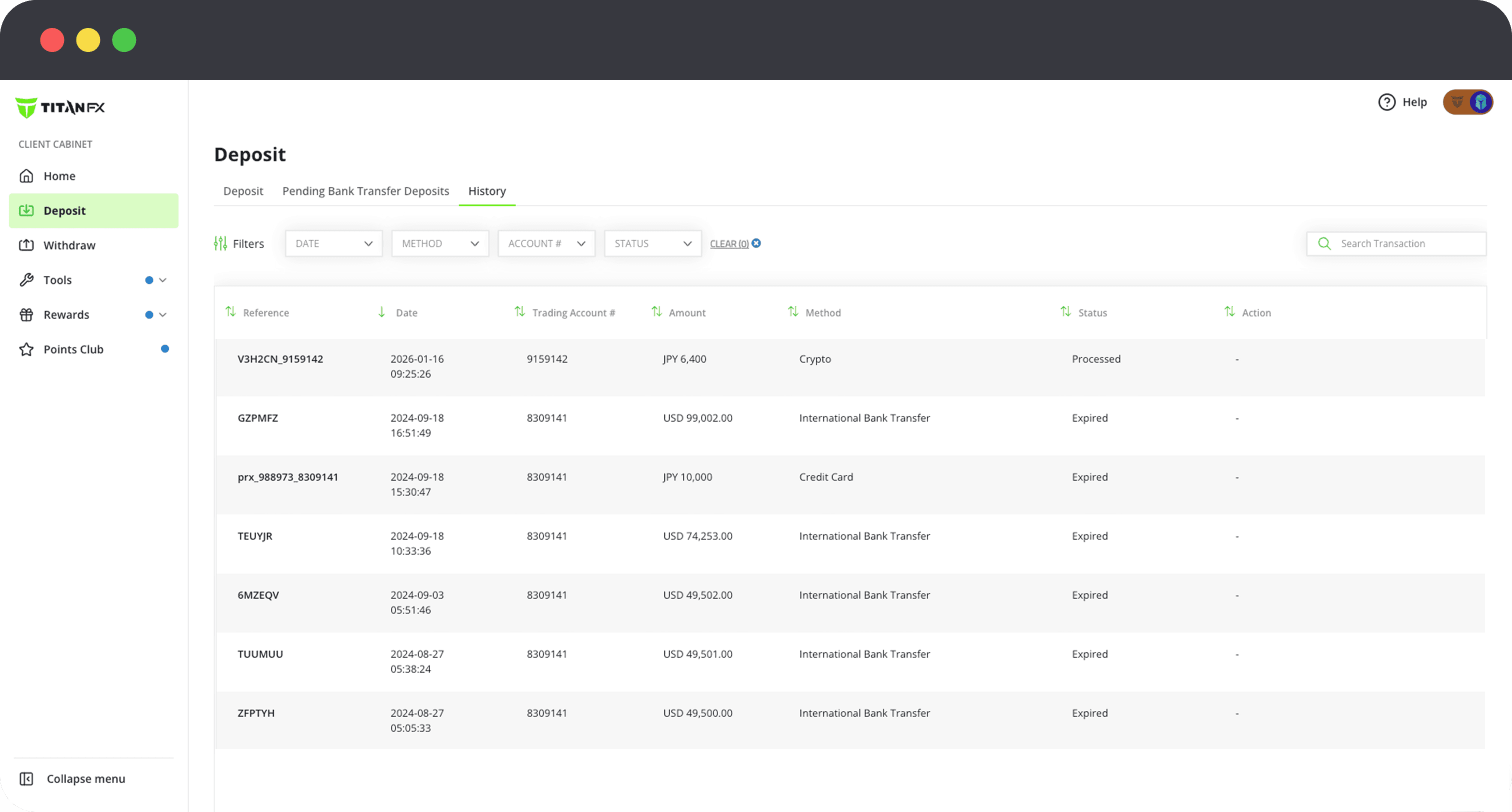
Once your funds are received, you will receive a Deposit Confirmation email from Titan FX.
2. Check Your Account Balance
The funds will be automatically credited to your trading account. Please confirm that your balance has been updated via MT4/MT5 or the Client Cabinet.
Important Notes
Cryptocurrency transfers are irreversible. Please carefully review the following:
・Do Not Enter Manually: Wallet addresses are long and sensitive. Always use copy & paste or scan the QR code.
・Match the Network: Make sure the selected network matches exactly (e.g. ERC20 vs TRC20). Using the wrong network may result in permanent loss of funds.
・Test with a Small Amount First: Especially for large deposits, it is strongly recommended to send a small test transaction first to ensure everything is working correctly.
・Do Not Use Smart Contracts: Please do not use smart contracts or automated transfer methods. Always send funds directly from your own wallet.
・Verification Requirements: If your identity verification is not completed, the available cryptocurrencies for deposit may be limited.
If your transfer fails or is restricted, please contact your wallet provider or exchange. Cryptocurrency transfers are subject to regulations and compliance requirements (such as travel rules), and whether a transfer is allowed depends on the policies of the service provider you are using.
Frequently Asked Questions
Q. How long does a crypto deposit take?
A. Processing times vary depending on the blockchain network, but most deposits are completed within a few minutes to several tens of minutes. Compared to Bitcoin (BTC), USDT (TRC20) is typically credited more quickly.
Q. Is there a minimum deposit amount?
A. Yes, minimum deposit amounts vary depending on the cryptocurrency. Please check the minimum amount when entering your deposit on the deposit screen.
Q. Are there any deposit fees?
A. Titan FX does not charge any deposit fees. However, network fees (gas fees) may apply depending on your wallet or exchange.
Q. What happens if I send funds to the wrong wallet address?
A. If funds are sent to an incorrect address, they may not be recoverable. Always use copy and paste, and double-check the address before sending.