
 Home
Home- Support (Account Opening / Deposit / KYC / Withdrawal)
- How to Change and Check Titan FX Account Types
How to Change and Check Titan FX Account Types
Titan FX account type changes, whether between Standard or Blade accounts, can be easily processed through the client portal even after account creation.
How to Change Titan FX Account Types
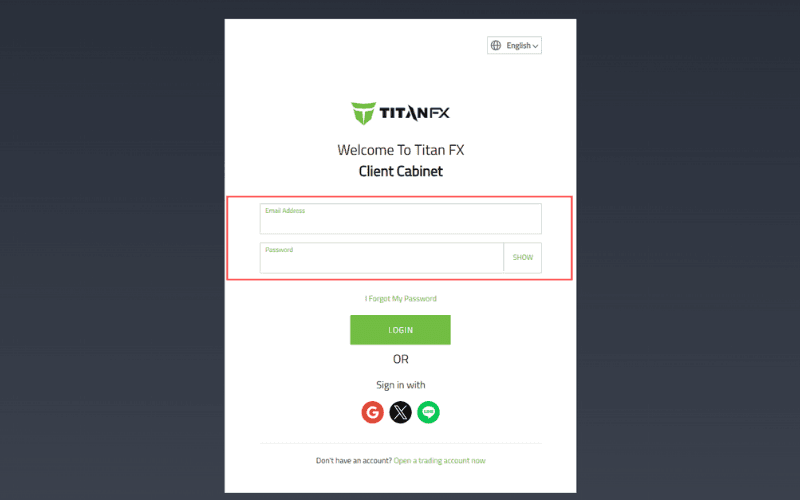
Step 1: Log in to the Client Cabinet
Enter the email address you used to register with Titan FX and your Client Cabinet password to log in.
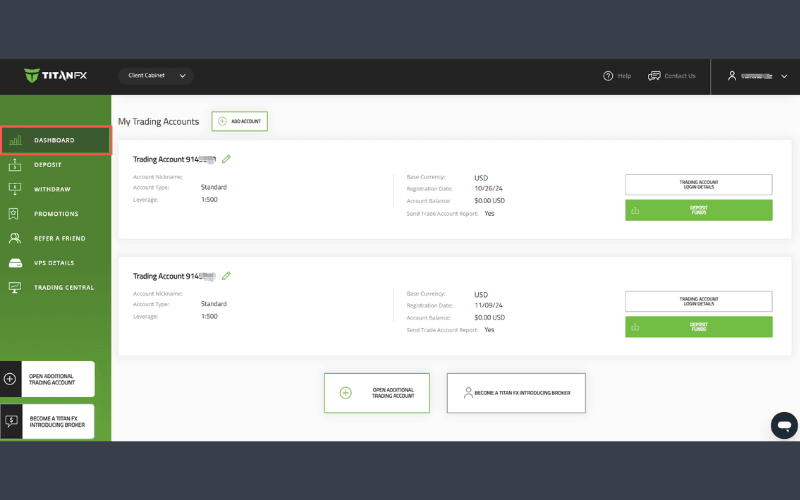
Step 2: Select the "Dashboard"
After logging in, click on "Dashboard" from the menu on the left-hand side.
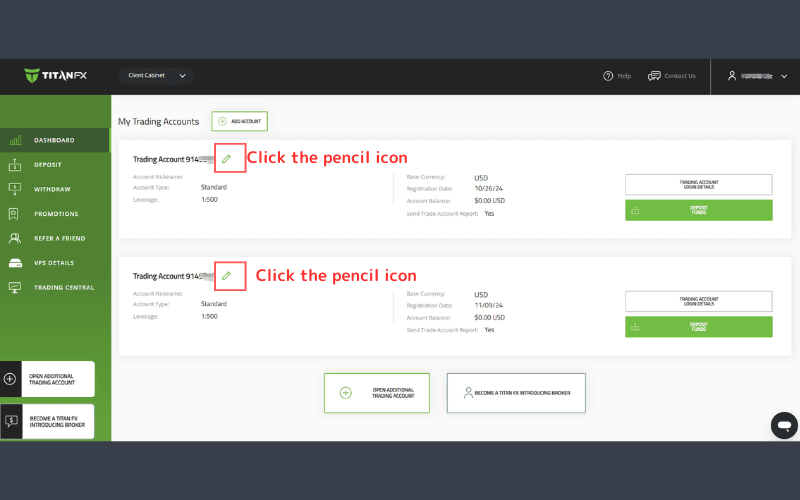
Step 3: Access Trading Account Settings
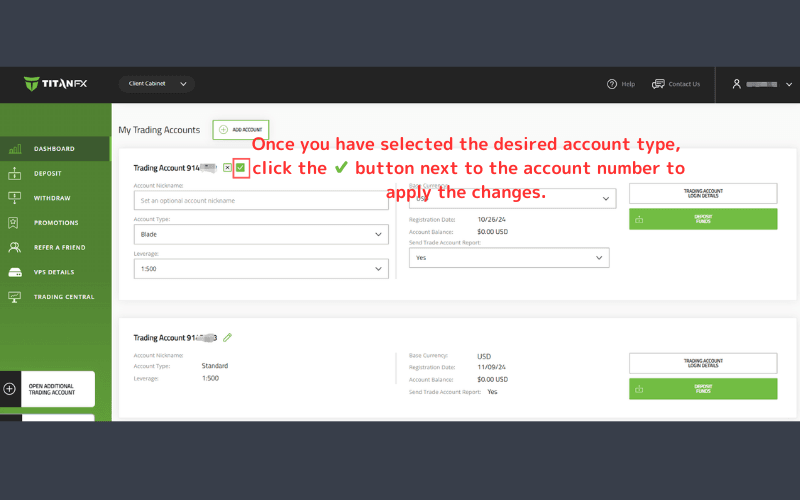
Click the pencil icon next to the trading account number for which you wish to change the account type.
Step 4: Choose Account Type
In the account settings menu, go to the Account Type section and select your desired account type.
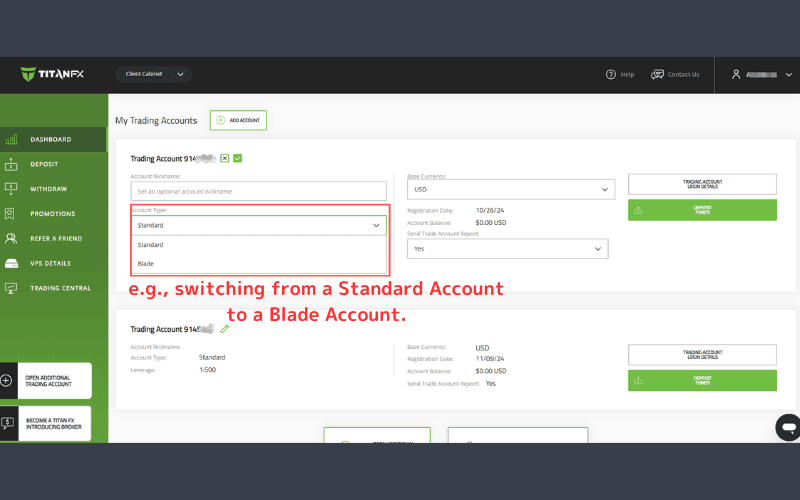
Note: Changes cannot be made for Micro accounts, nor can accounts be switched to the Micro account type.
Step 5: Apply the New Account Type
Once you have selected the desired account type, click the ✔ button next to the account number to apply the changes. The updated account type will be reflected immediately upon saving.
How to Check Your Titan FX Account Type
The account type of trading accounts opened with Titan FX can be easily checked in the Client Cabinet. If you have multiple trading accounts with Titan FX, it’s important to ensure you understand each account type. Follow these steps to confirm your account type:
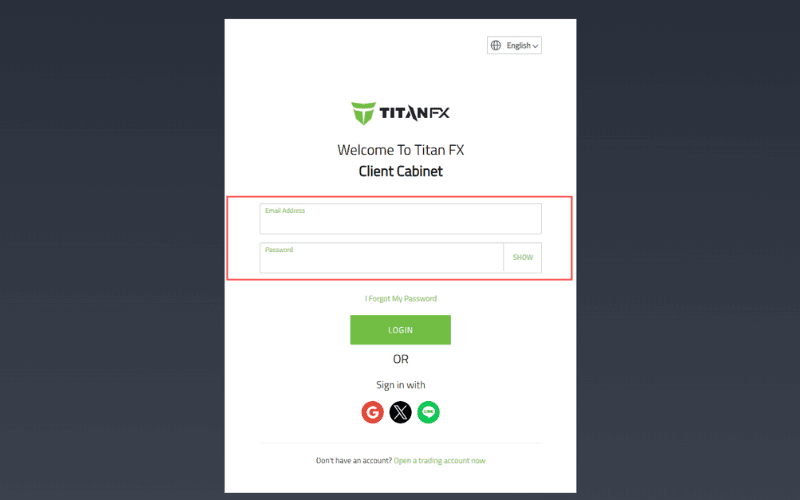
Log in to the Client Cabinet
Enter your registered email address and password to log in to your Titan FX Client Cabinet.
Check Account Type from the "Dashboard"
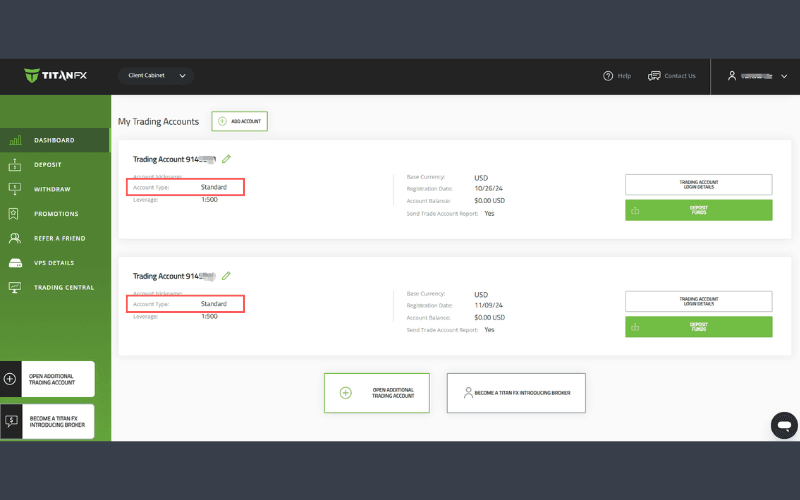
After logging in, click on the Dashboard in the left-hand menu.
In the Dashboard, you can see the Account Type column for each trading account, allowing you to verify the type of account for the respective account.
Important Notes on Titan FX Account Types
Below are important notes regarding Titan FX account types. Please review these points carefully before starting to trade with Titan FX.
Account Types and Unsupported Instruments on MT4 Accounts
The tradable instruments offered by Titan FX vary depending on the account type and platform (MT4/MT5).
- Standard and Blade accounts allow trading across all instruments provided by Titan FX. However, stock CFDs are not tradable on MT4 accounts.
- For Micro accounts, cryptocurrency CFDs (e.g., Bitcoin) are unavailable on MT4.
While MT4 remains widely used, MT5 offers an improved trading environment with faster performance, enhanced timeframes, and new features like stop-limit orders. MT5 is recommended as the platform of choice for its advanced capabilities. However, if you require specific custom indicators or automated trading (EAs), MT4 provides more options. Choose your trading platform based on your trading style and preferred instruments.
Micro Accounts Cannot Be Changed to Other Account Types
After opening an account with Titan FX, only Standard and Blade accounts can be switched between.
- Standard or Blade accounts cannot be converted to a Micro account.
- Similarly, Micro accounts cannot be changed to Standard or Blade accounts.
If you wish to open a Micro account or convert from one, you need to log in to the Client Cabinet and open a new account.
Maximum of 15 Accounts
Titan FX allows traders to open up to 15 accounts. This flexibility enables you to maintain accounts with various specifications tailored to different trading styles and market conditions, ensuring the optimal account setup for your needs.