

How to Change Leverage on Titan FX
On the Titan FX Client Dashboard, you can directly adjust your leverage settings.
Please note that leverage changes can only be made when there are no open positions in your account. If you have open positions, leverage adjustments are not allowed.
Steps to Change Leverage
To update the leverage settings for your trading account, please follow these steps:
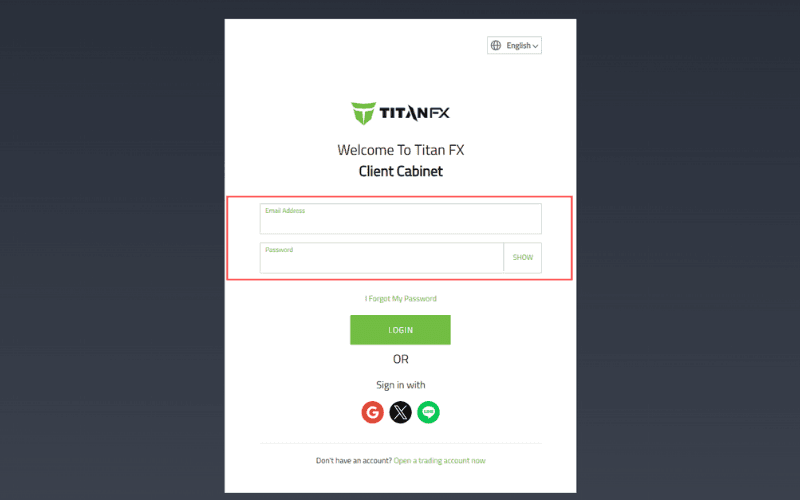
Step 1: Log In
Log in to your Client Dashboard using your registered email address and password.
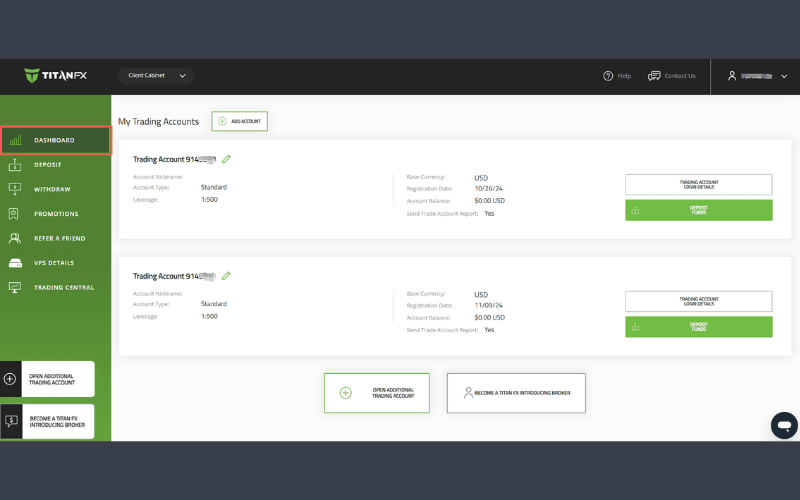
Step 2: Access the Dashboard
After logging in, navigate to the Dashboard.
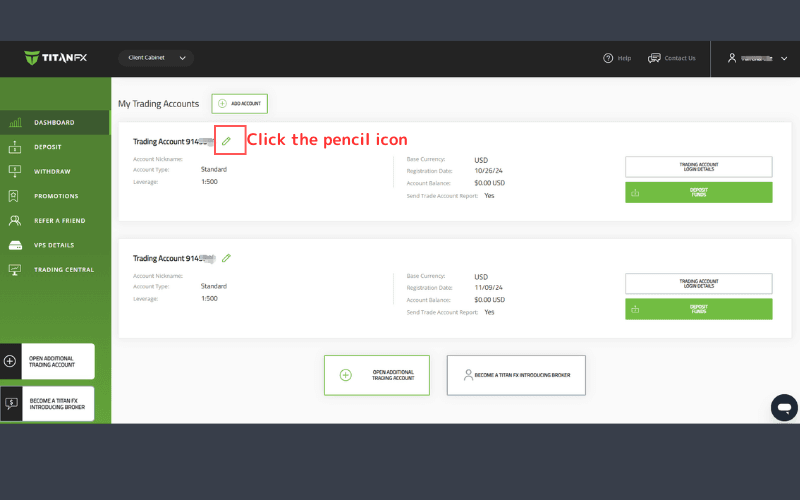
Step 3: Click the Pencil Icon
Locate the pencil icon next to your account number and click on it.
Step 4: Select Leverage
Choose your preferred leverage ratio from the available options in the leverage settings.
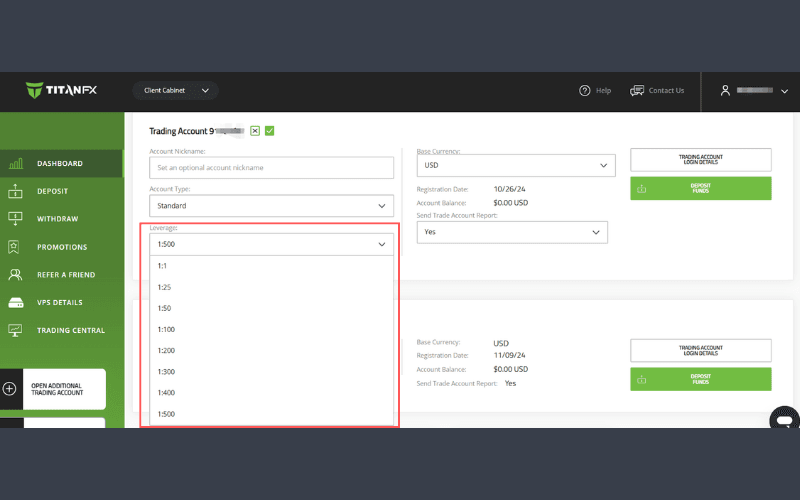
Step 5: Confirm Changes
Click the green checkmark to confirm your selection.
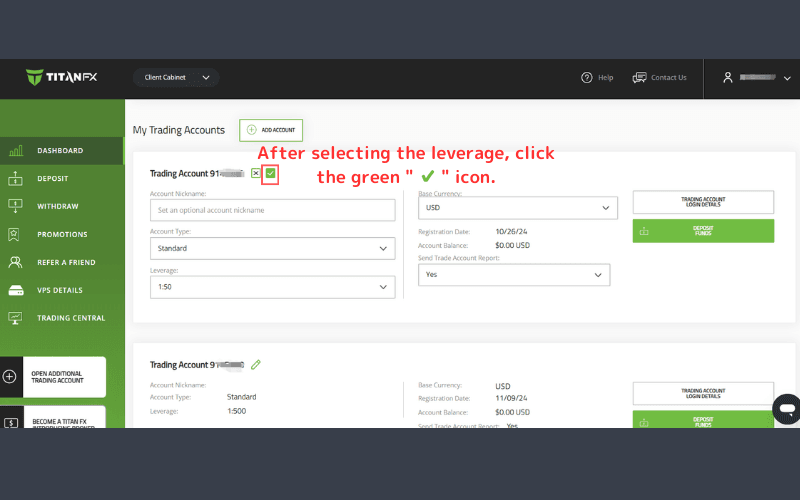
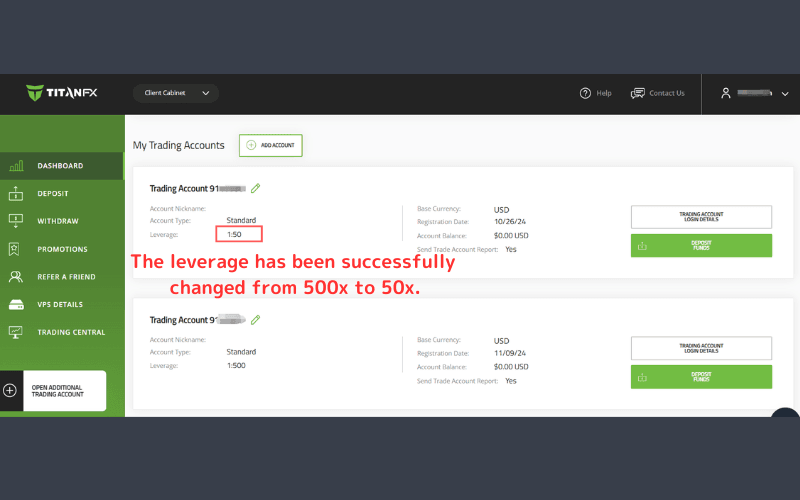
Your leverage settings are now successfully updated.
Available Leverage Options at Titan FX
The following leverage levels can be set:
1,000x | 500x | 400x | 300x | 200x | 100x | 50x | 25x | 1x
| Leverage | Standard Account | Blade Account | Micro Account |
|---|---|---|---|
| 1,000x | No | No | Yes |
| 500x | Yes | Yes | Yes |
| 400x | Yes | Yes | Yes |
| 300x | Yes | Yes | Yes |
| 200x | Yes | Yes | No |
| 100x | Yes | Yes | Yes |
| 50x | Yes | Yes | Yes |
| 25x | Yes | Yes | Yes |
| 1x | Yes | Yes | Yes |
Financial Products with Available Leverage Adjustments
| Product Category | Leverage |
|---|---|
| Forex | Follows account settings |
| Stock Indices | Follows account settings |
| Precious Metals | Follows account settings |
| Commodities | Follows account settings |
| Soft Commodities | Fixed: 50x |
| Individual Stocks | Fixed: 20x |
| Cryptocurrencies | Fixed: 100x |
Increasing Leverage
Once the leverage is reduced, it cannot be increased directly through the Client Dashboard.
To request an increase in leverage, please contact support.jp@titanfx.com with the following information:
- Registered Email Address:
- Name (in English):
- Account Number:
- Current Leverage:
- Requested Leverage: