
 Home
Home- Support (Account Opening / Deposit / KYC / Withdrawal)
- Titan FX Credit Card Deposit Guide (Non-Taiwan Regions)
Titan FX Credit Card Deposit Guide (Non-Taiwan Regions)
This article provides a detailed guide for traders residing in Singapore, Japan, Malaysia, Hong Kong, Macau, and other regions on depositing funds into Titan FX using a credit card. Titan FX supports credit card deposits, which are fast, convenient, and fee-free. Funds are deposited instantly, allowing you to start trading quickly.
Please Note the Following Before Depositing:
1.The first deposit requires credit card verification and binding.
2.It is recommended to use Visa or MasterCard for deposits.
Step 1: Log in to the Client Portal
Open a browser and visit the Titan FX Client Portal.
Enter your registered email address and login password.
Go to Titan FX Client Portal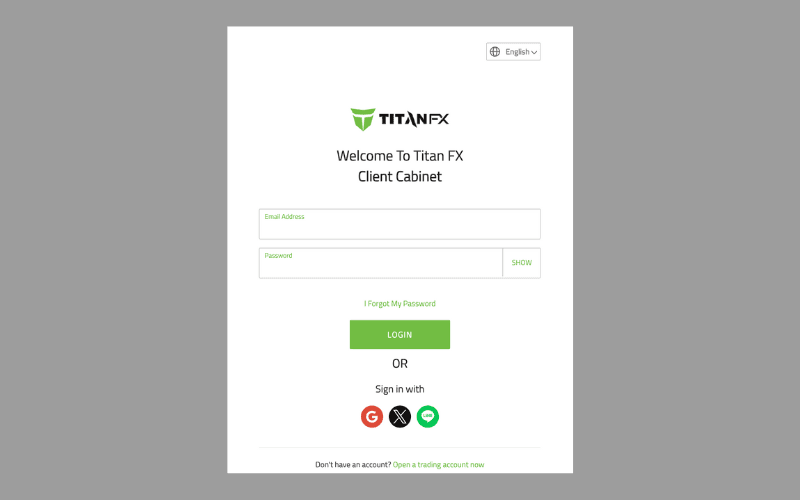
Step 2: Credit Card Verification
To ensure the security of your funds, the first deposit requires credit card verification via a third-party service provider, shufti pro.
※ If you have already verified your credit card, you can skip to Step 3.
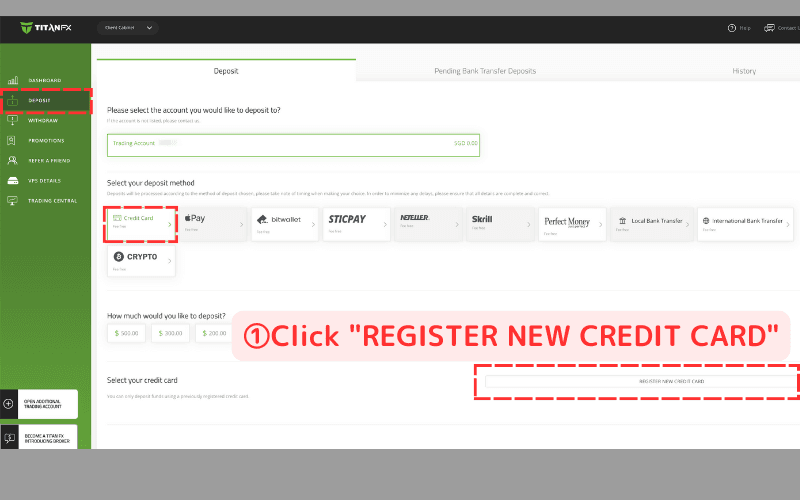
① Click "REGISTER NEW CREDIT CARD"
Navigate to "DEPOSIT" in the left menu, select "Credit Card," and click "REGISTER NEW CREDIT CARD."
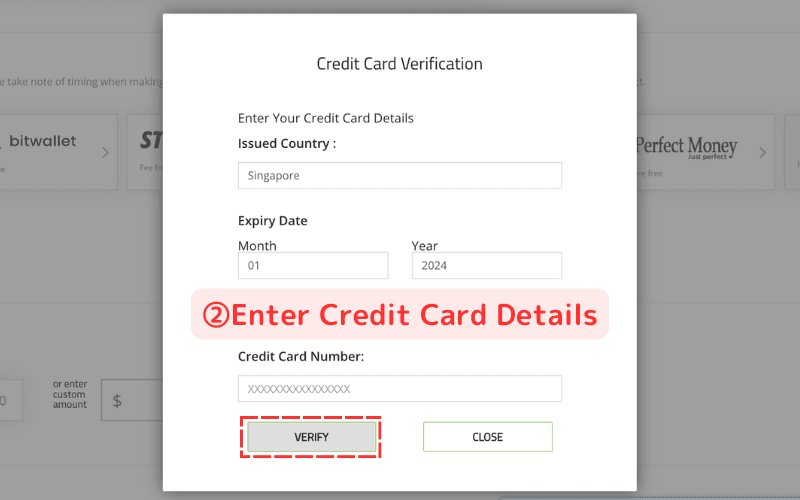
② Enter Credit Card Details
Input the following information:
- Issued Country (Country of issuance)
- Expiry Date
- Card Number
Then, click VERIFY.
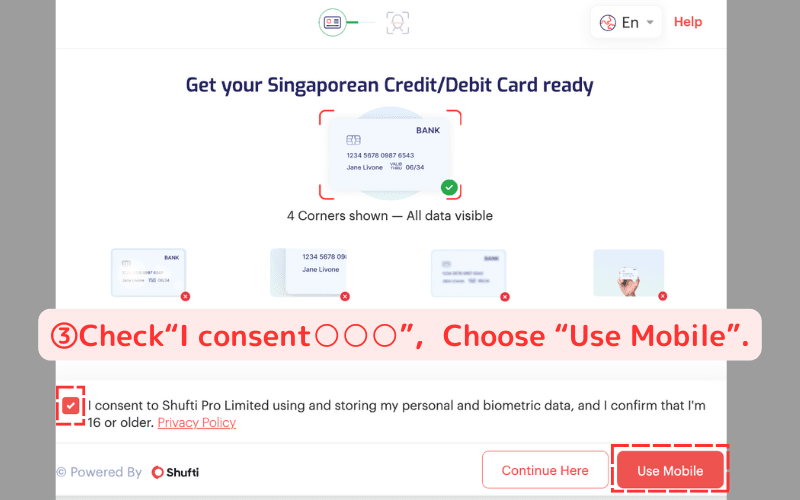
③ Choose Mobile Verification
Check the "I Agree" box and click Use Mobile.
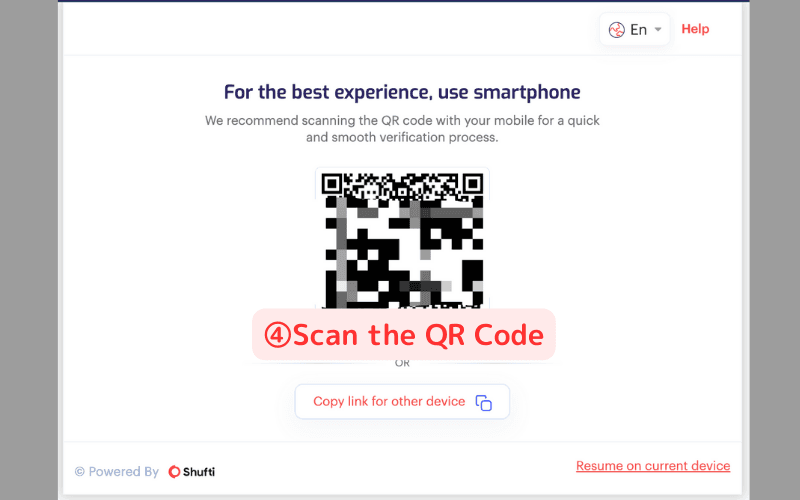
④ Scan the QR Code
Use your mobile phone to scan the QR code. A "Verification in Progress on Another Device" screen will appear on your computer.
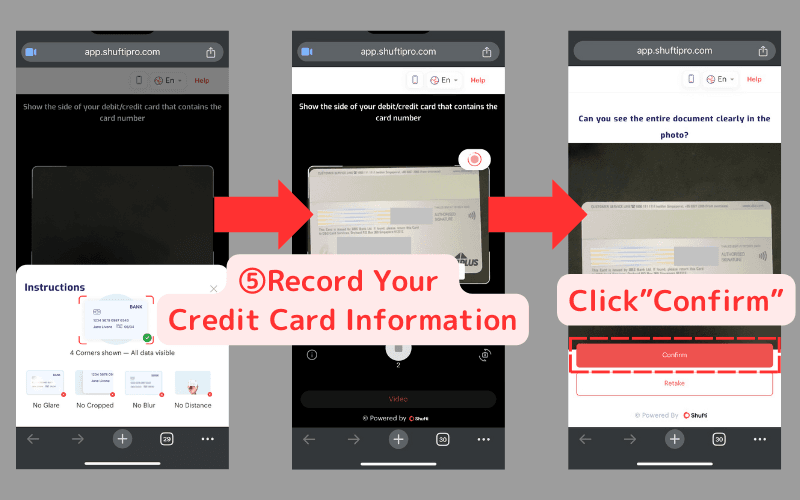
⑤ Record Your Credit Card Information
Capture the credit card information used for deposits and click Confirm.
Requirements:
✔️ Show all four corners of the card.
✔️ Ensure all details are visible and legible.
✔️ Avoid glare, cropping, or blurriness.
✔️ Maintain an appropriate distance for easy readability.
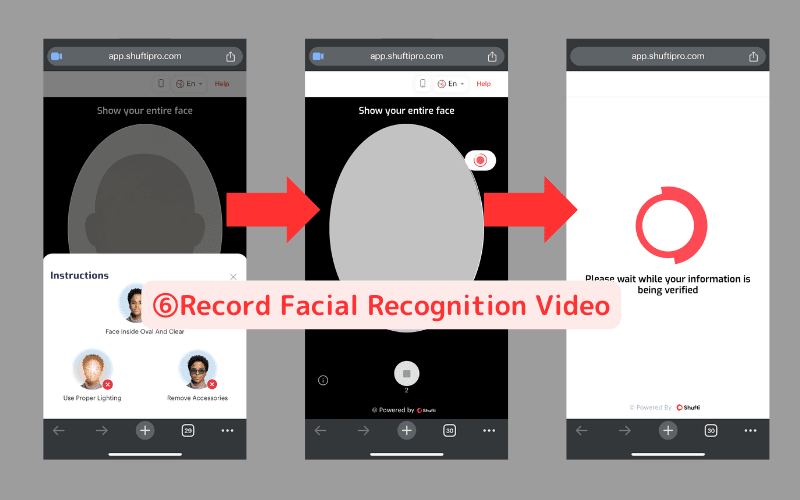
⑥ Record Facial Recognition Video
Record a video of your face for identity verification.
Requirements:
✔️ Align your face within the oval frame clearly.
✔️ Use proper lighting.
✔️ Remove accessories like glasses.
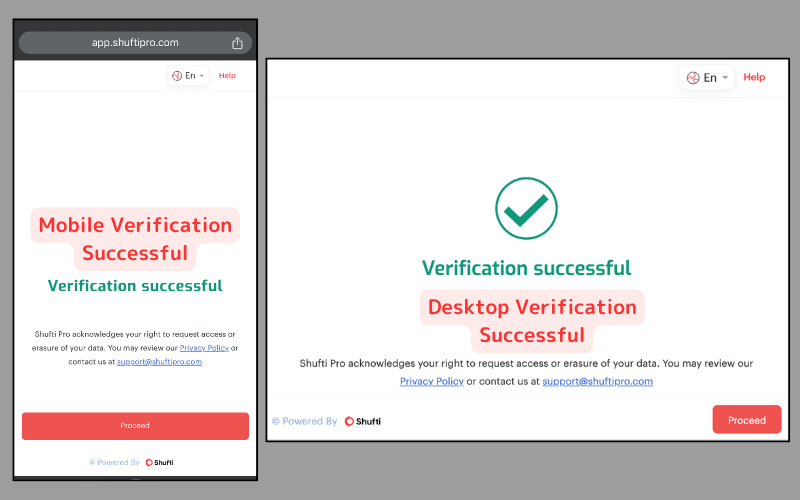
After a few seconds, both your phone and computer will display a "Verification Successful" screen.
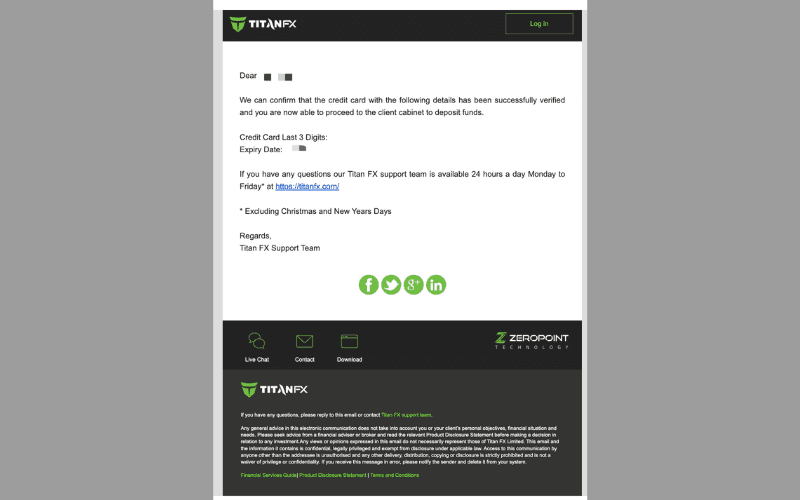
You will also receive a confirmation email from Titan FX.
Step 3: Deposit Funds
Once verification is complete, you still need to re-enter and bind your credit card information for the first deposit.
※ After binding is successful, subsequent deposits will not require re-entry or binding.Select Credit Card and Enter Deposit Amount
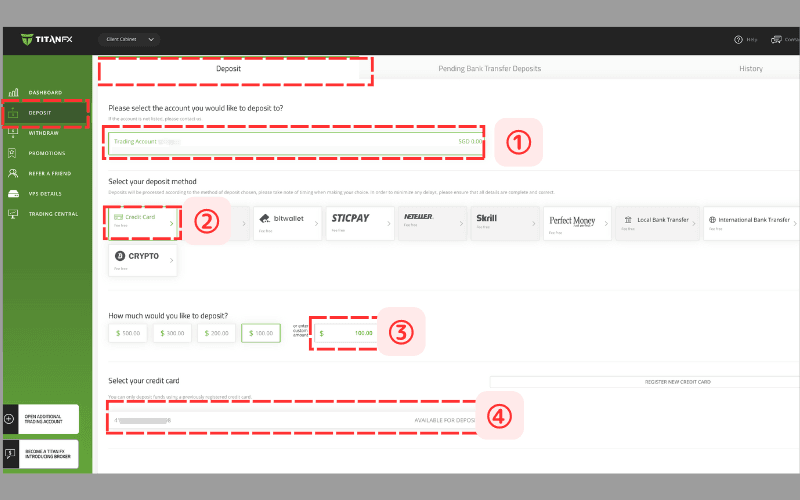
Return to the "DEPOSIT" page in the client portal and input the following:
① Select the deposit account.
② Choose Credit Card as the deposit method.
③ Enter the deposit amount.
④ Select the verified credit card.
⑤ Bind the Credit Card
Re-enter your credit card details and bind the card.
※ Do not close the transaction page during this process.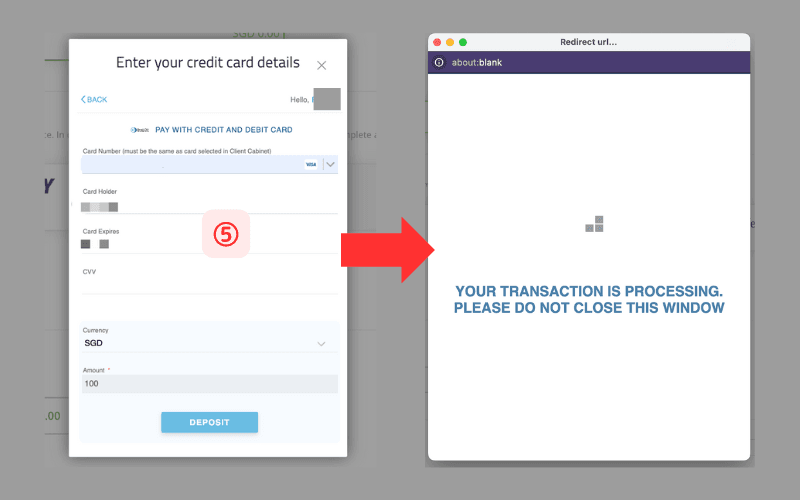
After a few seconds, a page confirming the deposit completion will appear.
※ Titan FX does not charge deposit fees.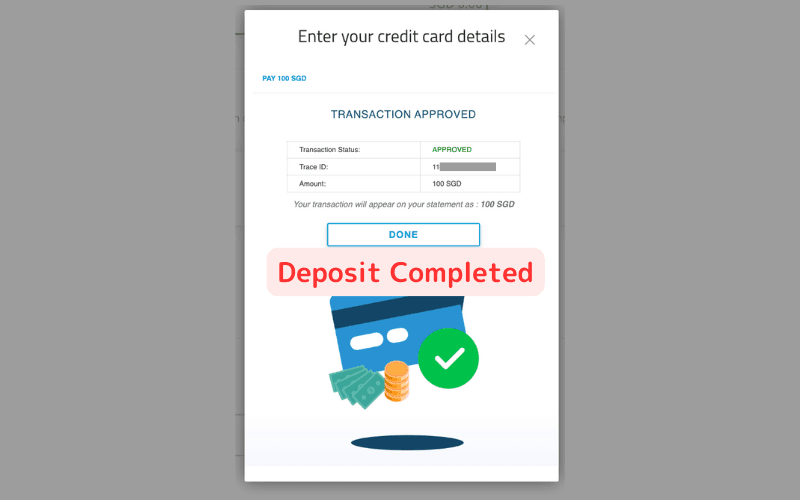
Confirming the Funds
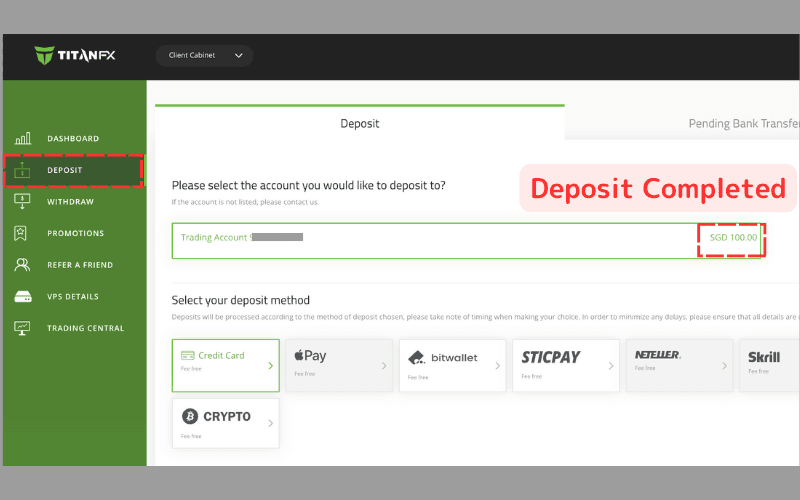
You can confirm whether the funds have been successfully deposited by returning to the "DEPOSIT" or "DASHBOARD" pages in the client portal.
Deposits made via credit card are typically instant.
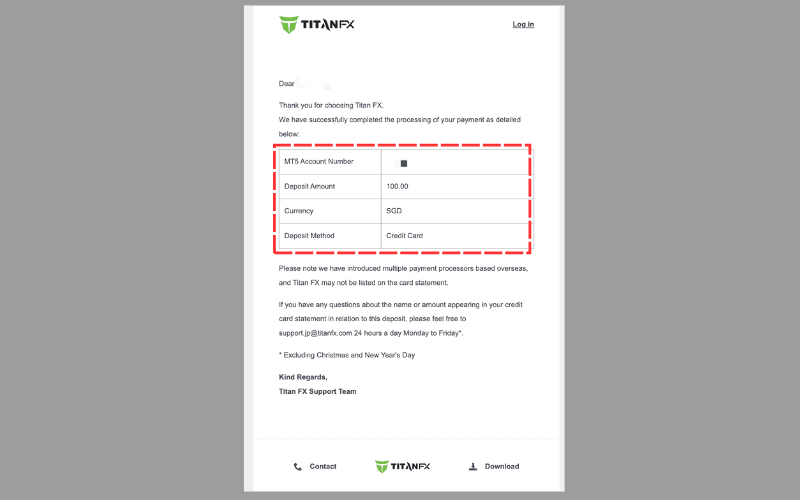
You will also receive a confirmation email.
Second Deposit Process
For subsequent deposits using the previously verified credit card, verification and binding will not be required, allowing for faster transactions.
Simply follow Steps 3.① to 3.④ outlined above to complete the second deposit.
※ Please note: If a different credit card is used, it will be treated as a first-time deposit and require re-verification and binding.