
 Home
Home- Support (Account Opening / Deposit / KYC / Withdrawal)
- Titan FX Local Bank Deposit Guide for Residents in Japan
Titan FX Local Bank Deposit Guide (For Residents in Japan/Example in Japanese Yen)
This guide provides a detailed explanation for traders residing in Japan on how to deposit Japanese yen into Titan FX via domestic bank transfer.
Steps for Depositing via Local Bank Transfer in Japan
Step 1: Log in to the Client Portal
Open your browser and visit the Titan FX Client Portal. Enter your registered email address and password to log in.
Titan FX Client Portal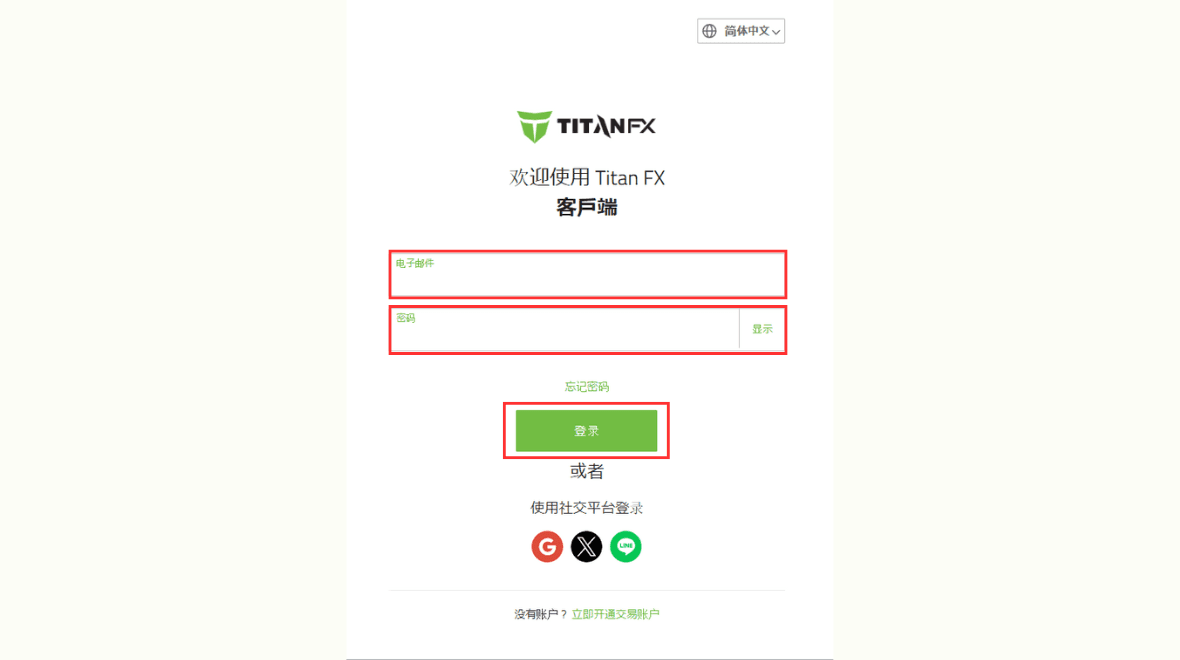
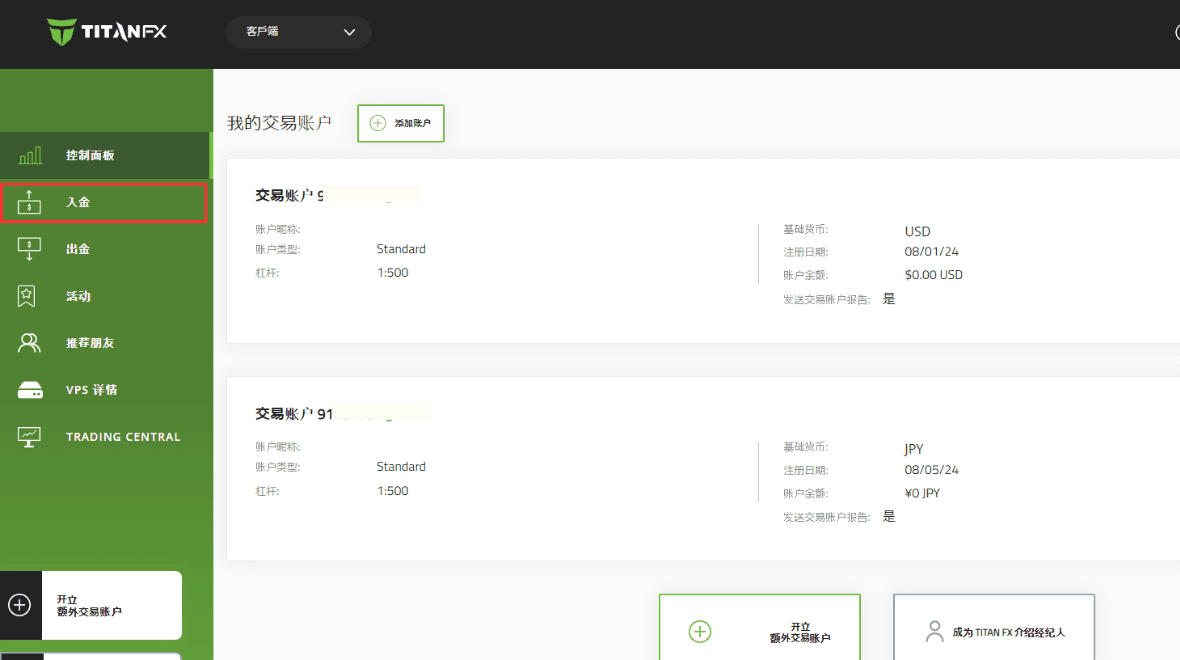
Step 2: Select "Deposit"
Click "Deposit" from the menu on the left side of the client portal.
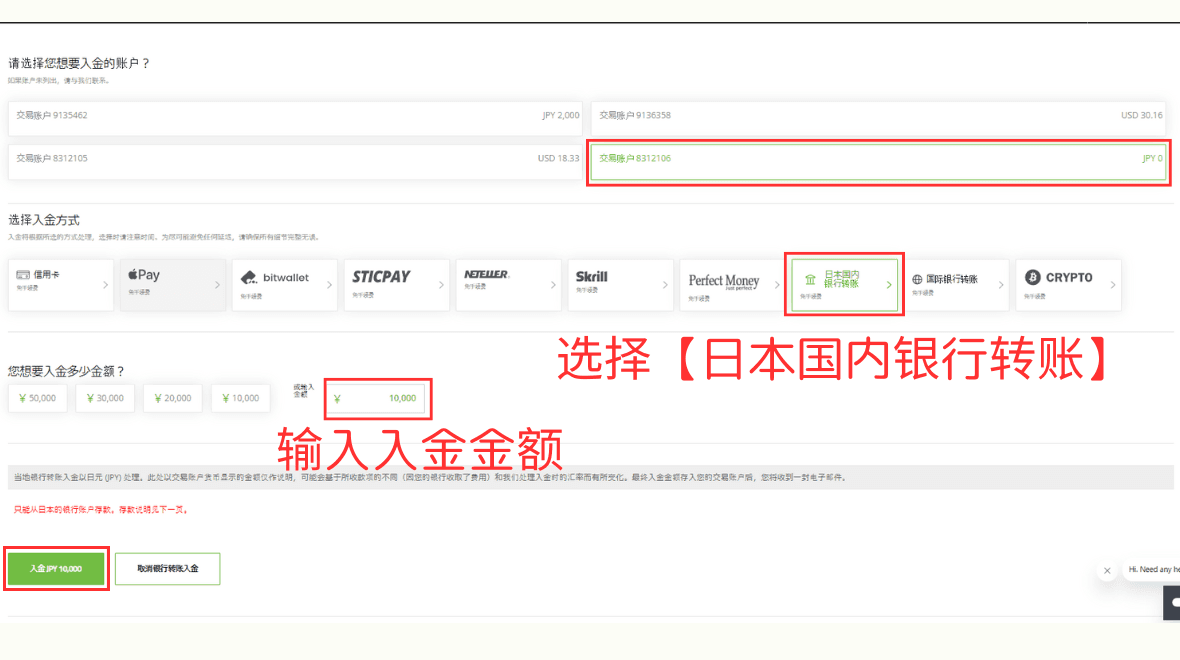
Step 3: Choose Deposit Method and Enter Amount
On the deposit page, select the account to deposit into, then choose the deposit method. For this example, select "Domestic Bank Transfer," input the deposit amount, and click "Deposit."
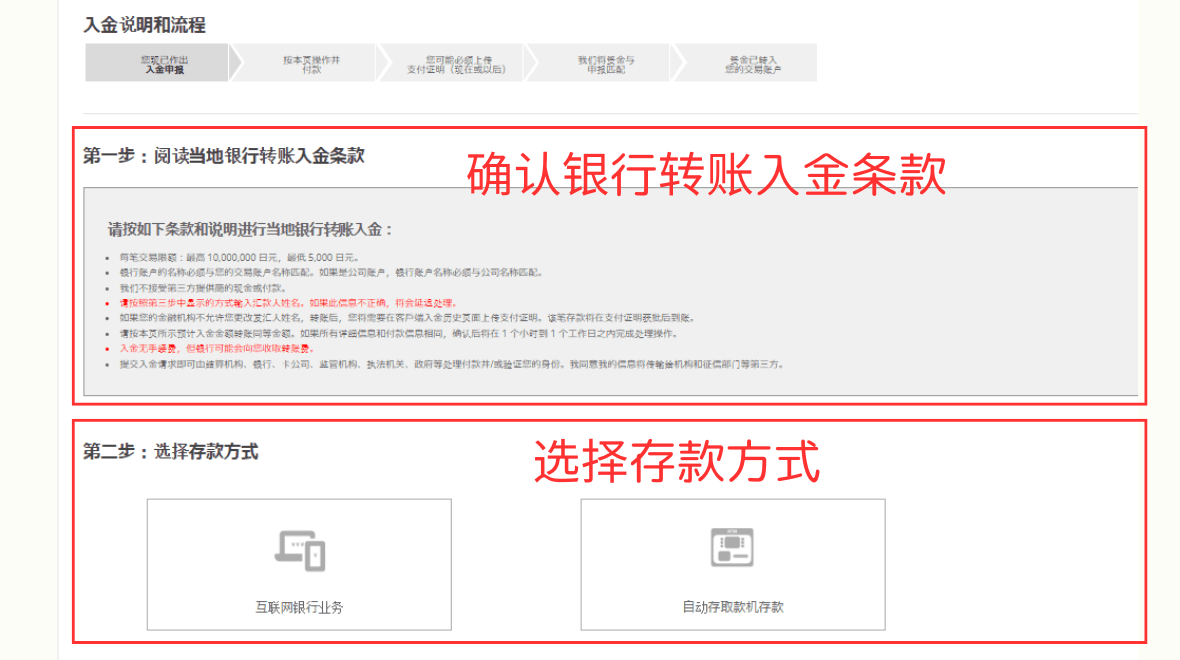
Step 4: Confirm Deposit Instructions and Select Transfer Method
Review the local bank transfer deposit terms. Then, choose between "Internet Banking" or "ATM Deposit."
Step 5: Confirm Bank Details and Proceed with Transfer
The system will display the bank details for the transfer. Please carefully verify the information and proceed with the transfer.
If the remitter's name is not correctly entered or if the provided details differ from the deposit information, it may delay the processing time for your trading account. Ensure accuracy to avoid errors.
⚠️ If your bank does not support editing the remitter's name, please upload proof of payment after completing the deposit.
After transferring the funds to the designated Titan FX account, click "Remitter’s Name Modified with Code."
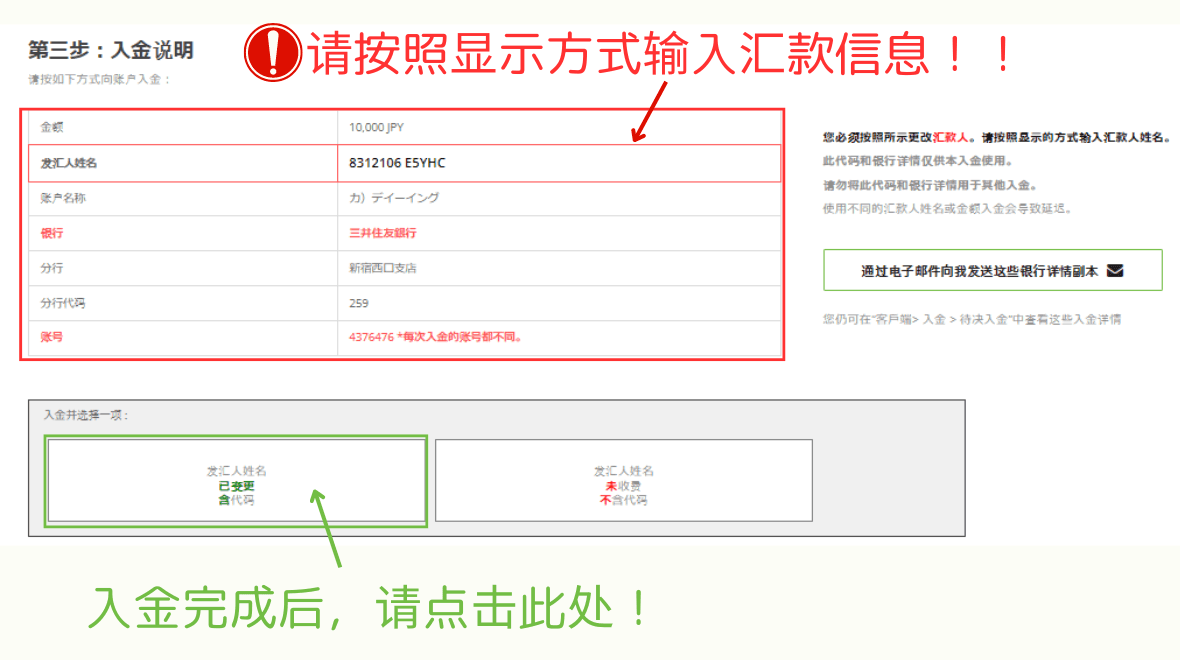
※ If you did not enter the necessary remitter details during the transfer, or if the system prompts "Step 4: Payment Proof," you will need to upload proof of payment.
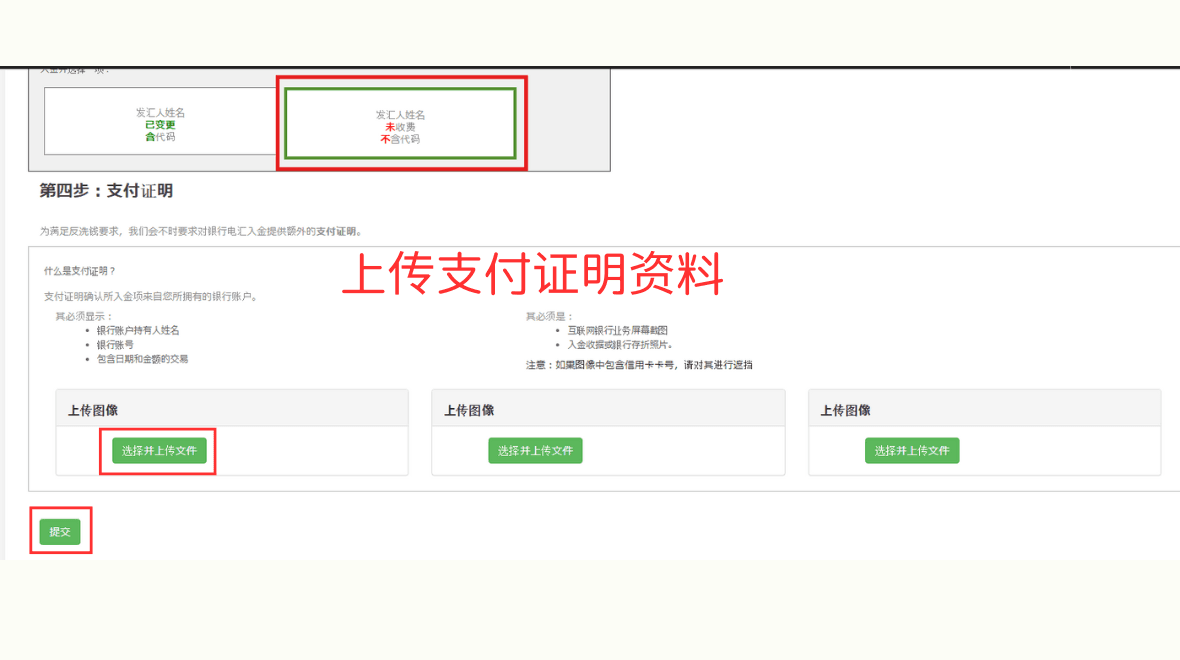
Upload via the "Payment Proof" Page
Click "Choose and Upload File," attach the proof of payment document, and click "Submit."
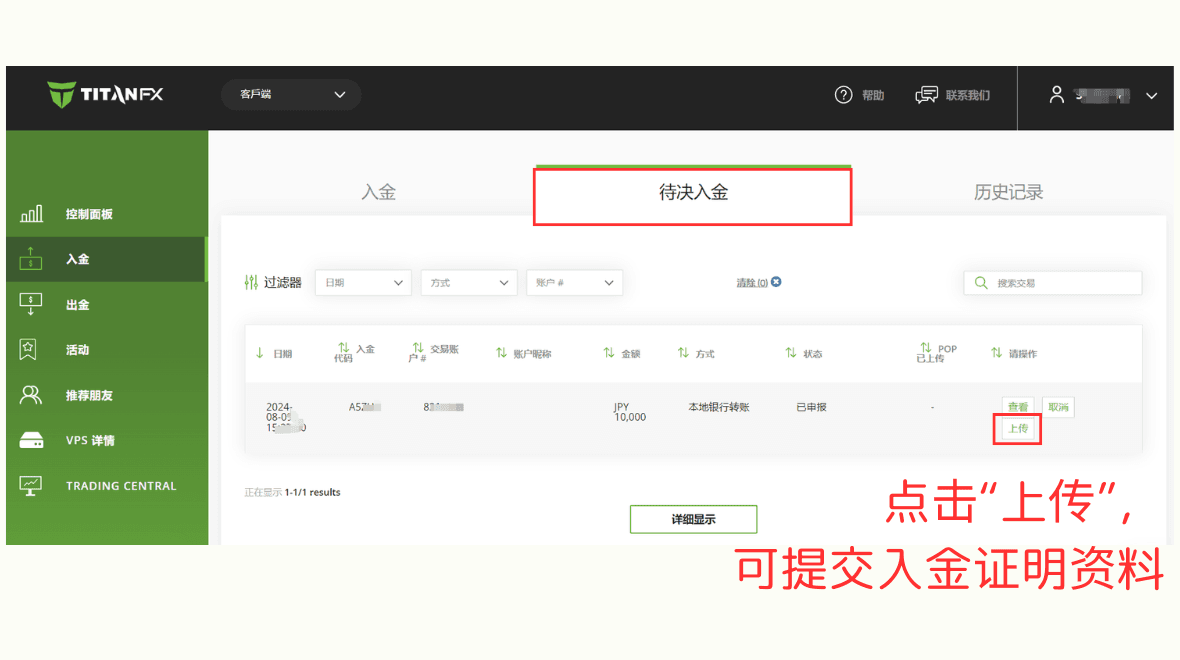
Upload via the "Pending Deposit" Page
Go to "Deposit - Pending Deposit," find the deposit request requiring proof of payment, and click "Upload."
After clicking "Remitter’s Name Modified with Code," a confirmation email window will appear in the client portal.
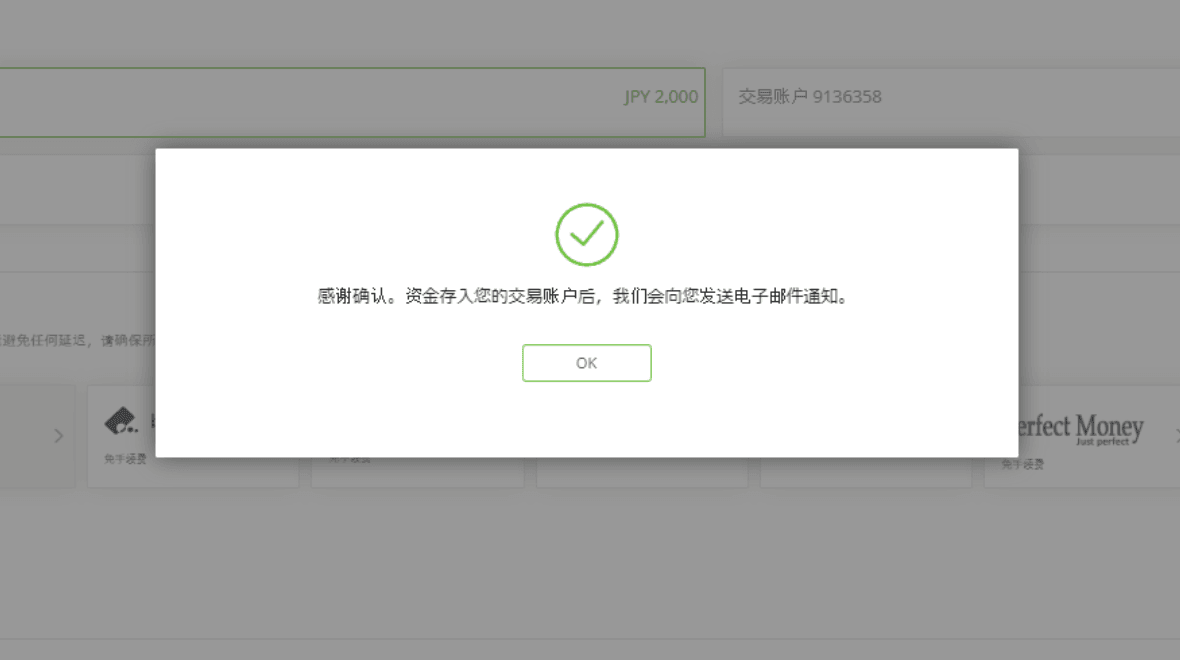
Deposit Confirmation
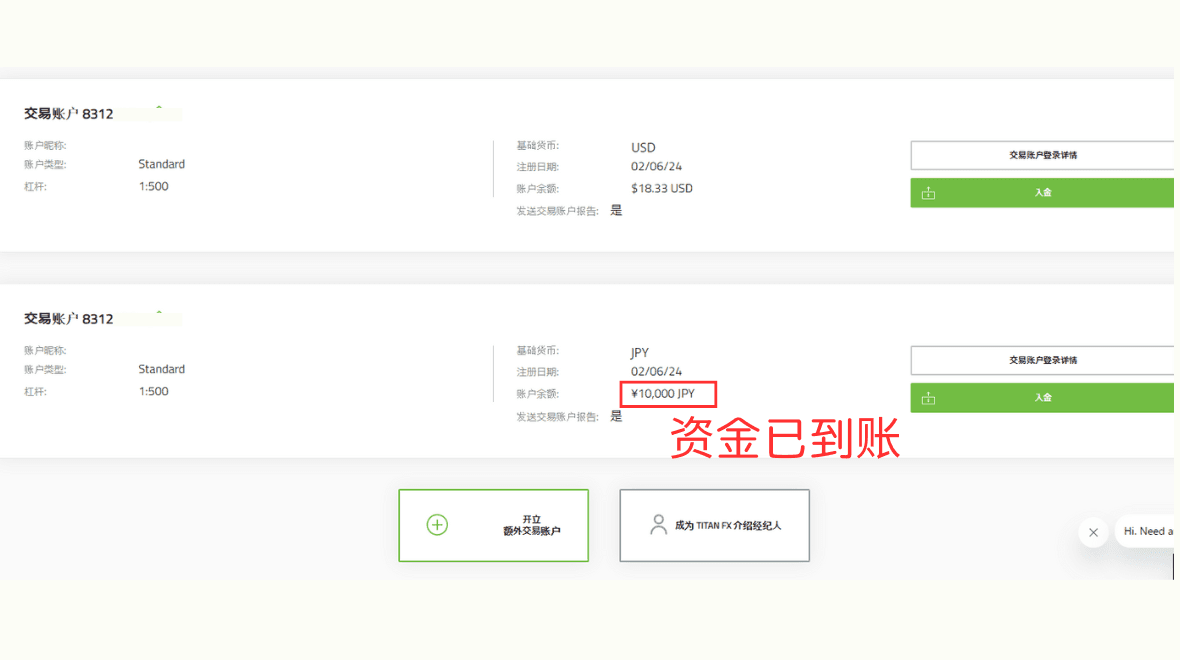
The deposited amount will usually be credited to your designated account within one business day.
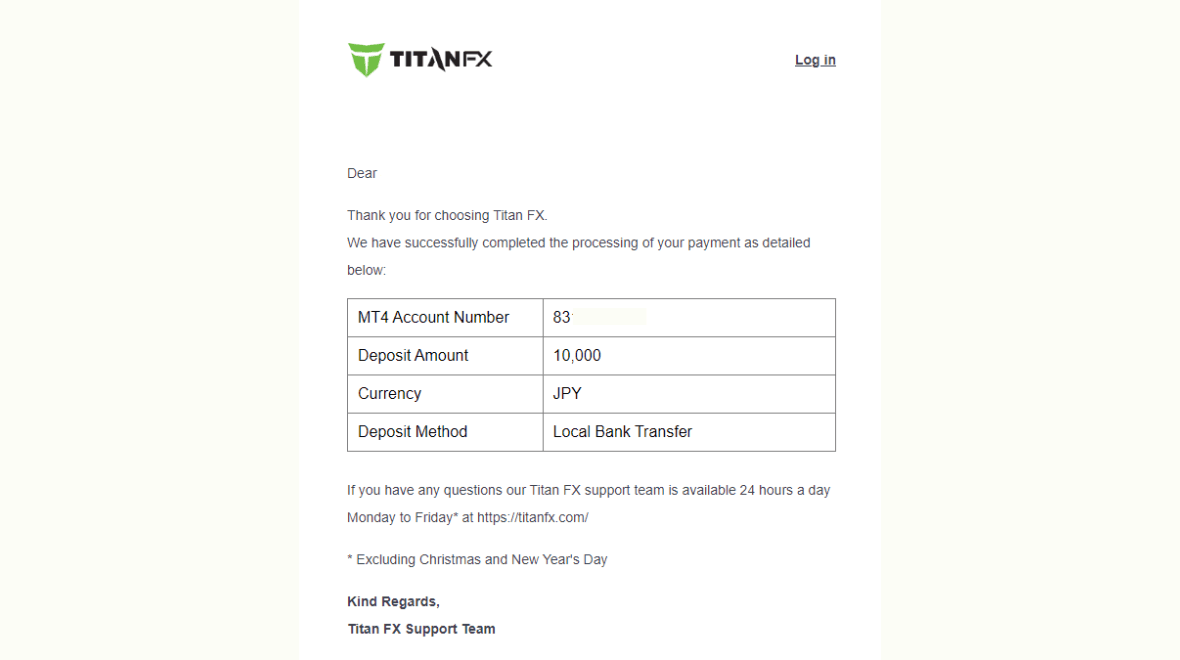
You will also receive an email notification from Titan FX confirming the deposit.
This concludes the complete process for depositing Japanese yen via domestic bank transfer in Japan.