
 Home
Home- Support (Account Opening / Deposit / KYC / Withdrawal)
- Titan FX Local Bank Withdrawal Guide (Japan Residents)
Titan FX Local Bank Withdrawal Guide (For Residents in Japan/Example in Japanese Yen)
This article will provide a detailed guide on how Titan FX users residing in Japan can withdraw Japanese yen via local banks. If the trading account holds other currencies, such as USD or EUR, these foreign currencies will be automatically converted into Japanese yen based on the real-time exchange rate when withdrawn to a domestic Japanese bank account.
Local Bank Withdrawal Process
Step 1: Log in to the Client Portal
Open your browser and visit the Titan FX Official Client Page. Enter your registered email address and login password.
Titan FX Client Portal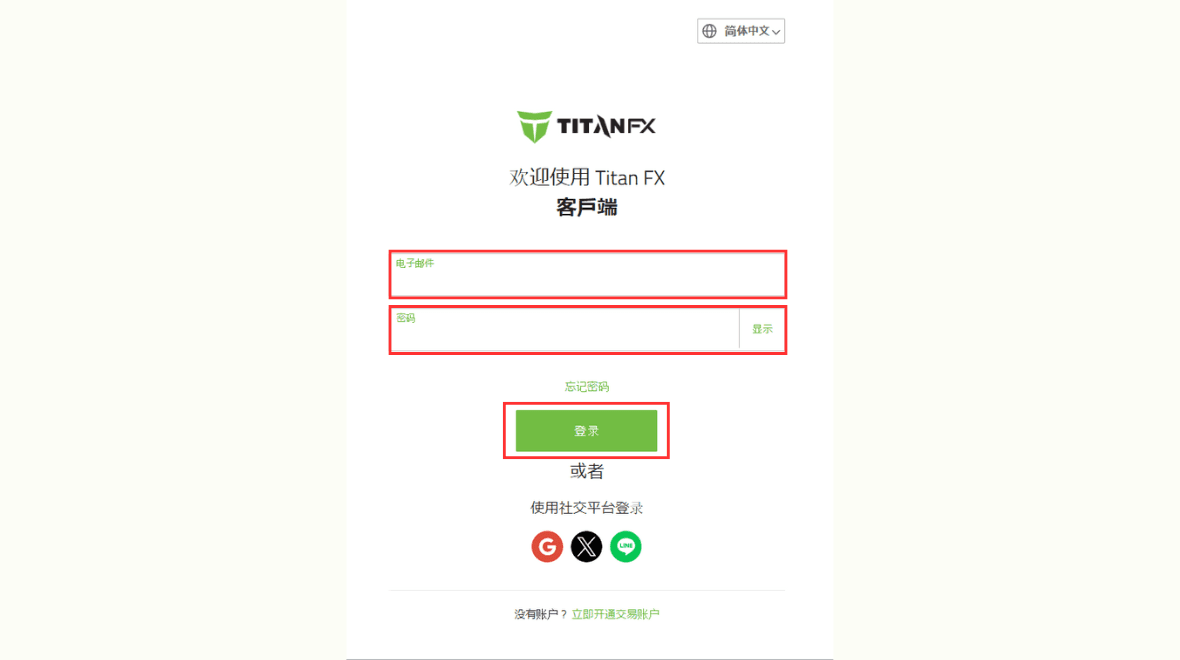
Step 2: Select Withdrawal
Click on the "Withdrawal" option in the left menu of the client portal.
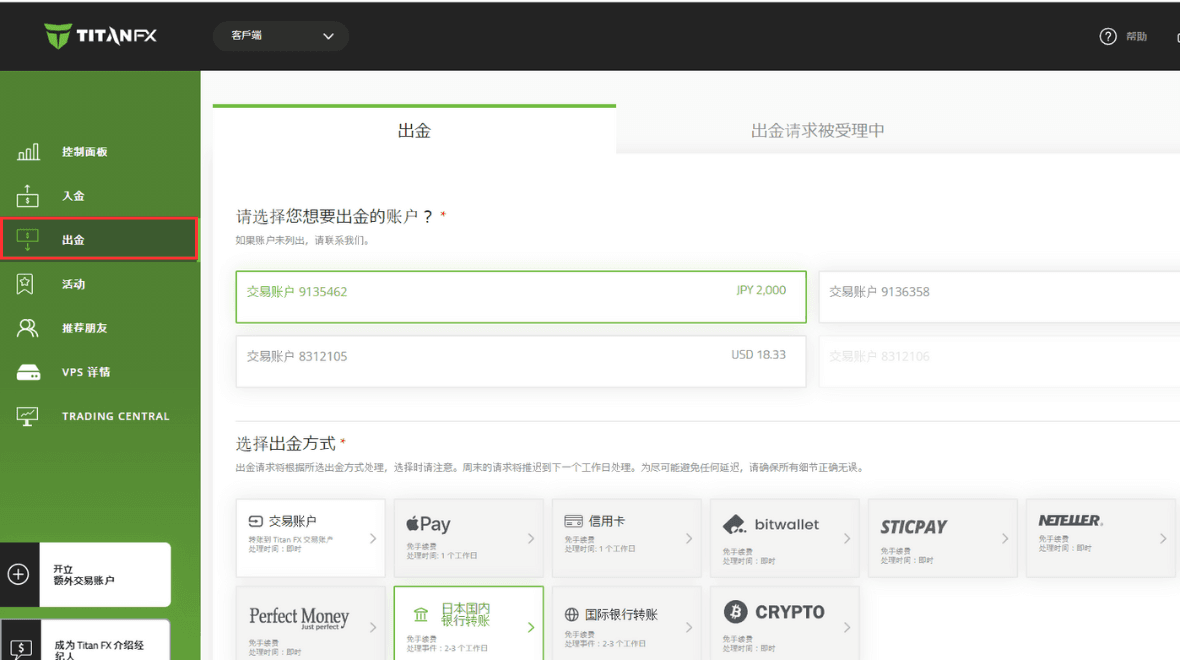
Step 3: Choose Withdrawal Method and Enter Amount
In the withdrawal page, first select the account you wish to withdraw from. Then select the withdrawal method. Choose "Local Bank Transfer" and enter the withdrawal amount. Finally, click "Withdraw."
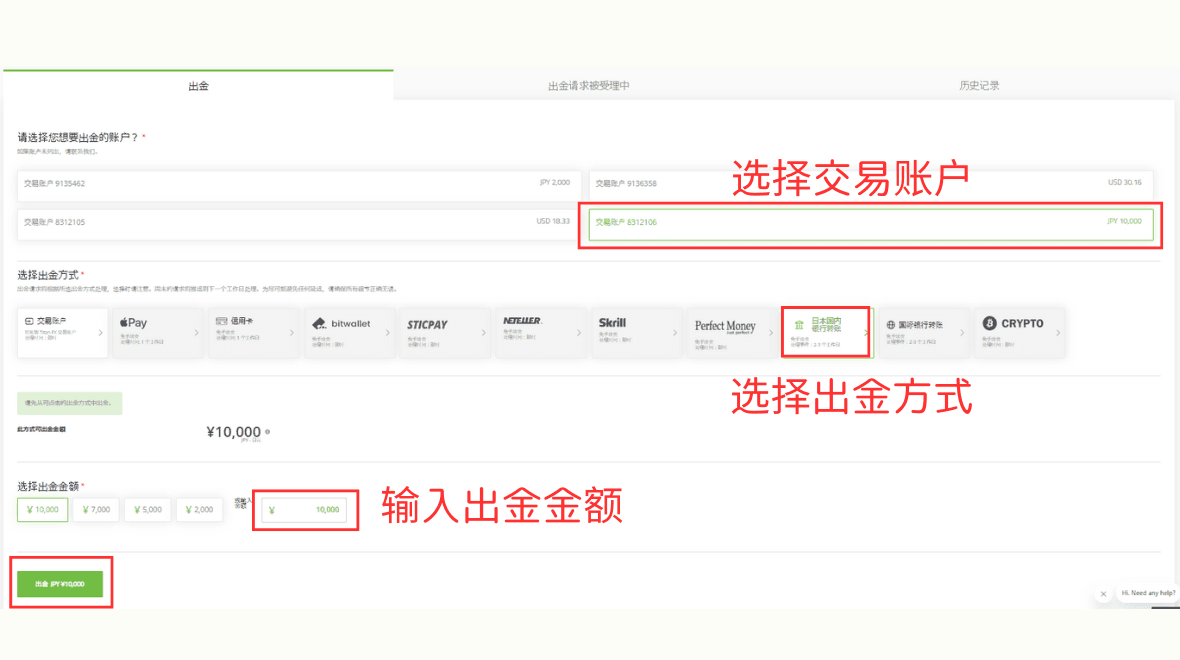
Step 4: Confirm Terms and Enter Bank Account Information
First, confirm the terms for local bank transfers.
Withdrawals are only accepted to bank accounts with the same name as the trading account.
Processing the withdrawal will take 2-3 business days.
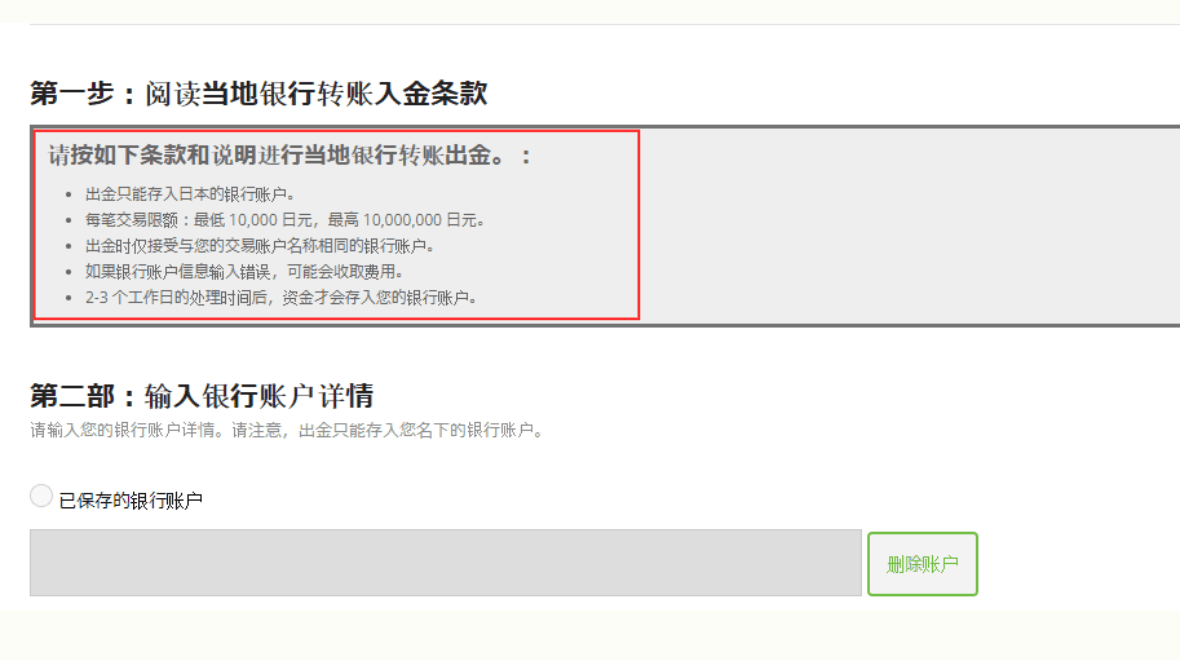
If it’s your first time using this, you will need to fill in your bank name, branch name, account number, etc.
Once saved, you won’t need to fill in the information again next time.
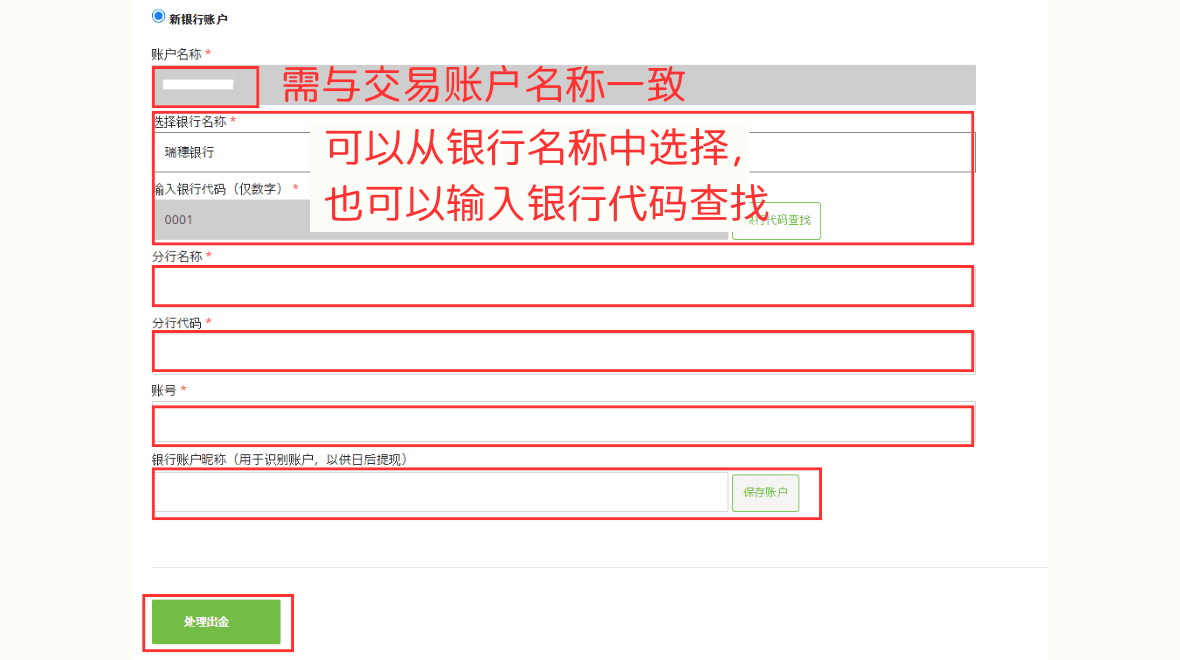
After filling in the information, click “Process Withdrawal.” A notification will appear confirming that a verification email has been sent to your registered email address.
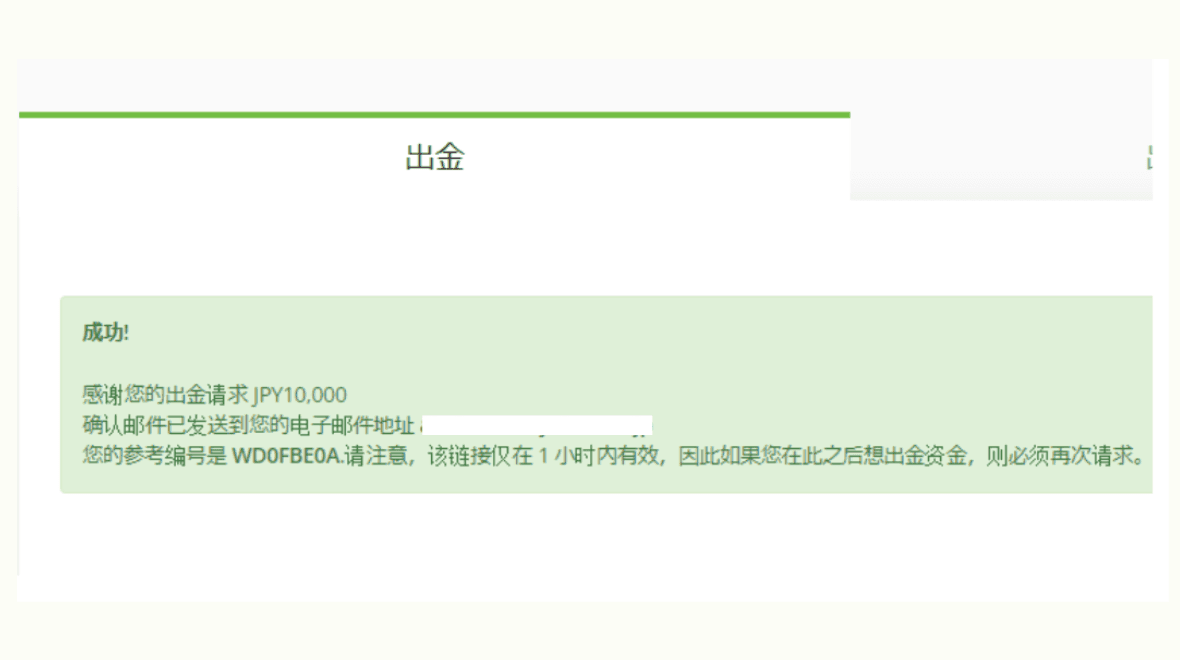
Step 5: Check Email and Confirm
Check your email and click the "Confirm" link in the email.
The link in the email is valid for only one hour, so please click "Confirm" or "Cancel" as soon as you receive the email.
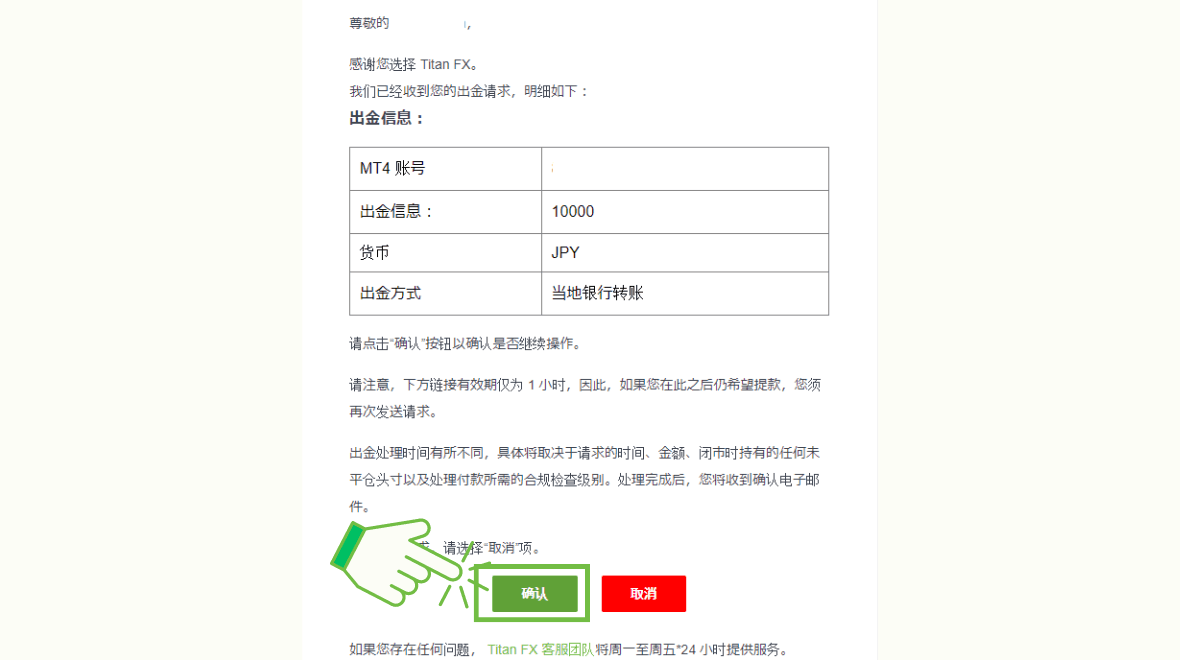
Once you click "Confirm," you will receive a notification in the client portal indicating that the withdrawal operation has been completed.
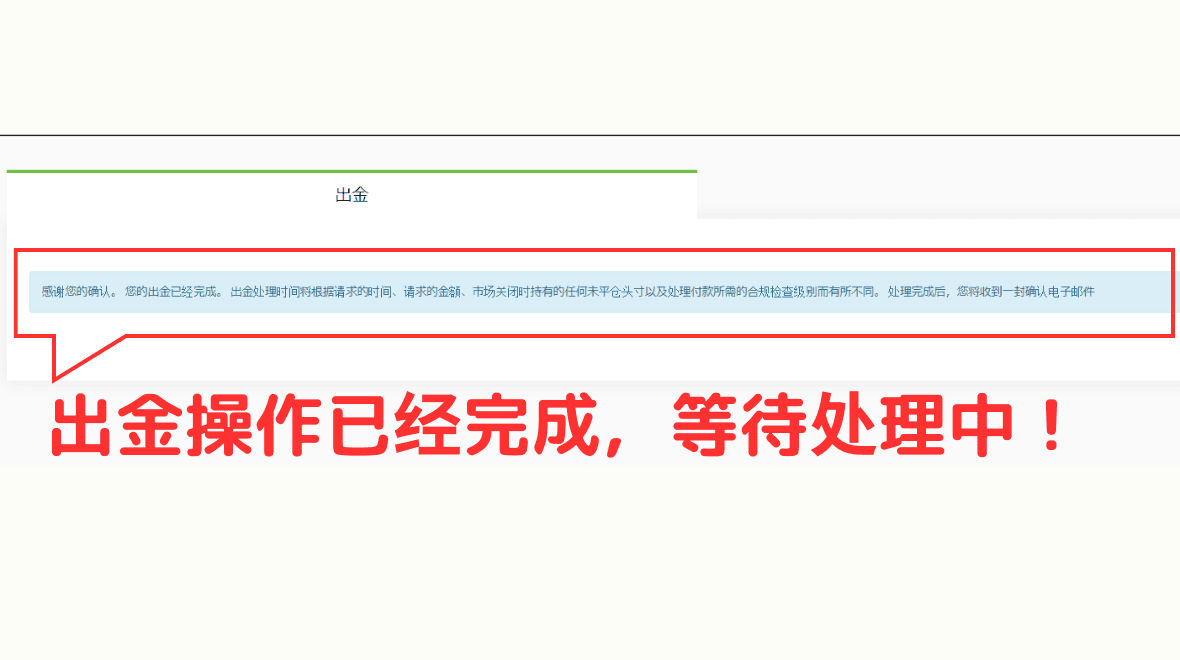
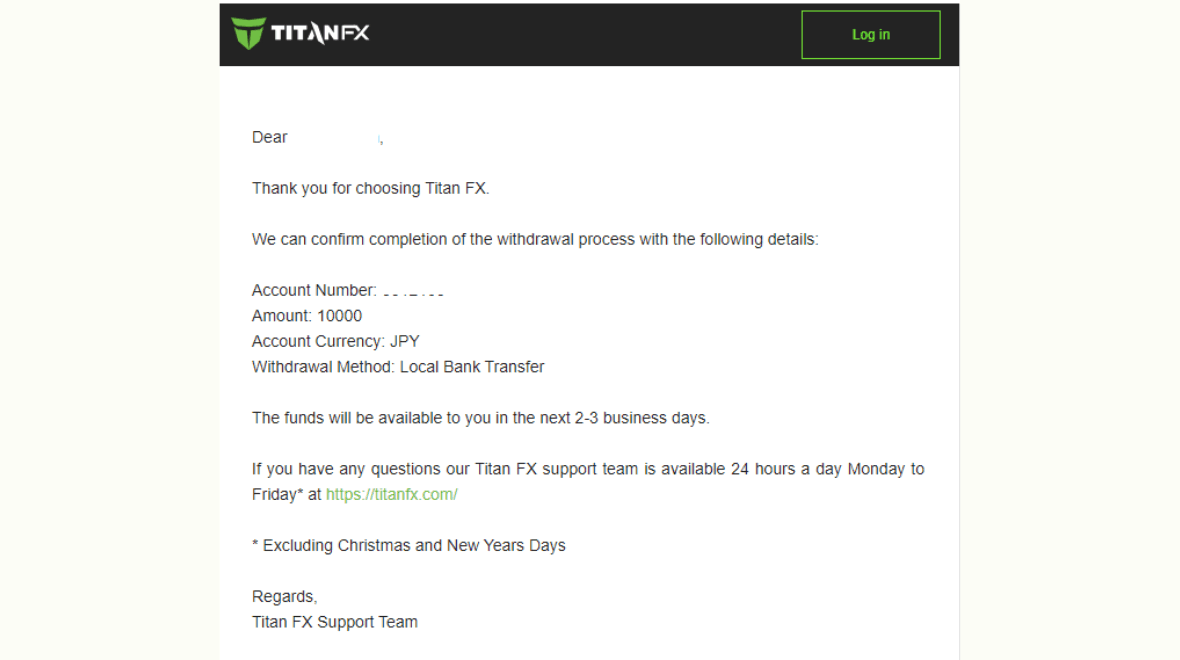
You will also receive an email informing you that the withdrawal is being processed.
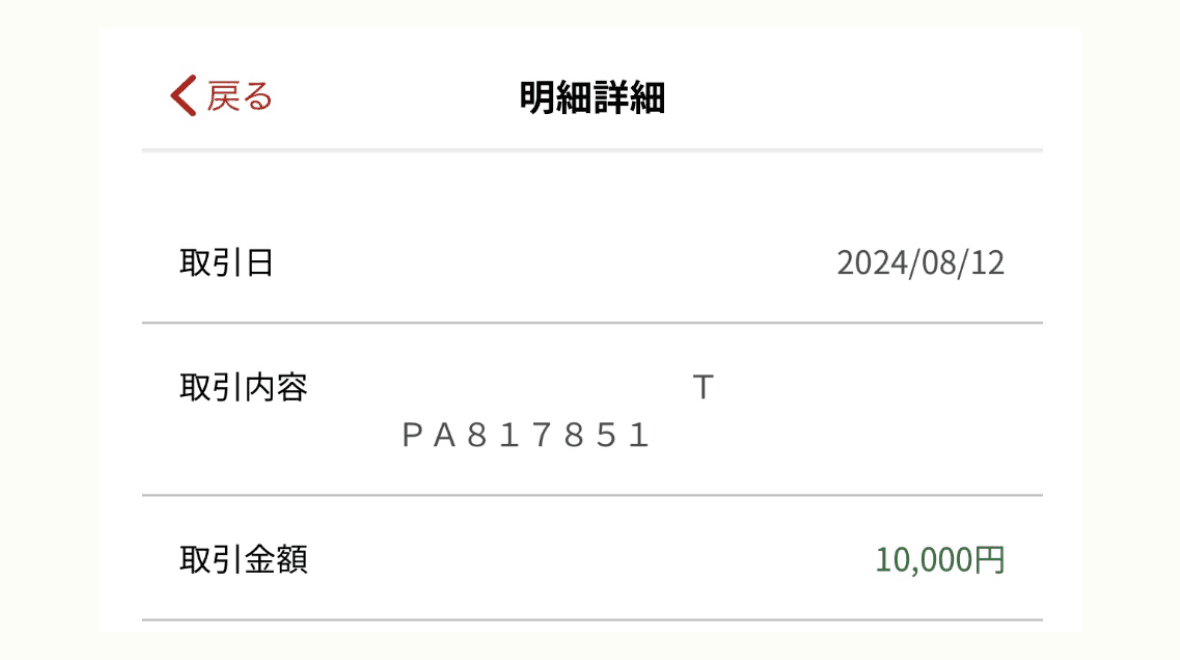
Confirmation of Deposit
The withdrawal will be transferred to the designated bank account within approximately 2-3 business days.
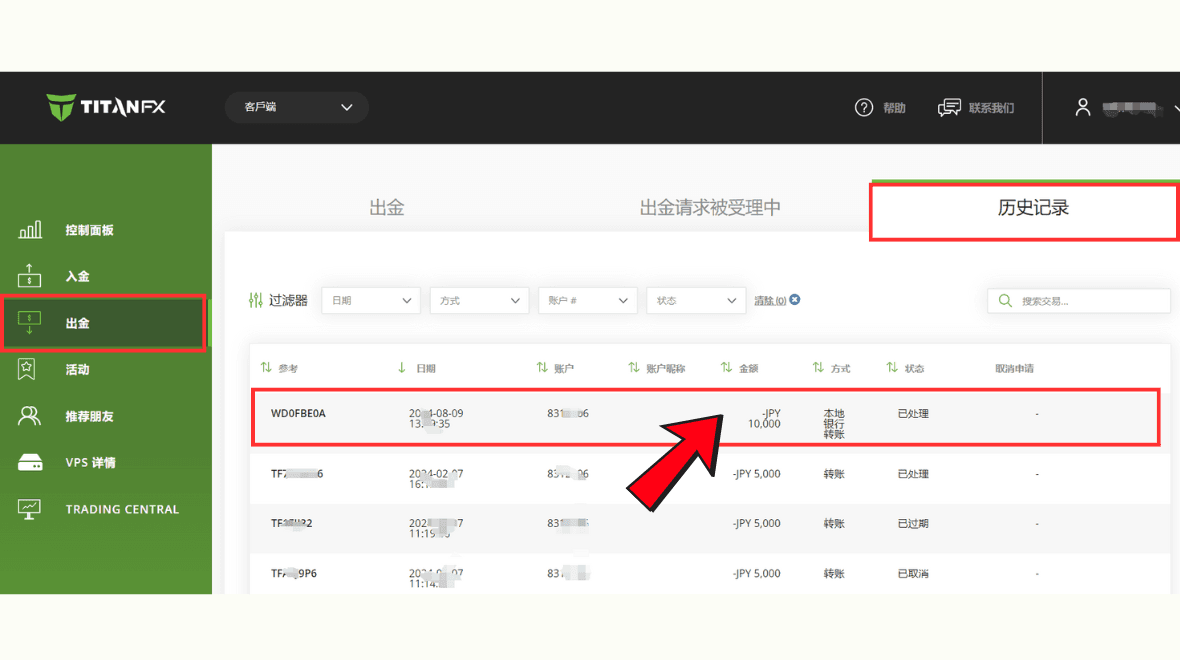
You can also view the completed withdrawal record in the "Withdrawal - History" section of the client portal.
This concludes the entire process for withdrawing funds to a domestic Japanese bank.