
How to Log Out of or Delete an Account on MT5 (Android)
This article explains in detail how to log out of or delete an account on MT5 (MetaTrader 5) for Android.
How to Log Out of or Delete an Account on MT5 for Android
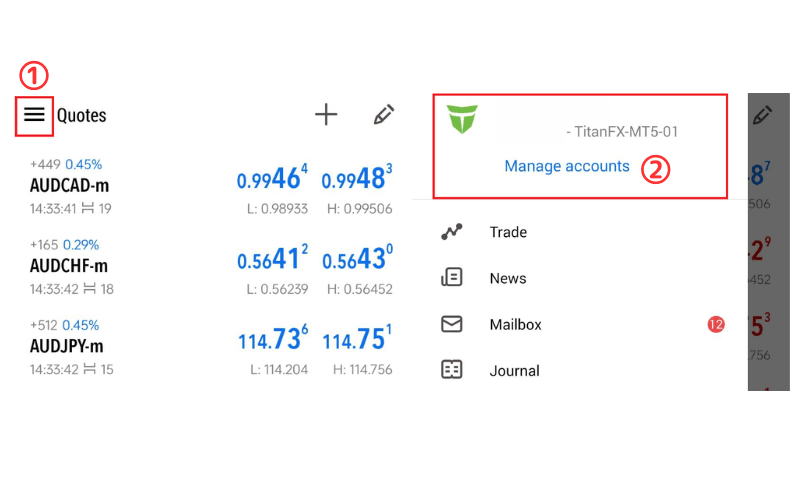
① Tap the "≡" icon at the top left.
② Tap "Manage Accounts".
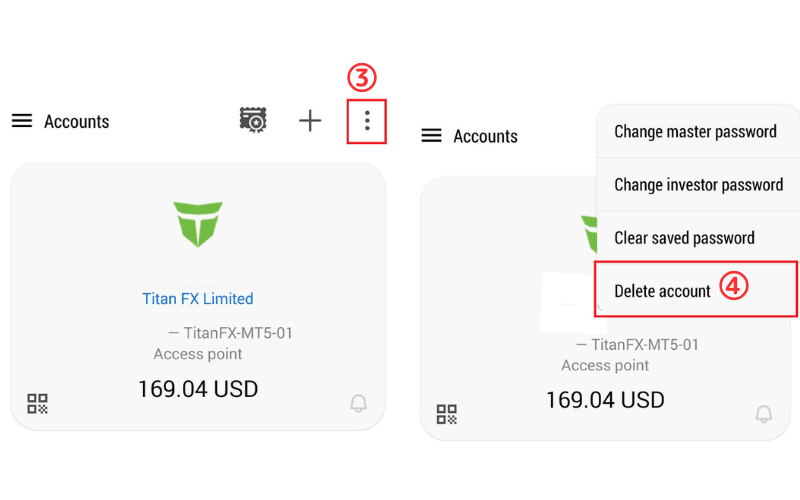
③ Tap the "⋮" icon at the top right.
④ Select "Delete account".
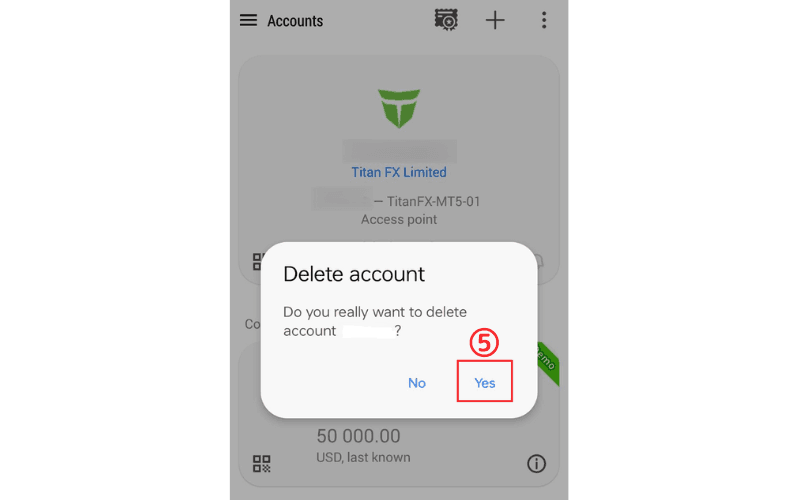
⑤ Confirm again whether you want to delete the account, then tap "Yes" to successfully delete it.
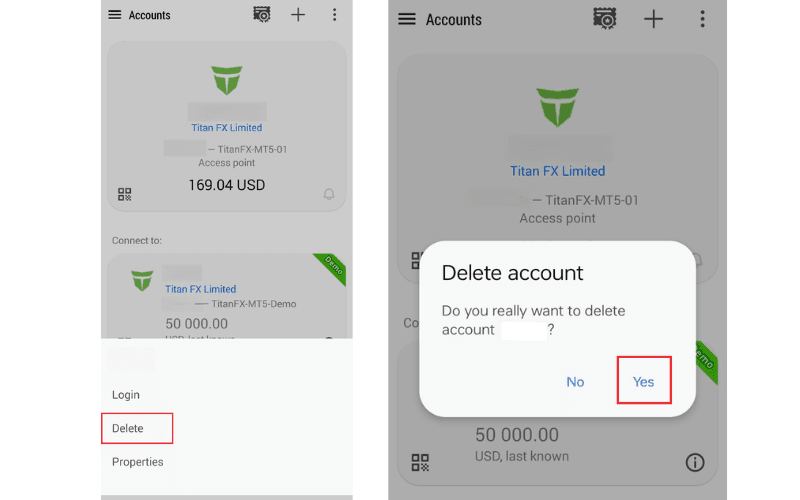
To delete an account you are not logged in to, press and hold the screen for about 2 seconds and a delete button will appear. Tap "Delete" and then "Yes" to finish.