
How to Log Out / Delete an Account on MT4 Android
This guide walks through how to log out and delete an account on MT4 for Android.
How to Log Out / Delete an Account on MT4 Android
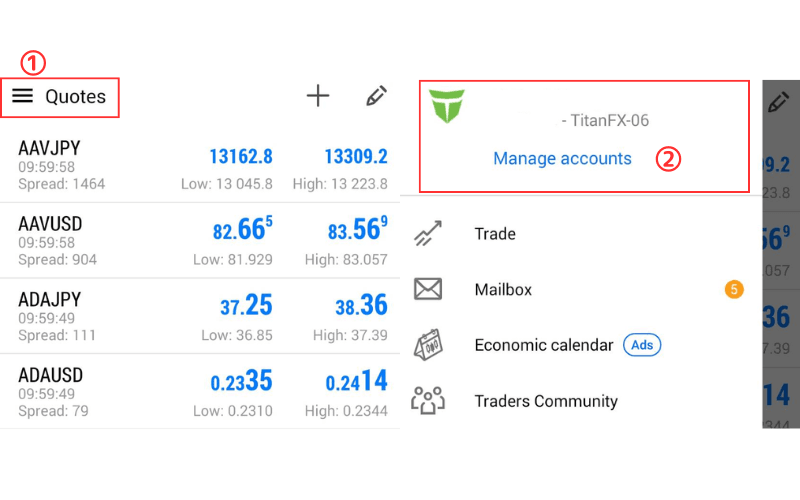
① Tap the "≡" icon in the upper-left corner.
② Tap "Manage Accounts".
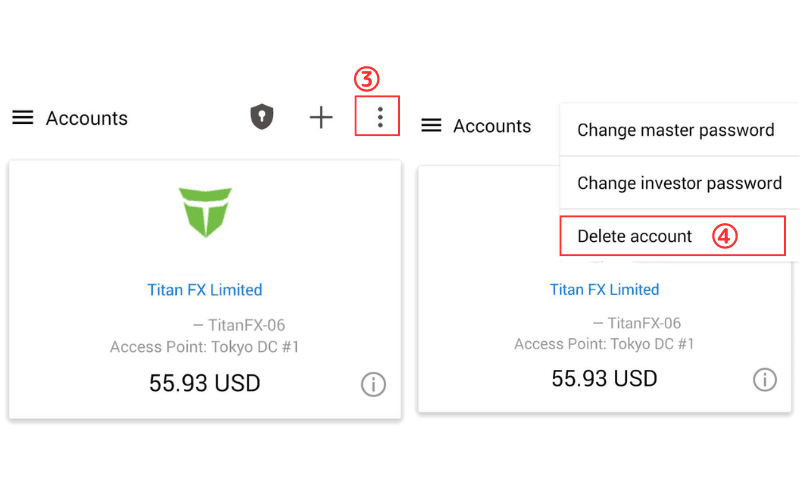
③ Tap the "⋮" icon in the upper-right corner.
④ Select "Delete Account".
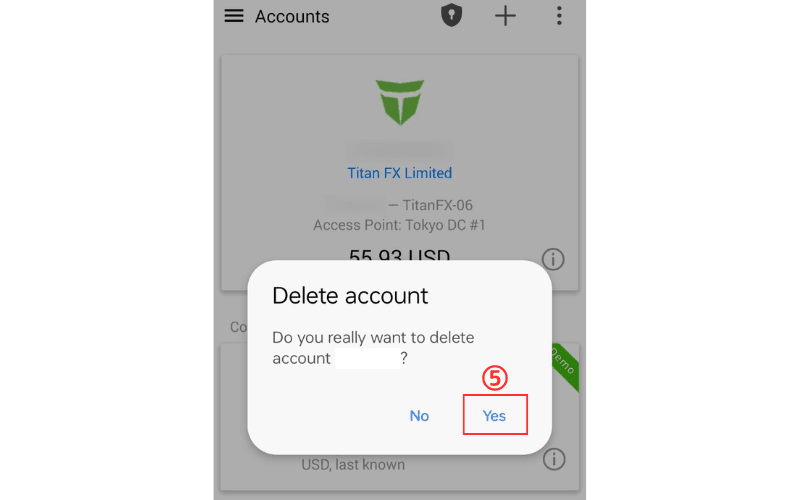
⑤ When the confirmation prompt appears, tap "Yes" and the account will be removed.
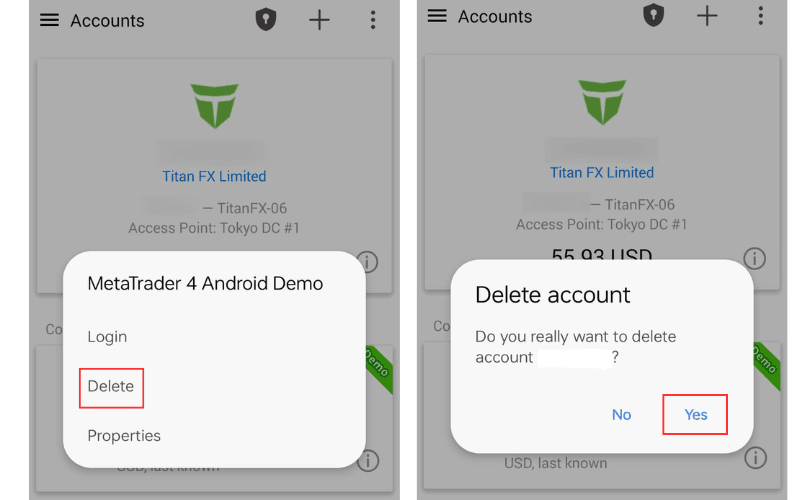
To delete an account you are not currently logged in to, long-press the account row for about 2 seconds — a "Delete" button appears. Tap "Delete" and then "Yes" to finish.