
How to Log Out of or Delete an Account on MT4 iOS
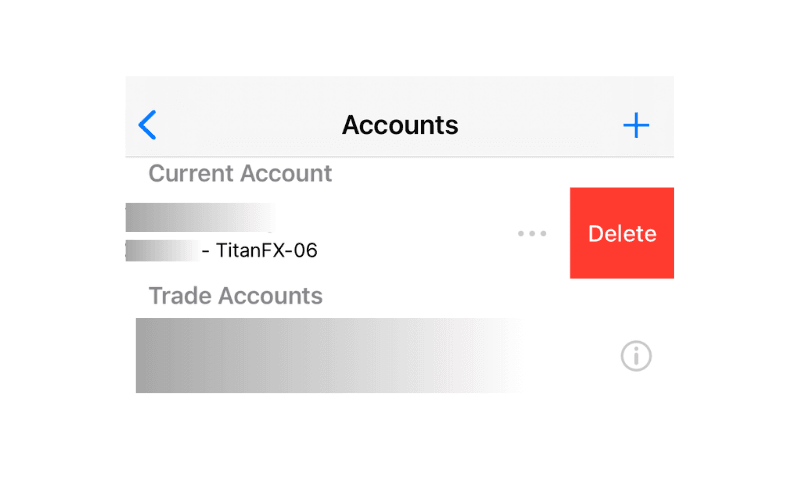
This article explains in detail how to log out of or delete an account on MT4 for iOS (iPhone/iPad). Swiping left reveals a "Delete" option, and tapping "Delete" lets you remove the account quickly.
How to Log Out of or Delete an Account on MT4 iOS
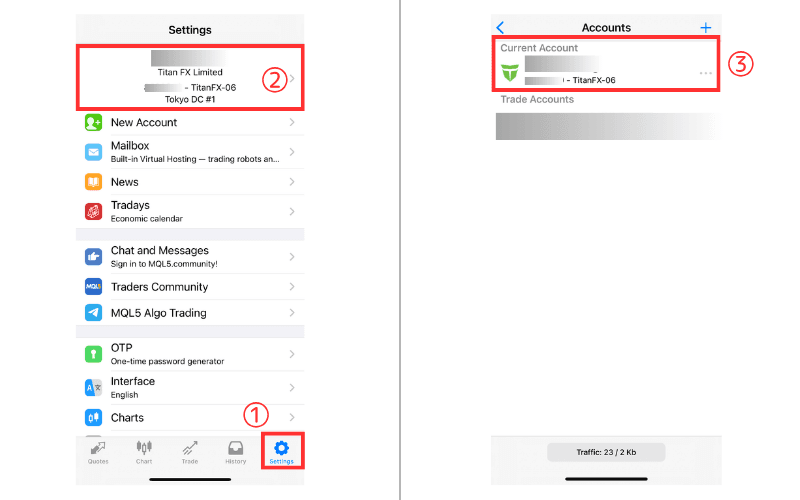
① Tap "Settings" at the bottom of the screen.
② Tap the logged-in account shown at the top.
③ Tap the account you want to log out of.
Swipe left to reveal "Delete", then tap "Delete" to remove the account quickly.
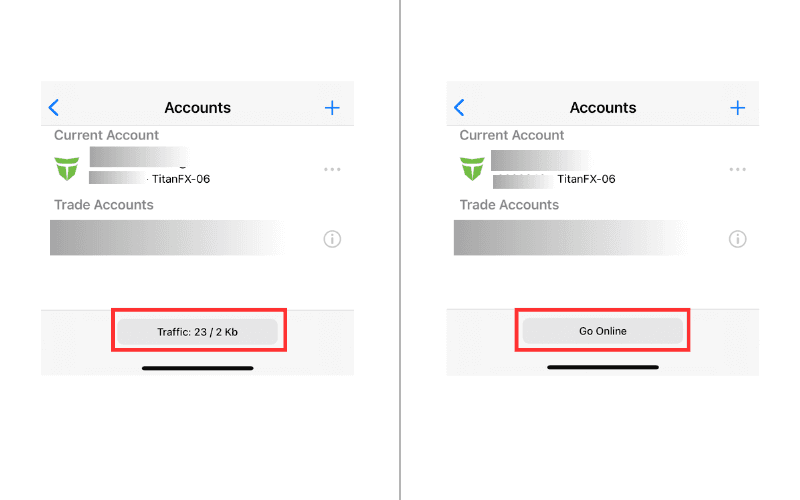
Alternatively, if you want to log out temporarily without deleting the account, use the option at the very bottom.
Tap 【Traffic: ○○/○○ Kb】 at the bottom and it will display 【Go Online】, indicating that you have temporarily logged out of that account.
To log back in, tap 【Go Online】.