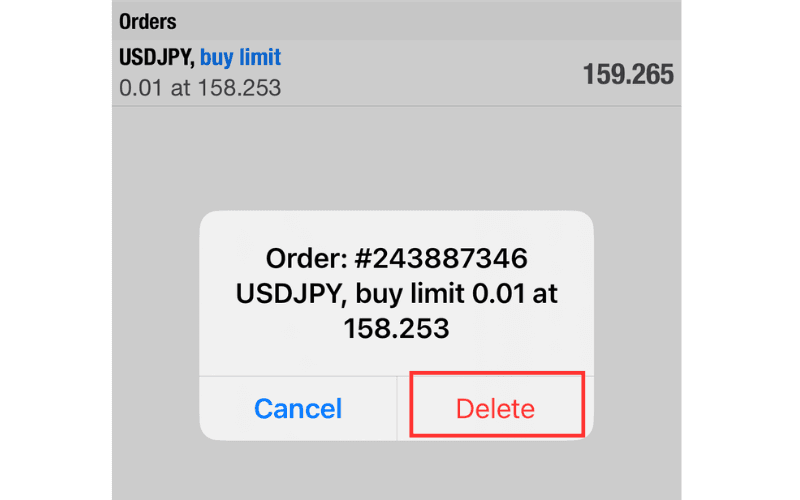

How to Modify or Cancel a Pending Order on MT4 iOS
In MT4 (MetaTrader 4), you can change the price, expiration, and other settings of a pending order (limit or stop order). You can also cancel a pending order outright. This article explains in detail how to modify or cancel a limit/stop pending order on MT4 for iOS (iPhone/iPad).
How to Modify a Pending Order from the Trade Screen
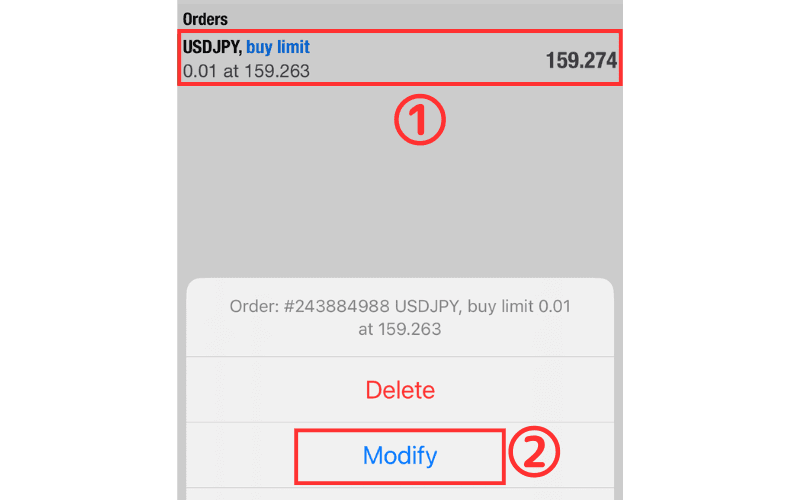
① On the Trade screen, press and hold the order you want to modify.
② Select "Modify" from the menu.
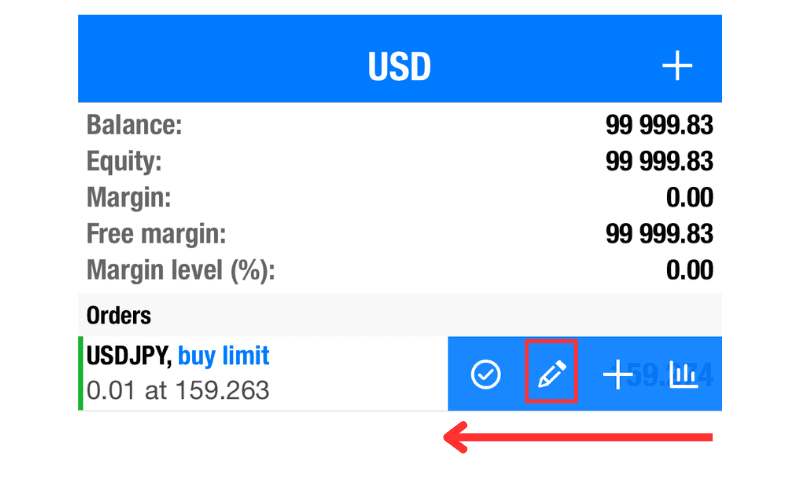
Alternatively, swipe left and tap the second icon.
③ Enter the new values in fields such as "SL" and "TP".
④ Tap the "Modify" button to complete the change.
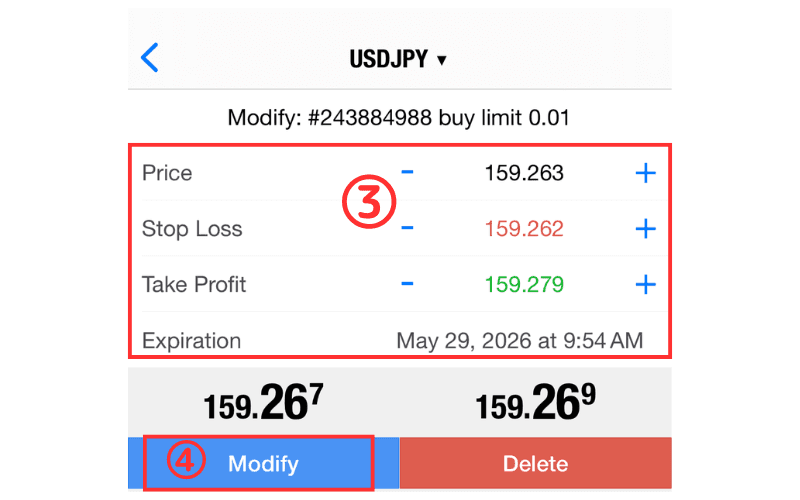
You can also tap the "Delete" button on the right to delete the order quickly.
How to Cancel a Pending Order from the Trade Screen
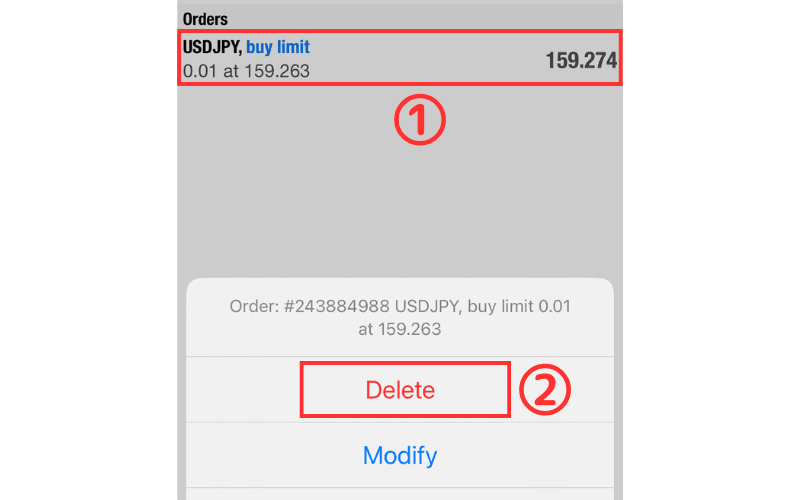
① On the Trade screen, press and hold the order you want to cancel.
② Select "Delete" from the menu.
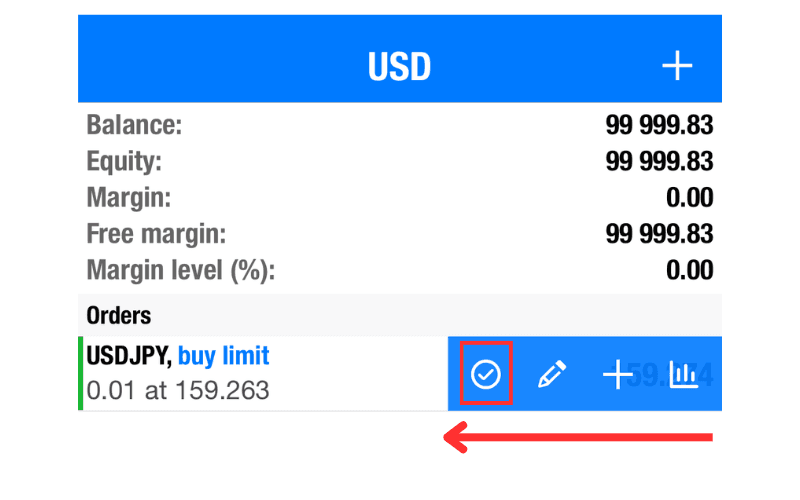
Alternatively, swipe left and tap the first icon.
③ A confirmation dialog appears; tap "Delete" to finish.