
How to Fix the Scale in MT4 (Mac)
The price scale on MT4 charts is automatically adjusted based on the visible range by default, but it can be fixed to a specified price range.
How to Fix the Price Scale
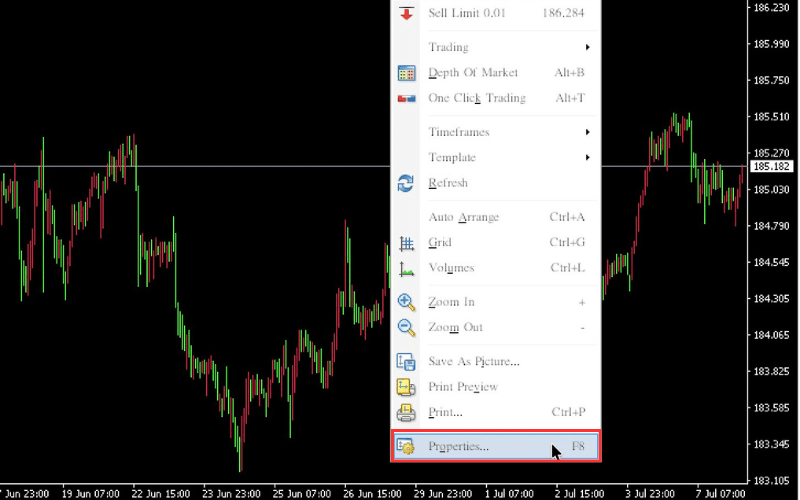
Right-click on the chart and select "Properties".
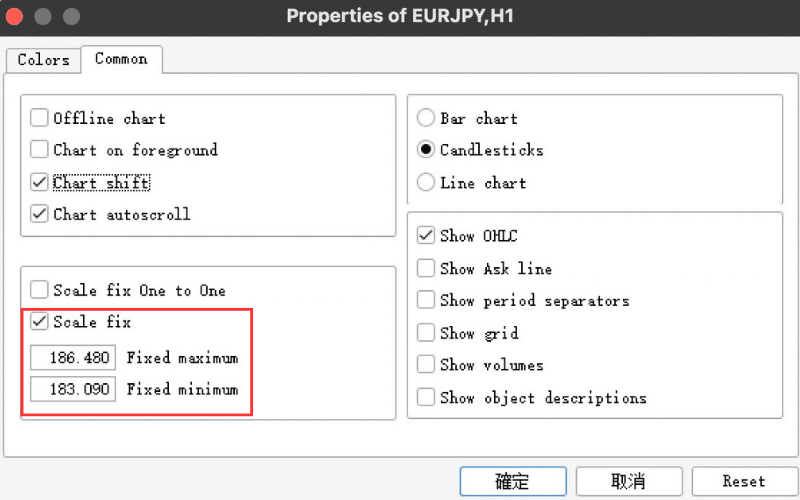
In the "Properties" window, check "Scale fix" under the "Common" tab, then specify the price range to display in the "Fixed maximum" and "Fixed minimum" fields.
How to Set the Scale to a 1:1 Ratio
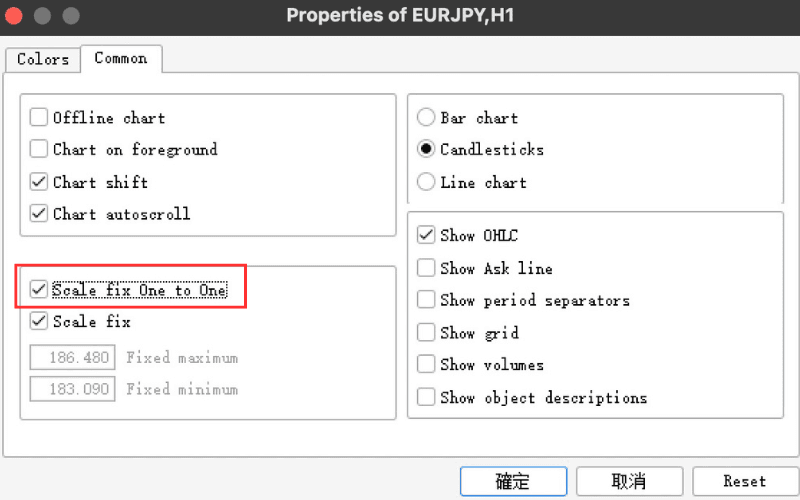
In the "Properties" window, check "Scale fix One to One" under the "Common" tab to fix the horizontal (time) and vertical (price) axes in a 1:1 ratio.
How to Adjust the Display Position When the Scale Is Fixed
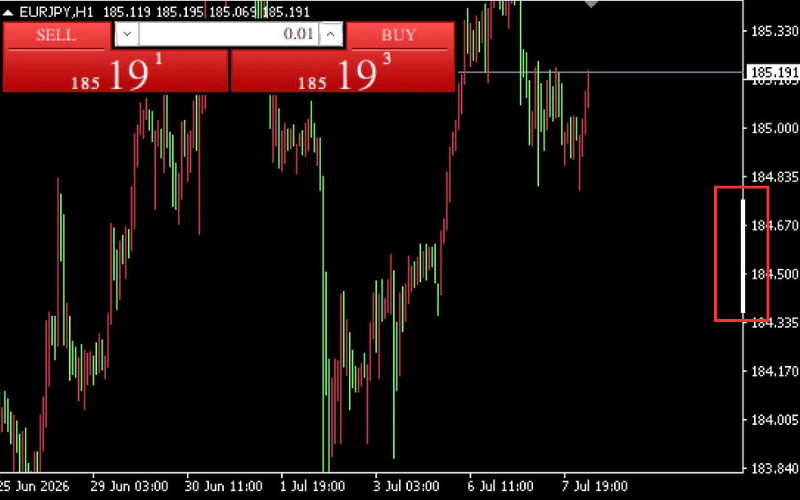
When the scale is fixed, a scrollbar will appear in the price scale area. You can adjust the display position by moving the scrollbar up and down.
※ The scrollbar is indicated by the slightly thicker part of the scale line.