How to Check the Version of MT4 (Mac)
About the MT4 Version
When troubleshooting issues on MT4, knowing the version you're using can help identify solutions.
Here's how to check the version of MT4 you are currently using.
MT4 manages its versioning with a major version number and a build number.
How to Check the Version of MT4
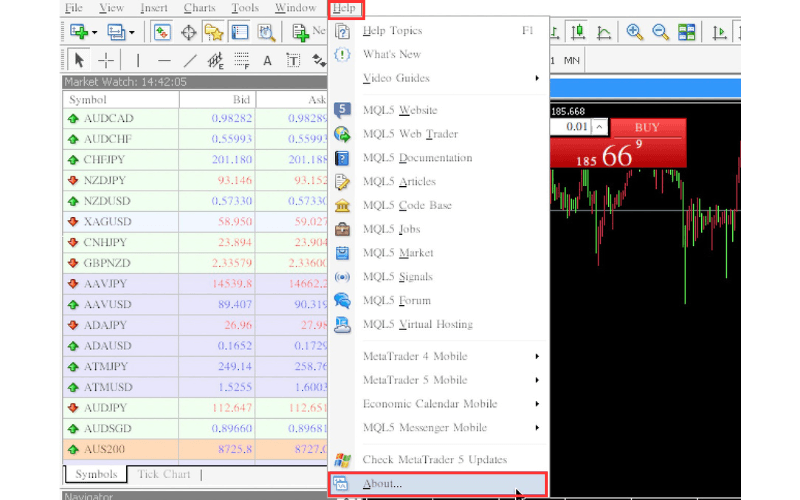
Select "About" from the "Help" menu in MT4.
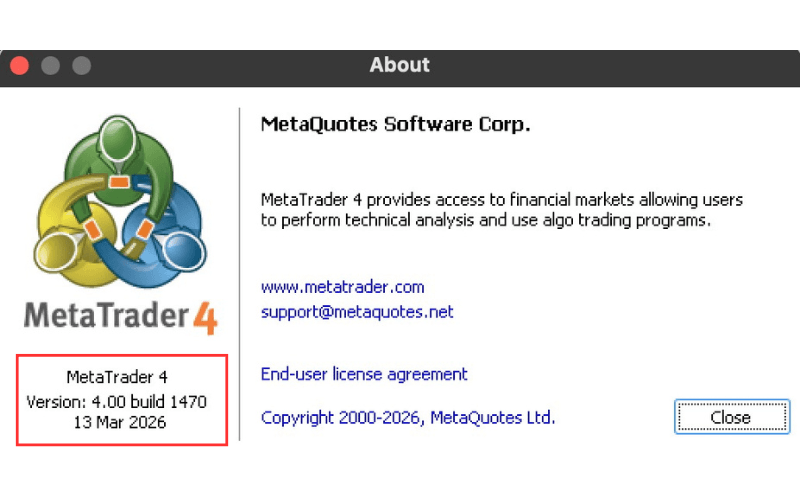
The "About" dialog will appear, where you can check the version and build number at the bottom left.
In the example shown, the version is 4.00, the build is 1470, and the update date is March 13, 2026.