
How to Align Charts on MT5 (Mac)
Chart Alignment
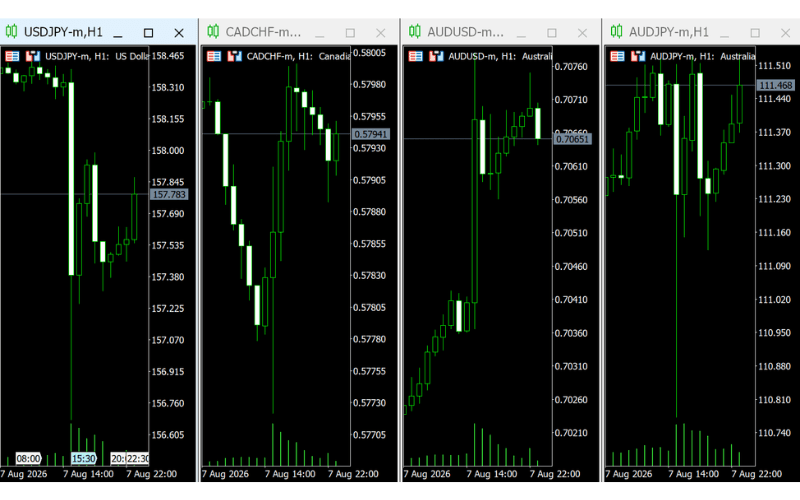
While analyzing, charts may become uneven, requiring alignment. The chart alignment feature is useful in such cases. To align charts, use the toolbar or the "Window" menu.
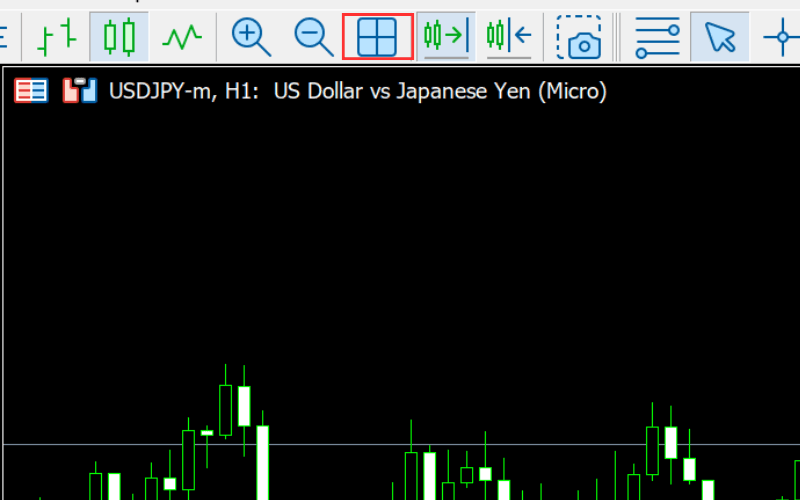
Click the chart alignment icon on the toolbar to automatically adjust the charts to equal sizes.
Alternatively, select "Tile Windows" in the "Window" menu.
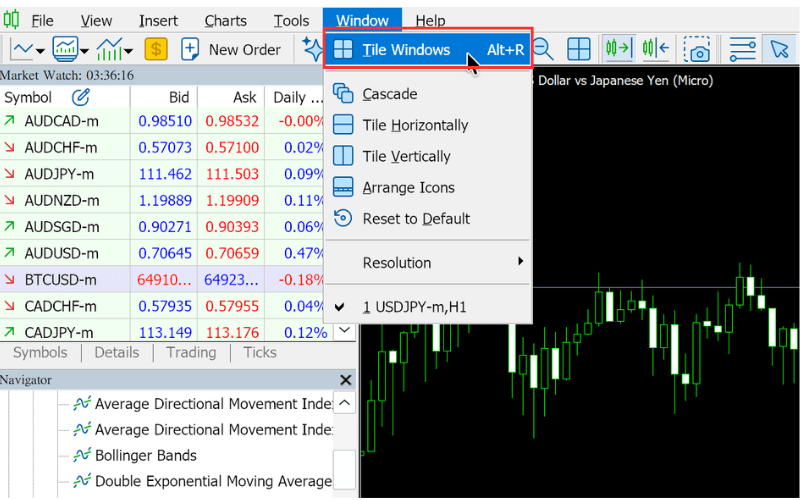
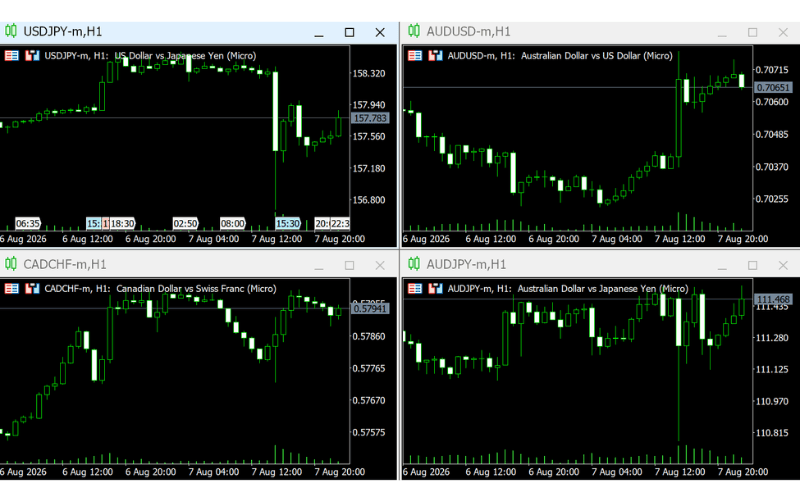
This also automatically adjusts the charts to equal sizes.
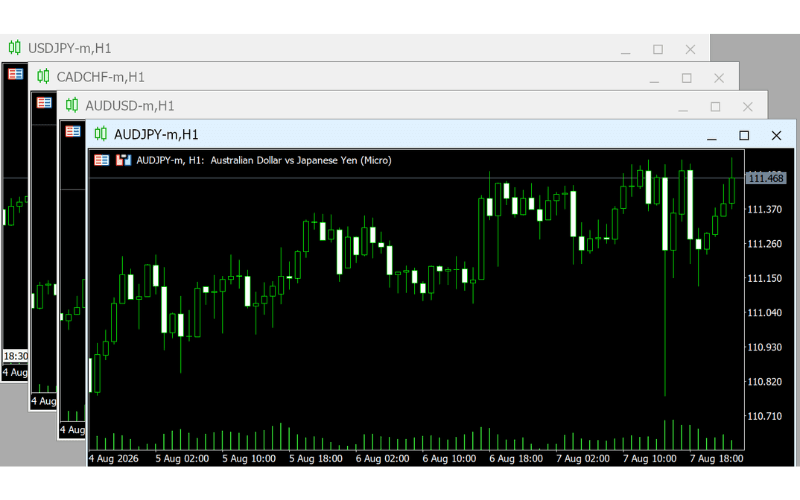
Select "Cascade" in the "Window" menu.
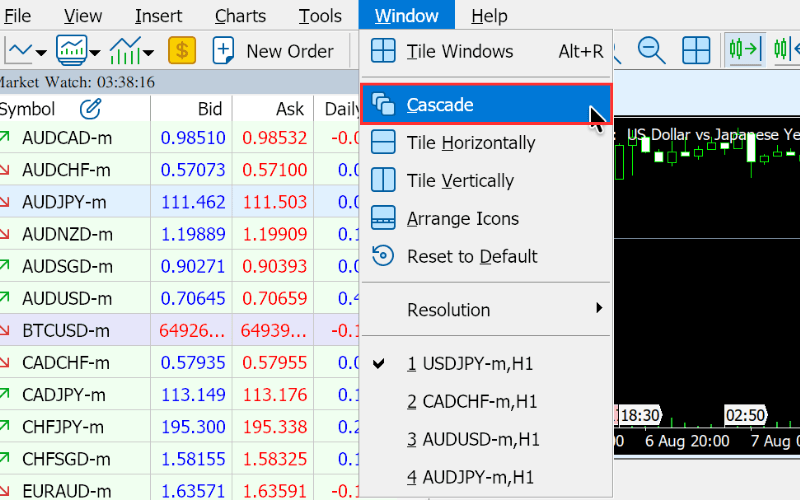
This allows you to cascade the charts.
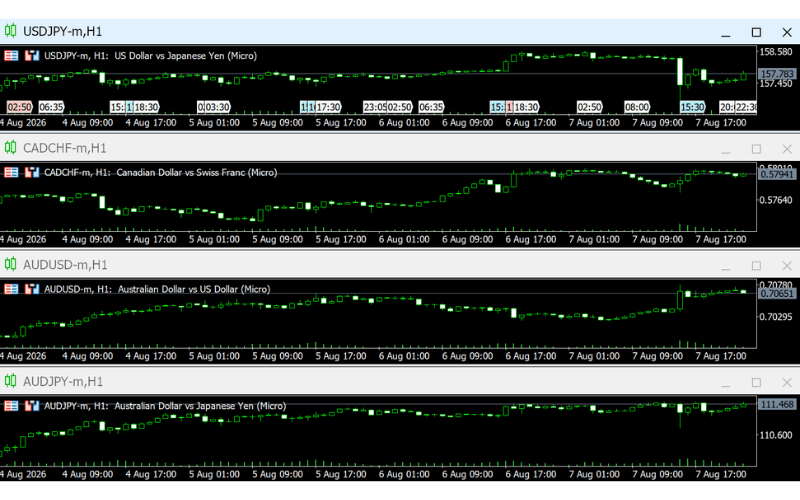
Select "Tile Horizontally" in the "Window" menu.
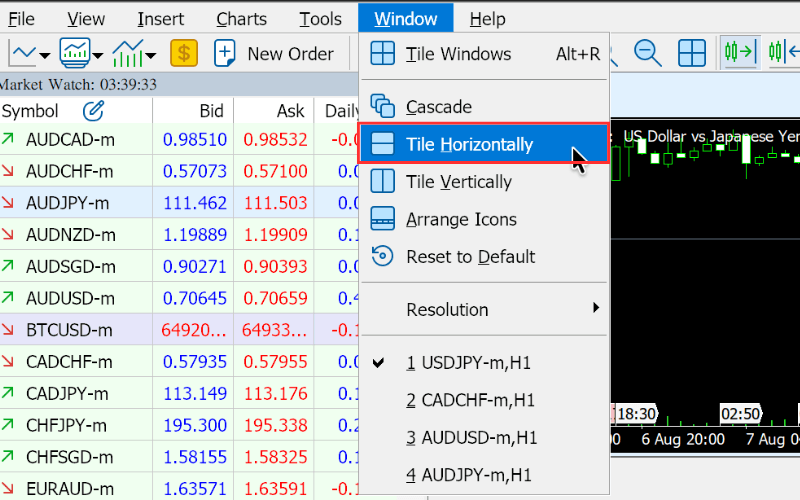
This allows you to tile the charts horizontally.
Select "Tile Vertically" in the "Window" menu.
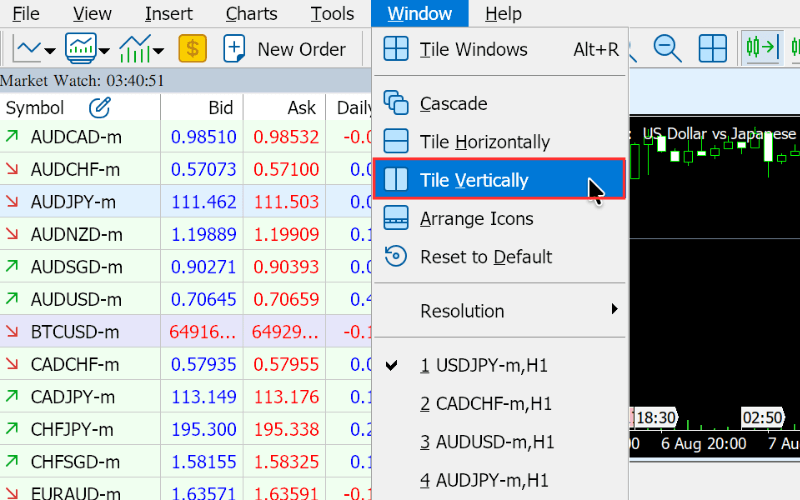
This allows you to tile the charts vertically.