How to Use Chart Templates in MT5 (Mac)
In MT5, you can save chart settings such as colors and indicators as a "Chart Template" and apply them to other charts. This guide explains how to save, apply, delete, and load chart templates.
How to Save a Chart Template
Prepare the chart with the settings you want to save, then use one of the following methods to start saving the template.
① Save from the Menu
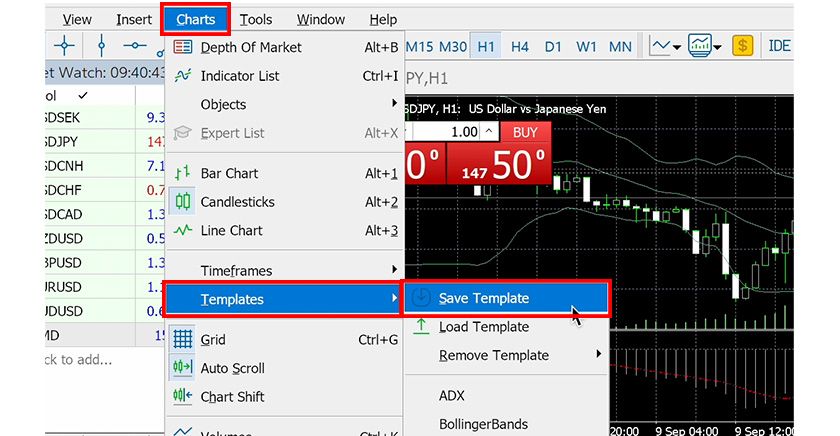
Select "Save Template" under "Charts" → "Templates" in the menu.
② Save from the Toolbar
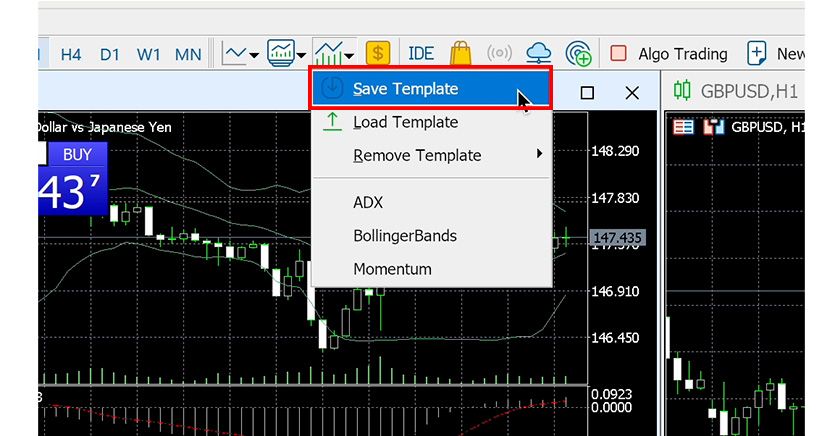
Click the "Templates" icon on the toolbar, then select "Save Template" from the menu that appears. If the icon is not shown, right-click on the toolbar and enable it from the settings menu.
③ Right-click on the Chart and Save
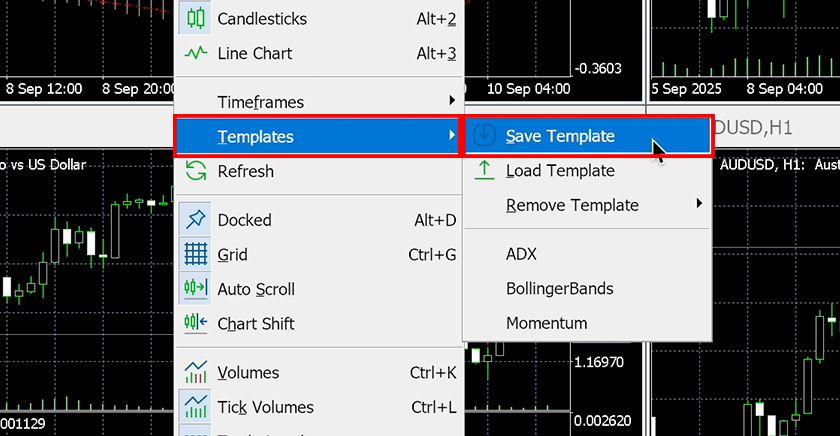
Right-click on the chart and select "Save Template" from the "Templates" menu.
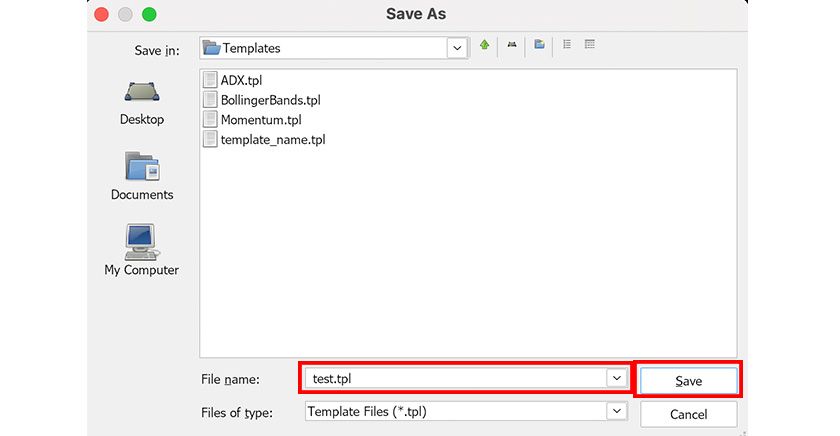
Next, a "Save As" dialog appears. Enter a file name and click "Save".
How to Apply a Chart Template
To apply a saved template to a new chart, use one of the following methods.
① Apply from the Menu
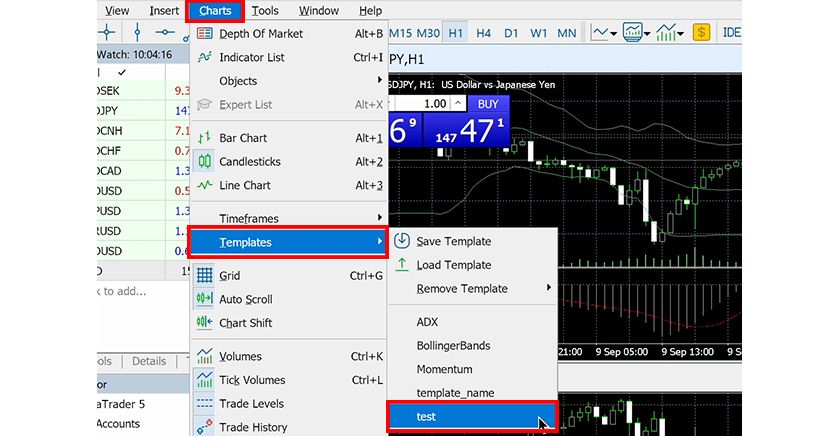
Select the template name you want to apply under "Charts" → "Templates" in the menu.
② Apply from the Toolbar
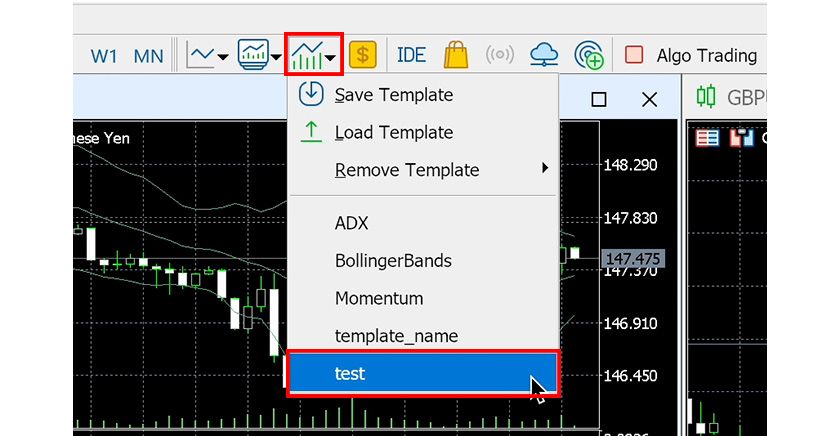
Click the "Templates" icon on the toolbar, then select the template name you want to apply from the menu that appears.
③ Right-click on the Chart and Apply
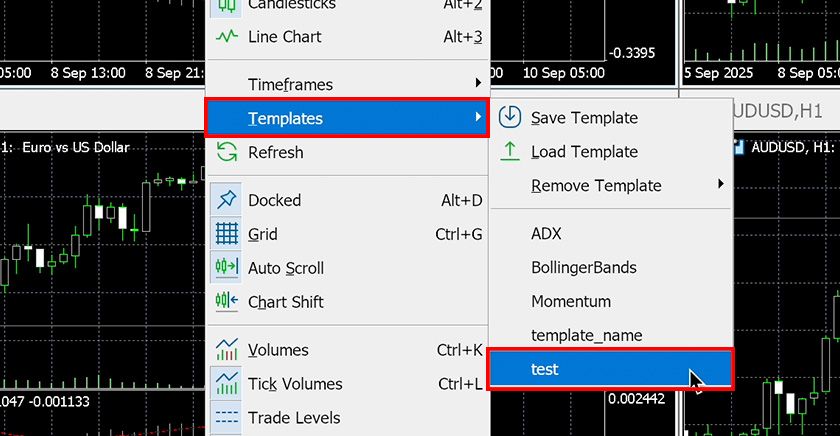
Right-click on the chart and select the template name you want to apply from the "Templates" menu.
How to Delete a Chart Template
To delete a saved template, use one of the following methods.
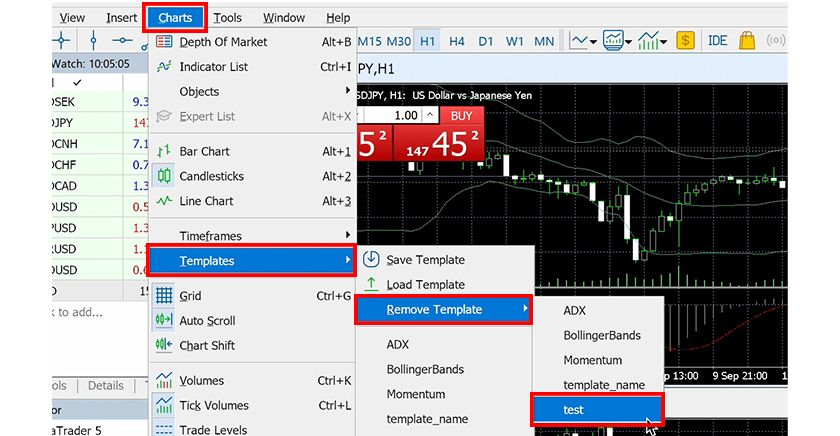
① Delete from the Menu
Select the template name you want to delete under "Charts" → "Templates" → "Delete Template" in the menu.
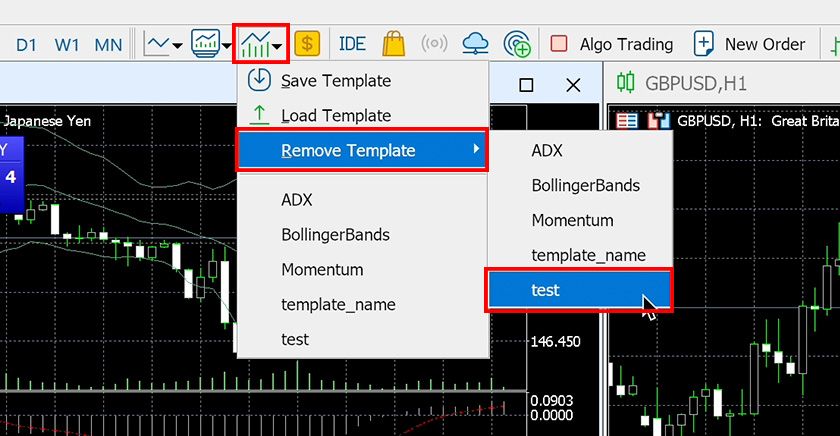
② Delete from the Toolbar
Click the "Templates" icon on the toolbar, then select the template name you want to delete under "Delete Template" in the menu that appears.
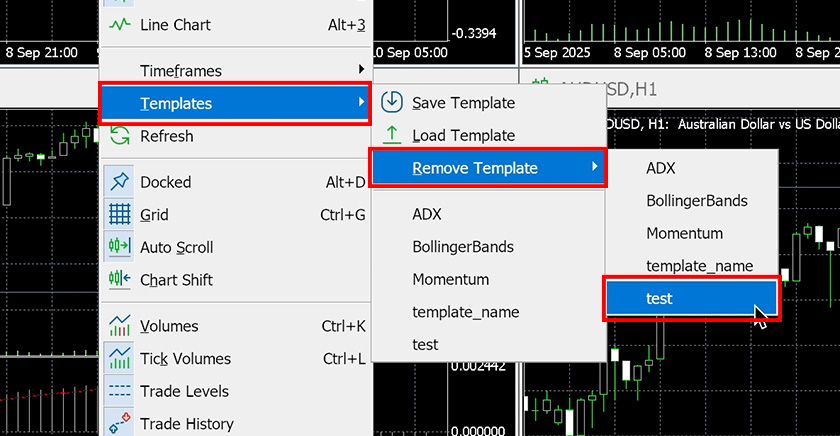
③ Right-click on the Chart and Delete
Right-click on the chart and select the template name you want to delete under "Templates" → "Delete Template".
How to Load a Chart Template
In MT5, you can load templates created on another computer or by someone else. Use one of the following methods to open the "Open" dialog, then select the template file you want to load.
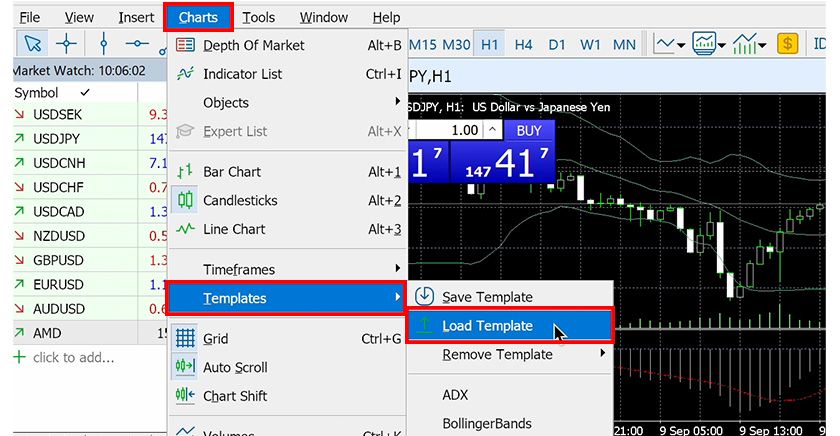
① Load from the Menu
Select "Load Template" under "Charts" → "Templates" in the menu.
② Load from the Toolbar
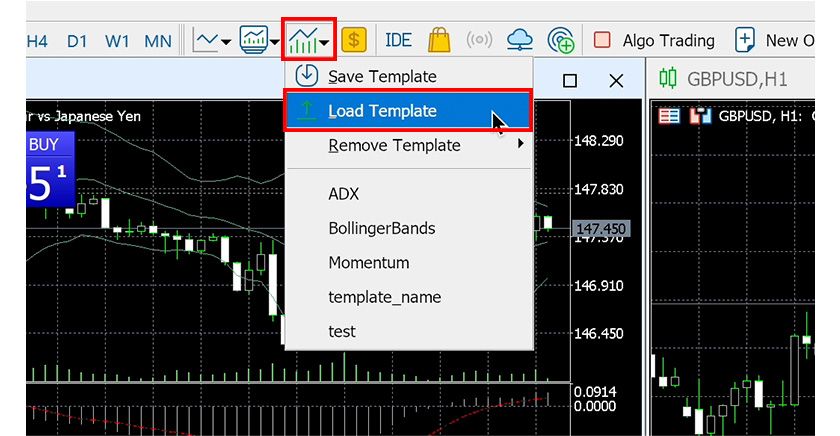
Click the "Templates" icon on the toolbar, then select "Load Template" from the menu that appears.
③ Right-click on the Chart and Load
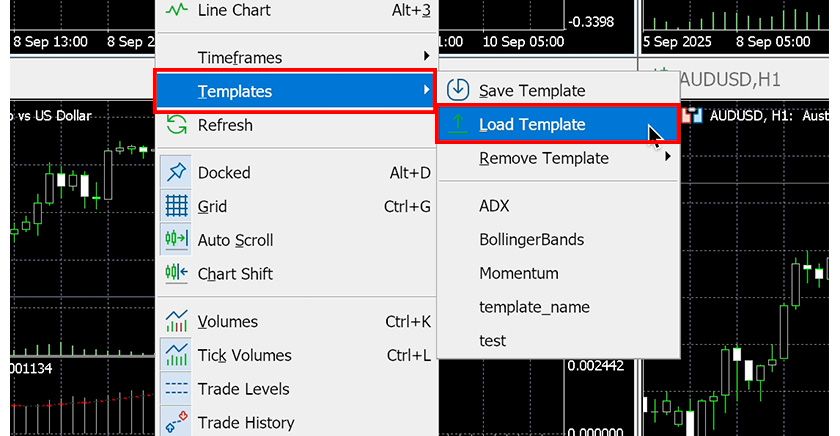
Right-click on the chart and select "Load Template" from the "Templates" menu.